Photography Tips
AI Enhancement Review for Property Listing Photos
Discover how property managers can transform everyday room shots into polished, booking-ready images without the expense or delay of scheduling a full reshoot.
By Hospitality Lens · · 7 min read
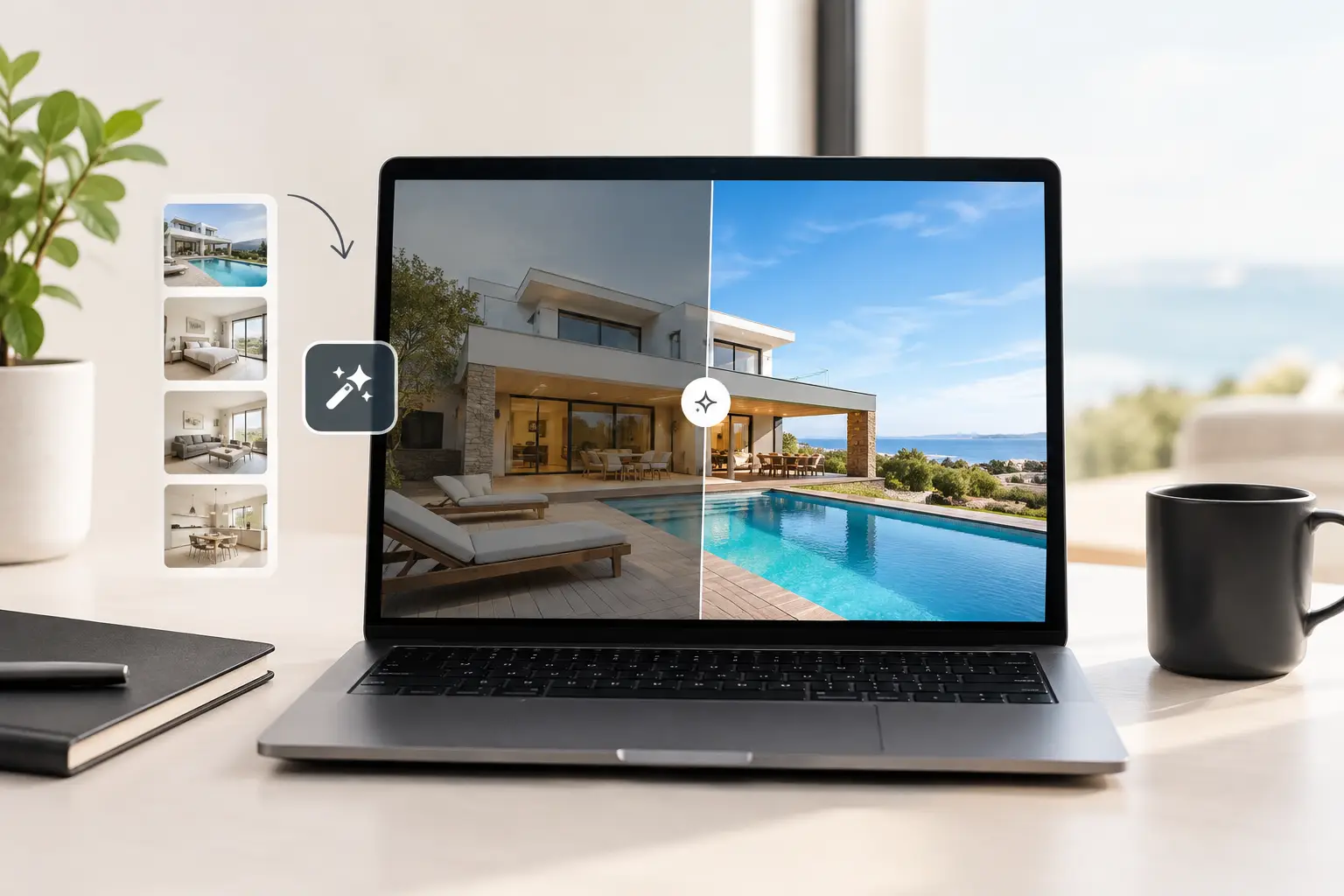
A slightly dark kitchen, a tilted horizon, or a bathroom counter left with a few everyday items can make an otherwise solid listing feel less considered. For property managers, that does not always justify coordinating access, scheduling a photographer, and paying for a complete reshoot. This AI enhancement review looks at the more practical question: when can usable existing images become professional-looking property photos, and when is a new photoshoot the smarter call?
The distinction matters because property imagery is not just decoration. It sets expectations before a guest reads the description, checks the map, or compares amenities. The goal is not to make a property look like something it is not. It is to present the real space clearly, consistently, and at its best.
What AI Property Photo Enhancement Should Actually Do
AI property photo enhancement is often discussed as though every tool does the same thing. They do not. Some systems generate new visual elements, replace interiors, or add furnishings. That may suit a creative concept, but it creates obvious risks for live accommodation and real estate listings where the photos should truthfully reflect what a guest or buyer will find.
A useful service for hospitality operators should improve the photograph, not rewrite the property. That means correcting color casts caused by mixed interior lighting, lifting shadows carefully, balancing bright windows, straightening vertical lines, correcting horizons, and removing visual distractions that do not represent the room itself. The result should feel like a better version of the original image, not a different property.
This is especially valuable when the source images are functional but imperfect. A property manager may have phone photos from an owner, a co-host may receive images from a cleaner after a refresh, or a serviced-apartment team may need to standardize photos collected across several locations. In each case, the input can be good enough to work with even if it is not ready for a listing.
Truthful photo enhancement has clear limits. It should not create a sea view that is not visible, widen a narrow room, add a pool, remove permanent neighboring buildings, or invent a second bedroom. It should not turn an unfinished renovation into a finished space. No fake rooms, views, amenities, or property features is a practical standard, not a minor detail.
AI Enhancement Review: What Operators Should Assess
An AI enhancement review should go beyond asking whether an edited image looks attractive at first glance. Property teams should assess whether the results are realistic, consistent with the source photo, and useful for the listing’s actual purpose.
Start with the source image, not the promise
The best edits begin with a usable photograph. The room should be visible, reasonably in focus, and photographed from an angle that communicates the layout. A phone image can be enough, particularly in a well-lit space, but no editing process can reliably recover detail that was never captured or fix a frame that excludes the room’s most important features.
For example, a dim but sharp living room photo may respond well to lighting and color correction. A bedroom photographed with motion blur, a finger across the lens, or a harsh overhead angle will remain a weak candidate. Enhancement can improve presentation. It cannot supply professional composition where there was none.
Look for realistic lighting and perspective correction
Lighting is where over-editing becomes easy to spot. Windows should retain believable brightness rather than becoming flat white cutouts. Interior corners should show enough shadow to preserve depth. White walls should look neutral without taking on a blue or gray cast, and wood, stone, tile, and fabric should retain their real color.
Perspective matters just as much. Wide-angle phone lenses can make walls lean, doorways bow, and countertops appear distorted. Realistic lighting and perspective correction can make a room feel orderly and well presented without making it seem materially larger. If the finished image looks dramatically wider or more symmetrical than the source, it deserves closer scrutiny.
Check what was removed and what remains
Clutter cleanup is useful when it removes temporary distractions: cleaning supplies, cables, bins, stray personal items, or a person captured in the background. It is less appropriate when the removal changes what a guest would reasonably expect to see.
A coffee cup on a counter is different from a fixed radiator, a nearby building visible through a window, or a permanent utility feature. The correct question is not simply, “Can this be removed?” It is, “Would removing it create a misleading representation of the property?” Good editing judgment is as valuable as the technology itself.
Review consistency across the listing
One excellent image beside 20 uneven ones rarely solves a listing presentation problem. For portfolio operators, consistency is often the more commercial benefit. Similar brightness, vertical alignment, and color balance across rooms can make a property feel more intentional and easier to browse.
This is particularly relevant during new-property onboarding and seasonal updates, when images may come from different people and different devices. A coherent set of booking-ready listing images helps the property present as one experience rather than a collection of unrelated snapshots.
When Enhancement Is a Better Option Than a New Photoshoot
A property photographer alternative makes sense when the underlying images are usable and the need is focused on presentation rather than documentation. A listing refresh without a new photoshoot can be a sensible decision after a cosmetic update, before a busy season, or when an owner has supplied decent photos that need professional polish.
It can also suit an underperforming listing where the rooms are accurately shown but the images feel dim, crooked, cluttered, or inconsistent. In that situation, correcting the existing visual issues may be faster and more economical than arranging a new visit.
For vacation rental managers and co-hosting agencies, access can be another factor. A property may be occupied, located far from the operations team, or available only in a narrow turnover window. If current images show the right rooms and amenities, enhancing them can reduce the coordination burden while still improving the listing’s visual standard.
HospitalityLens is designed for this specific middle ground: turning usable owner photos, cleaner-taken images, phone photos, and existing listing images into realistic, professional-looking property photos. It is not virtual staging, and it is not positioned as a replacement for every photographer assignment.
When a Professional Photographer Is the Better Choice
There are situations where enhancement is the wrong tool. If a property has no usable images, a new professional photoshoot is usually the stronger investment. The same is true when major spaces are missing, the layout is poorly documented, or the property has distinctive architectural details that deserve deliberate composition.
A photographer is also the better choice for a newly launched premium property, a substantial renovation, or a property where brand presentation depends on highly art-directed imagery. Professional photography brings location-specific decisions: selecting the best angle, preparing the room, waiting for suitable natural light, composing around the property’s strongest features, and capturing details that existing snapshots may have missed.
Think of the decision this way. Enhancement improves what is already there. Photography creates the source material from which the listing will be judged. If the source is weak, incomplete, or outdated in a meaningful way, editing should not be used to avoid the real problem.
A Practical Way to Test the Result
Before committing to a larger batch, test one representative image. Choose a photo that reflects the typical challenge in your portfolio, such as a phone-shot living room with mixed lighting or a bedroom image with a slightly skewed angle. Review the edit beside the original at the size guests are likely to see first.
Ask whether the room still looks like the same room. Check window views, wall colors, furniture proportions, and permanent fixtures. Then ask whether the image is cleaner, brighter, and easier to understand without becoming artificially polished. That is the standard that matters.
Free watermarked preview. Pay only if you like it. No card is required to create the free watermarked preview. See current pricing for unlocks, one-time packs, and subscriptions.
For recurring needs, packs and subscriptions can make sense when multiple properties need attention, but volume should not replace review. Even portfolio-wide work benefits from a clear instruction on what must remain visible and what temporary clutter can be removed.
The strongest listing photos do not ask guests to overlook poor lighting, tilted lines, or visual noise. They also do not ask guests to accept a version of the property that does not exist. Choose the approach that closes that gap honestly, whether that means thoughtful enhancement of usable images or a photographer behind the camera.