Photography Tips
Under 5 Minutes: Fast Listing Photo Upgrades for Property Managers
Transform existing property photos into captivating, booking-ready listings in minutes, securing more interest and rentals without needing new photoshoots.
By Hospitality Lens · · 10 min read

The fastest way to upgrade a listing photo is a one-tap mobile enhancer for a single image, a marketplace’s built-in editor if you’re already selling there, or a fast AI service for anything beyond a handful of photos. HospitalityLens fits that third category directly, turning rough phone or listing shots into booking-ready images with a free watermarked preview and typical turnaround measured in minutes, not days. None of these routes invent rooms, views, or features that aren’t there. They fix what’s real.
TL;DR:
- AI batch services are most effective for editing multiple photos across a property portfolio, offering consistent look and better control than single-image tools.
- Small, incremental edits like horizon straightening and decluttering yield more natural results than one-pass overprocessing with a single prompt.
- Improving source photos with good composition and lighting enhances AI editing outcomes more than relying solely on software fixes.
- A free watermarked preview allows property managers to assess AI-enhanced images before committing to purchase or subscription plans.
- Use a professional photographer only when source images are fundamentally unusable or require new angles, not for simple corrections.
HospitalityLens
Refresh Your Listing Photos Faster
Turn usable phone or existing listing photos into realistic, booking-ready images without arranging a new photoshoot.
Try one photo freeTable of Contents
What’s the Fastest Way to Do a Listing Photo Upgrade?
Your choice depends on how many photos you have and how much control you need over the result.
One-tap mobile or desktop enhancers work best for a single photo you need fixed right now. Apps like Listing Photo Booster process an image instantly with automatic lighting and background cleanup. There’s no upload queue, no waiting. The tradeoff is limited control. You get one style of fix, and it’s applied uniformly whether the photo needs it or not.
Marketplace built-in tools make sense if you’re already listing on that platform. eBay’s background enhancement feature turns a casual product snap into a studio-style image without leaving the app. If your property or item is already listed somewhere with a native editor, this is often the path of least resistance.
Fast AI batch services are the right call once you’re managing more than a few photos across multiple listings. They accept bulk uploads, apply MLS-ready presets, and keep a consistent look across an entire portfolio.
Weigh these against each other:
- Speed for one photo: mobile app wins
- Speed for a full listing: batch AI service wins
- Volume across a portfolio: only a batch service scales
- Control over each edit: batch services and desktop tools beat one-tap apps
- Platform compliance (MLS, Airbnb, Vrbo disclosure rules): check licensing before you rely on any tool
What Do Fast AI Enhancements Actually Change?
The marketing language around AI photo tools can blur what’s actually happening. Here’s what each common edit does in plain terms.
- Exposure and white balance: brightens dark rooms and corrects yellow or blue color casts from mixed indoor lighting
- Horizon and vertical correction: straightens tilted shots and fixes converging lines from wide-angle phone lenses
- Object removal and decluttering: removes trash cans, cords, and stray items without altering the room’s layout
- Sky replacement or day-to-dusk conversion: swaps a flat gray sky for a clear one, or shifts exterior shots to a warmer evening tone
- Retake fixes and upscaling: sharpens a blurry frame or increases resolution for print-quality output
The best results come from stacking small, single-purpose edits rather than running one all-in prompt. Voor documents this directly. Fix the horizon first, then declutter, then adjust color. This “one fix per pass” approach avoids the over-processed, waxy look that comes from asking an AI model to do everything at once.
Architectural sharpness matters more than people expect. Listing-focused tools tune their models to preserve structural lines and true color, while generic consumer filters can round off edges or oversaturate a room until it looks unreal, according to Weezard’s real estate editing guidance.
Pro Tip: If an edit makes a room look suspiciously perfect, back off one pass. A slightly imperfect but honest photo converts better than one that makes a guest feel misled at check-in.
How Do You Upgrade a Listing in Minutes, Not Days?
A repeatable sequence beats improvising edit by edit. This is the order that keeps results consistent across a portfolio.
- Pre-check before uploading. Pick your sharpest frames, shoot landscape orientation, open curtains for natural light, and capture two or three angles per room. AI tools perform better with well-composed source material than with one blurry shot stretched to fix everything.
- Batch upload with a preset. Choose an MLS or booking-ready preset for a fast first pass across the whole set.
- Run iterative passes. Correct horizon and perspective first, then handle decluttering and object removal, then retake or face fixes if needed, then finish with color and contrast.
- Check exports before publishing. Confirm resolution meets the platform’s minimum, colors survive compression, and nothing in the final image misrepresents the property.
This staged approach is why AI real estate editors advertise five to fifteen seconds per image and full 30-photo shoots processed in under five minutes. Presets tuned for HDR, sky, lawn color, and vertical correction let a team ship an entire gallery without hand-tuning each shot, though a quick manual override on one or two problem photos is still worth the extra thirty seconds.
When Does a Real Photographer Still Win?
AI fixes work on real photos. They can’t create angles that were never captured or rescue a shot that’s fundamentally unusable.
Book a photographer instead when:
- Your source photos are blurry, poorly framed, or missing key rooms entirely
- You’re launching a flagship listing or hero marketing image that needs to stand out
- The property is a new build where architectural accuracy and lighting design matter for buyer trust
- You need entirely new angles, not fixes to what already exists
A quick rule: if the fix is correction, AI handles it fast. If the fix is a shot that doesn’t exist yet, you need a camera on-site.
What Should You Expect to Pay and Wait For?
Pricing in this category runs a few common shapes. Pay-per-use tools charge a small per-photo fee, sometimes just a few cents on bulk consumer editors, while listing-focused services price higher for portal-ready output. FairStack’s per-photo and subscription tiers illustrate this range, alongside monthly plans like Shhots’ entry-level $19 tier for ongoing volume.
- Single-photo apps: seconds, often free or under a dollar per image
- Batch AI services: minutes for a full shoot
- Managed bulk orders with human review: same day to a few hours
Before buying, check three things every time: how many revisions are included, whether the preview is watermarked until purchase, and whether the license covers commercial use on MLS, Zillow, or booking platforms. Not every cheap tool includes commercial rights by default.
How Does HospitalityLens Handle a Fast Listing Photo Upgrade?
HospitalityLens builds its process around one rule: improve what’s real, never invent what isn’t there. You upload a dark, crooked, cluttered, or owner-submitted photo, and the service corrects lighting, straightens perspective, clears clutter, and removes stray people or objects while keeping the property exactly as it is.
- Try one photo free, with a watermarked preview so you can judge the result before paying anything
- If you want the finished, watermark-free image, it’s a flat fee and the purchase includes revisions
- If you later buy a pack or subscription, that initial fee credits toward the purchase
- Packs range in price and provide multiple photos with included revisions
- Subscriptions offer a monthly rate for a set number of photos with included revisions and additional photos billed at the tier rate
A listing refresh, a new-property onboarding batch, or a portfolio-wide consistency pass all follow the same flow: upload, preview, approve, done. There’s no studio visit and no waiting on a photographer’s calendar.
See the process in the step-by-step HospitalityLens guide or browse a before-and-after example gallery to see what a typical enhancement pass looks like on a real property.
The HospitalityLens Team
Why Speed Alone Isn’t the Point
Image quality can influence how people evaluate a listing, but there is no universal performance uplift that applies to every property. Measure clicks, inquiries, bookings, or sales on the individual listing. It isn’t. The real question is whether a fast edit is also an honest one, and that’s where a lot of “AI enhancement” marketing quietly falls apart.
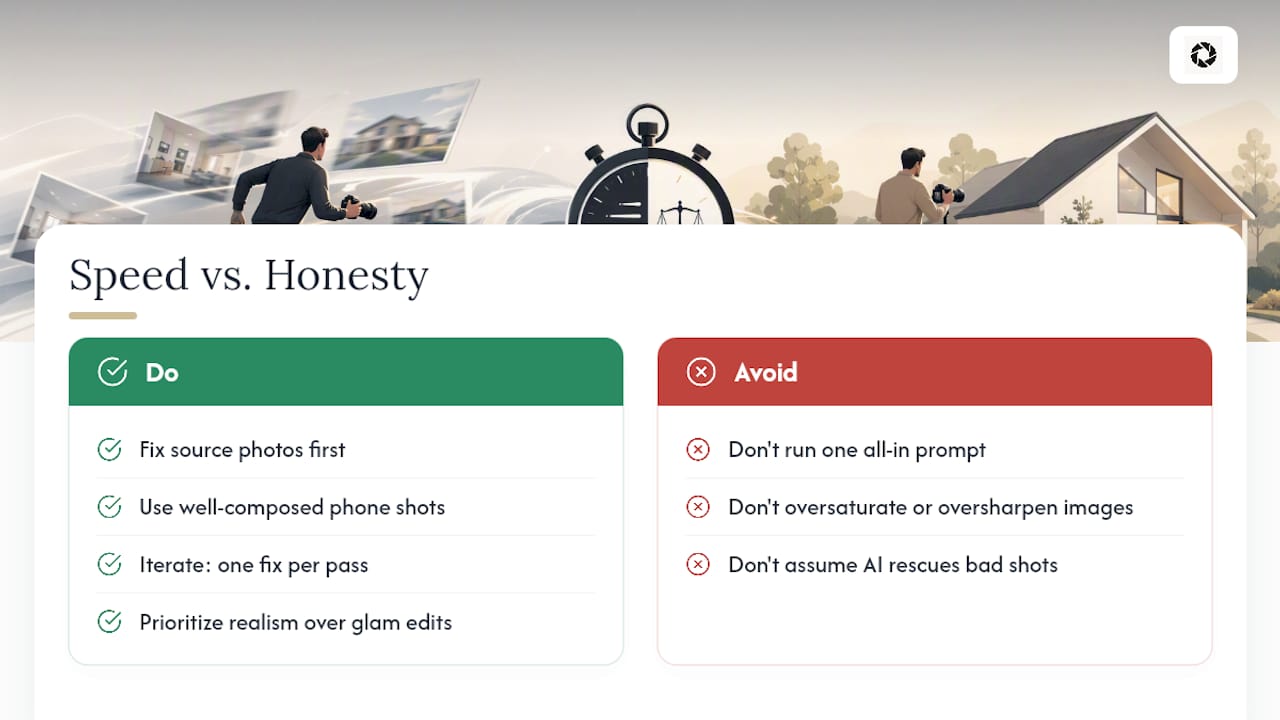
The instinct to run one big all-in prompt and call it done is the biggest mistake we see property managers make. It produces images that look processed rather than photographed, the kind of oversaturated, over-sharpened result that makes a guest feel misled the moment they walk in. The iterative, one-fix-per-pass approach isn’t just a technical preference. It’s the difference between a photo that sets accurate expectations and one that generates a complaint at check-in.
What we’d tell a property manager to prioritize first: fix your source photos before you fix your edits. A well-composed phone shot with good light and a straight horizon will always out-enhance a badly framed one, no matter how good the AI is. Speed matters, but it only pays off when the input photo gives the algorithm something honest to work with. Check out our guidance on AI property photo realism before assuming any tool can rescue an unusable shot.
— The HospitalityLens Team
Try One Photo Free Before You Commit to Anything
There are other routes to faster listing photos: one-tap mobile apps for a single quick fix, or a marketplace’s own built-in editor if you’re already selling there. Both work fine for a single image with modest problems. HospitalityLens is built for the moment those tools run out of runway, when you’re managing several listings, onboarding a new property, or need consistent, booking-ready images across a whole portfolio without hiring a photographer for every refresh.

Free watermarked preview. Pay only if you like it. No card is required to create the free watermarked preview. See current pricing for unlocks, one-time packs, and subscriptions.
Sources
FAQ
What is the best photo enhancer for real estate?
There’s no single “best” tool for every case. Listing-focused AI services like HospitalityLens work well for batches of owner-submitted or phone photos, while one-tap mobile apps suit a single quick fix, and a photographer remains best for flagship shots or unusable source images.
How can I upgrade my image fast without a new photoshoot?
Upload your existing photo to a fast AI enhancer, correct lighting and perspective in staged passes, and remove clutter or stray objects. Most single-photo edits complete in seconds to a few minutes, and HospitalityLens delivers a free watermarked preview so you can check the result before paying.
Which AI photo enhancer is the best for property listings?
Tools built specifically for real estate and hospitality tend to outperform generic consumer filters because they’re tuned to preserve architectural lines and true color instead of over-smoothing, per Weezard’s real estate editing analysis. HospitalityLens applies this same principle, focusing on truthful correction rather than invented detail.
Which site pays most for photos?
That question typically applies to stock photography marketplaces, not listing photo enhancement, and isn’t something this guide covers. If you’re asking about upgrading your own property or listing images, tools like HospitalityLens charge you for enhancement rather than paying for photo submissions.
Recommended