Short-Term Rentals
Owner Photo Guidelines: What to Send Your Property Manager
Help vacation rental hosts capture crisp, listing-ready pictures with straightforward staging advice, technical specifications, and shot lists that eliminate tedious reshoots.
By Hospitality Lens · · 13 min read

Good owner photo guidelines do three things. They tell owners which rooms and details to capture, how to prepare the space, and what technical specs the booking platforms expect. Hand owners a one-page standard before they pick up a phone, and you will spend far less time asking for reshoots. This article gives you that standard, with the platform rules behind it, so you can adapt it for your own portfolio.
TL;DR
- Ask owners for a fixed set of shots: exterior, main living area, kitchen, every bedroom, every bathroom, outdoor spaces and standout amenities.
- Prep matters more than gear: clear clutter, make beds, open curtains, turn on lamps, and shoot level, horizontal, at eye level.
- Set a technical floor: landscape, at least 2048 pixels wide where possible, no filters, no watermarks, no text overlays.
- Photos must show the real property. Edits can fix light, tilt and clutter, but never add or remove things that are real.
- If photos arrive dark, crooked or messy, you can often fix them without a reshoot. Flagship properties still deserve a photographer.
Table of Contents
- Why you need written owner photo guidelines
- The shot list to give owners
- How owners should prepare each room
- How to hold the phone
- Technical specs: the floor owners must meet
- What makes a photo misrepresent the space
- What edits are acceptable
- When to ask the owner for new photos
- Making owner photos consistent across a portfolio
- Our perspective: usable owner photos can become booking-ready
- Try it on one owner photo
- FAQ
- Sources
Why you need written owner photo guidelines
Owners rarely send bad photos on purpose. They send what they have: a phone gallery from last summer, a few shots taken during a quick walkthrough, or images the cleaner snapped between turnovers. Without guidance, you get tilted rooms, a laundry basket in the corner and a flash reflecting in the bathroom mirror.
Written guidelines reset that. They give the owner a clear, friendly task, and they give you a standard to point to when something misses. They also protect the guest. A listing photo is emotional before it is rational, and a photo that misleads costs you a bad review later.
Keep the tone supportive. Owners are not photographers, and perfection is not the goal. A clean, honest, well-lit set from a phone is a good start.
The shot list to give owners
Start with what to capture. Platform guidance is consistent here. One vacation rental marketplace’s homeowner help page recommends an exterior front shot, living room, dining area, kitchen, all bedrooms, at least one bathroom, porch, deck or patio, backyard, and unique amenities such as kayaks or beach equipment.
Booking.com’s partner help asks for at least four photos of each room or unit and at least one of the bathroom and toilet. Vrbo requires at least six unique photos to stay published, and a listing under that count for more than 30 days can face an indefinite suspension. Google’s Hotel Center asks vacation rentals for a minimum of eight photos with at least one per room.
Put those together and a sensible owner request looks like this:
| Area | What to capture | Minimum |
|---|---|---|
| Exterior | Front of the home, plus the entrance | 2 shots |
| Main living space | Wide shot from a corner, plus one angle toward the kitchen or dining area | 3 shots |
| Kitchen and dining | Full kitchen, counters, table setting | 3 shots |
| Each bedroom | Wide shot of the bed, a second angle, one detail | 3 to 4 shots |
| Each bathroom | Whole room, shower or tub | 2 shots |
| Outdoor areas | Patio, pool, yard, views from the space | 2 to 4 shots |
| Standout amenities | Hot tub, fire pit, game room, workspace | 1 each |
That adds up to a typical total of 15 to 30 images for a mid-sized home. Our own photo style guide covers the 12 to 25 image range for phone-first sets.
Tell owners the order matters
The first image is the one guests judge you on. Vrbo’s partner community commonly advises leading with the strongest wide shot of the main living area, then bedrooms and outdoor spaces, then details. Ask owners to flag their top three picks, and let your team make the final sequence.
How owners should prepare each room
Preparation does most of the work. Booking.com’s partner guidance says to tidy every room, open curtains so views show, turn on lamps and ambient lighting, make beds, clean surfaces and floors, and hide laundry, wires and cables. Airbnb’s photo guide adds turning off the flash and opening blinds. Its newer listing guidance says to find the time of day when each room gets the most natural light and to remove clutter.
Translate that into a short prep note for owners:
First, clear every surface. Remove cleaning supplies, remotes, cords, packaging, price tags, mail and personal documents. Airbnb’s own Superhost photographer, Jeff of Joshua Tree, says in the guide that many people forget to clear random objects before shooting.
Second, make every bed with the bedding guests will actually get. Wipe mirrors, windows, faucets and shower glass. Smudges that seem invisible in person show up clearly in a photo.
Third, let in daylight. Shoot on a bright day, pull back curtains, switch on lamps, and never use the flash. Mixed lighting is fine. A flash that flattens the room is not.
Fourth, keep staging light and honest. A set table or a vase of flowers is fine. Seasonal or consumable styling should stay modest, so guests do not assume the fruit bowl or the wine is included. Keep people and personal items out of interior shots.

How to hold the phone
Most owner problems are camera position, not camera quality. Airbnb advises horizontal photos, centering the subject, and shooting straight ahead without tilting the lens up or down. It also recommends a mix of wide, mid-range and close-up images. Booking.com asks that at least 10 photos be taken from a height of 3 to 5 feet, roughly chest to eye level.
Give owners these simple habits. Stand in a corner and shoot toward the opposite corner. Keep the phone level and at chest height. Take the shot twice, once wide and once closer. Avoid the ultra-wide setting. Expedia Group’s photo toolkit notes that travelers distrust distorted images from ultra-wide lenses that make rooms or pools look bigger than they are.
Small spaces need extra care. Our guide on photographing small rentals shows how to make them feel open without stretching them. If you want more detail on shooting technique, these vacation rental photography tips are a good companion for owners who like to learn the craft.

Technical specs: the floor owners must meet
Specs vary by channel, so set your guideline at the highest common floor and let your team resize for each platform. Here is what the platforms state.
| Channel | Orientation | Minimum size | Notes |
|---|---|---|---|
| Airbnb | Horizontal | 1200 x 800 px | Files up to about 10 MB |
| Vrbo | Landscape | 1024 x 683 px | Ideal 3840 x 2160 px or higher; JPEG, PNG, WebP, AVIF accepted |
| Booking.com | Landscape | 2048 x 1080 px | Preferably 4000 x 3000 px |
| Google Hotel Center | Landscape | 1024 x 683 px | Recommended 2048 x 1366 px, up to 10 MB |
| Expedia Group | n/a | n/a | 2,880 px or more on the longest side recommended |
For owners, the simple rule is: shoot in landscape, use the phone’s standard camera at full resolution, and send the original files, not screenshots or messaging-app copies. Compressed copies lose the pixels you need. Ask owners to share through a cloud folder or email attachment.
Platforms also reject certain content. Vrbo’s guidelines list black-and-white or sepia images, duplicates and near-duplicates, blurry or pixelated shots, collages, documents, text overlays and watermarks. Booking.com adds over-saturated, heavy HDR, tilted, stretched and fisheye images. Tell owners up front: no filters, no text, no collages.
What makes a photo misrepresent the space
Guests forgive a modest room. They do not forgive a surprise. Photos should show what the stay will be like, including the awkward parts. A compact room, a steep stair or a limited view should be visible when it affects the stay, with captions and descriptions that match. That perspective comes from a Showplace shot-list guide, and it fits what we see in practice: honest photos earn trust, and trust earns bookings.
For your guidelines, name the common problems owners should avoid: clutter in view, dim rooms, near-duplicate angles, distorted wide-angle shots and visible competitor branding or prices. Our real estate photo mistakes article walks through the visual side of this.
What edits are acceptable
Owners often ask whether editing is allowed at all. The answer is yes, within a clear limit: accuracy comes before aesthetics. Google’s Hotel Center says not to remove real visual elements or add elements that are not real, to keep the real background, and not to add graphics. Image quality can influence how people evaluate a listing, but there is no universal performance uplift that applies to every property. Measure clicks, inquiries, bookings, or sales on the individual listing.
In plain terms, your guideline for edits can say this. Fixing exposure, white balance, tilt and perspective is fine. Tidying a stray cable or a passing person is fine. Adding furniture, swapping a sky, inventing a view or enlarging a room is not. For a deeper look, see how to preserve accurate interiors.
When to ask the owner for new photos
Some submissions cannot be saved, and some should be replaced on principle. Ask for new photos when:
The property has changed. Renovations, damage, major furniture replacement, a pool closure or construction nearby all change what guests see. One platform’s quality standards require photos taken within 90 days before going live or within 90 days after a material change, and it can request refreshed photos or suspend a listing until updated materials arrive. Even where no rule applies, that is a useful internal benchmark.
The photos are unusable. Heavily blurred, extremely dark or tiny files cannot be rescued by editing.
The property is a flagship launch, or its value depends on architecture, difficult conditions or new angles. A professional photographer is the better choice there, and we say so plainly. If you need one, our photographer directory is a place to start.
Making owner photos consistent across a portfolio
When you manage ten or more homes, inconsistency becomes the problem. One listing is bright and tidy, the next is dim and crooked, and guests notice the difference in your brand.
Start with a fixed sequence. A standardized workflow defines the shooting order, minimum image count, file format and required shots. One property-management resource suggests a sequence that runs from exterior and entry through living room, kitchen, bedrooms and bathrooms. Shooting the same sequence every time makes units easy to compare and images easy to find later.
Next, use your channel tools. Hostfully’s multi-unit guide describes bulk editing for gallery images and mapping photos to rooms or unit types. Our own guides on standardizing vacation rental photos and photo standards for managers go further into process.
Finally, plan refreshes. Our photo refresh checklist helps you decide which listings to update first.
Our perspective: usable owner photos can become booking-ready
We built HospitalityLens around a simple observation: most owner-submitted and cleaner-taken photos are not hopeless. They are dark, a little crooked, or cluttered. That is a fixable problem.
Our approach is truthful enhancement. We correct lighting and color, straighten perspective and horizons, clean up clutter, and remove people or stray objects, while preserving the real property. We do not invent rooms, views, architectural features or amenities, and we do not stage.
For many listing refreshes, new-property onboarding rounds, seasonal updates and underperforming listings, that can be a practical alternative to arranging a new photoshoot. It is not a replacement for professional photographers. For flagship launches, architectural work, new angles or difficult capture conditions, a photographer is the better call.
The best results start with good guidelines. When owners follow a clear shot list and prep note, our enhancement has better material to work from, and you spend less time chasing reshoots.
The HospitalityLens Team
Try it on one owner photo
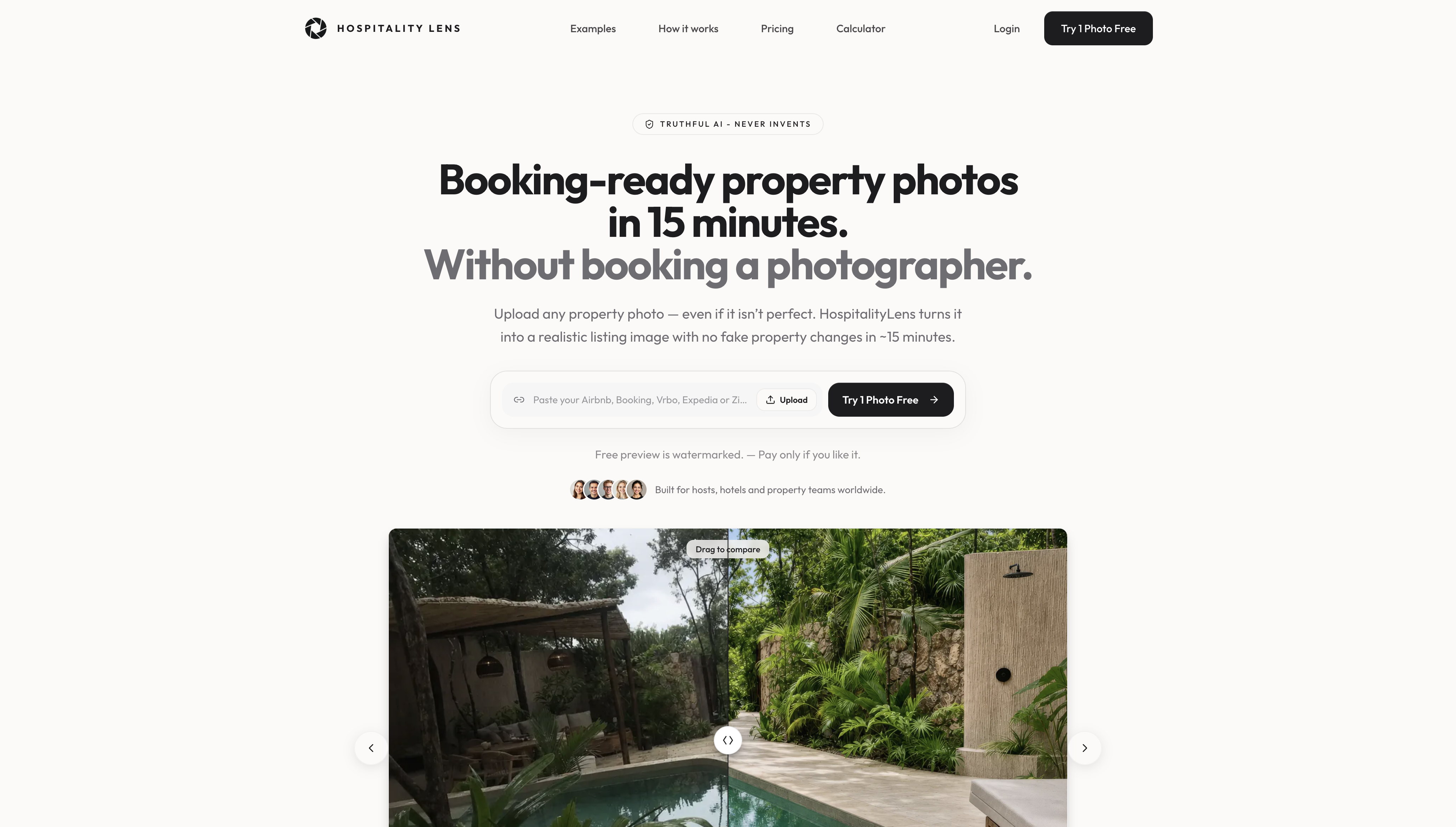
If your owners already sent photos that are usable but rough, you may not need a new shoot. Upload one image and see what truthful enhancement does. Try one photo free: the preview is watermarked, and we aim to deliver it in about 15 minutes.
Current HospitalityLens pricing (USD); one-time packs — The Hero: 1 photo for $12; The Refresh: 10 photos for $59; The Property: 25 photos for $129; The Portfolio: 100 photos for $399; monthly subscriptions — THE STARTER: 10 photos/month for $49/month; THE OPERATOR: 25 photos/month for $99/month; THE PORTFOLIO: 100 photos/month for $299/month; one-time pack credits do not expire; monthly subscription credits remain valid for up to 3 months; 2 free revisions per photo on one-time packs; 3 free revisions per photo on monthly subscriptions. See current pricing.
FAQ
How many photos should owners send?
Aim for 15 to 30 images for a typical home, covering every room and outdoor space. Platforms set minimums: Vrbo needs at least six, and Google Hotel Center asks vacation rentals for at least eight with one per room. More is better as long as each photo shows something new.
Can owners use phone photos?
Yes, if they are sharp, level, well lit and full resolution. Send original files, not screenshots. Phone shots that meet the size floors above are accepted by the major platforms, and light edits can fix exposure and tilt.
Is it acceptable to edit owner photos?
Yes, within limits. Correcting light, color, tilt and clutter keeps the image true to the property. Adding or removing real features, or using AI-generated images that do not depict the actual property, is prohibited by platforms such as Google Hotel Center and others.
How often should photos be refreshed?
Refresh after any material change, such as a renovation, new furniture or a closed pool. Some platforms require photos taken within 90 days of a change. Otherwise, seasonal updates and underperforming listings are good triggers.
Sources
- The Ideal Property Listing, Homeowner Center Help
- Understanding photo requirements for your property, Booking.com for Partners
- Vrbo photo guidelines
- Photo recommendations and best practices, Google Hotel Center Help
- How to take great photos for your listing, Airbnb Resource Center
- Help your listing stand out, Airbnb Resource Center
- How to attract guests with stunning photography, Expedia Group
- Airbnb Photography Guide and Shot List
- Quality Standards
- Mastering Multi-Units, Hostfully
- Vacation Rental Photography Tips