Short-Term Rentals
Property Photo Editing Pilot: A Scorecard Before a Monthly Plan
Evaluate your editing workflow with a structured pilot to ensure listing accuracy, measure team effort, and choose the right pricing option before committing.
By Hospitality Lens · · 4 min read
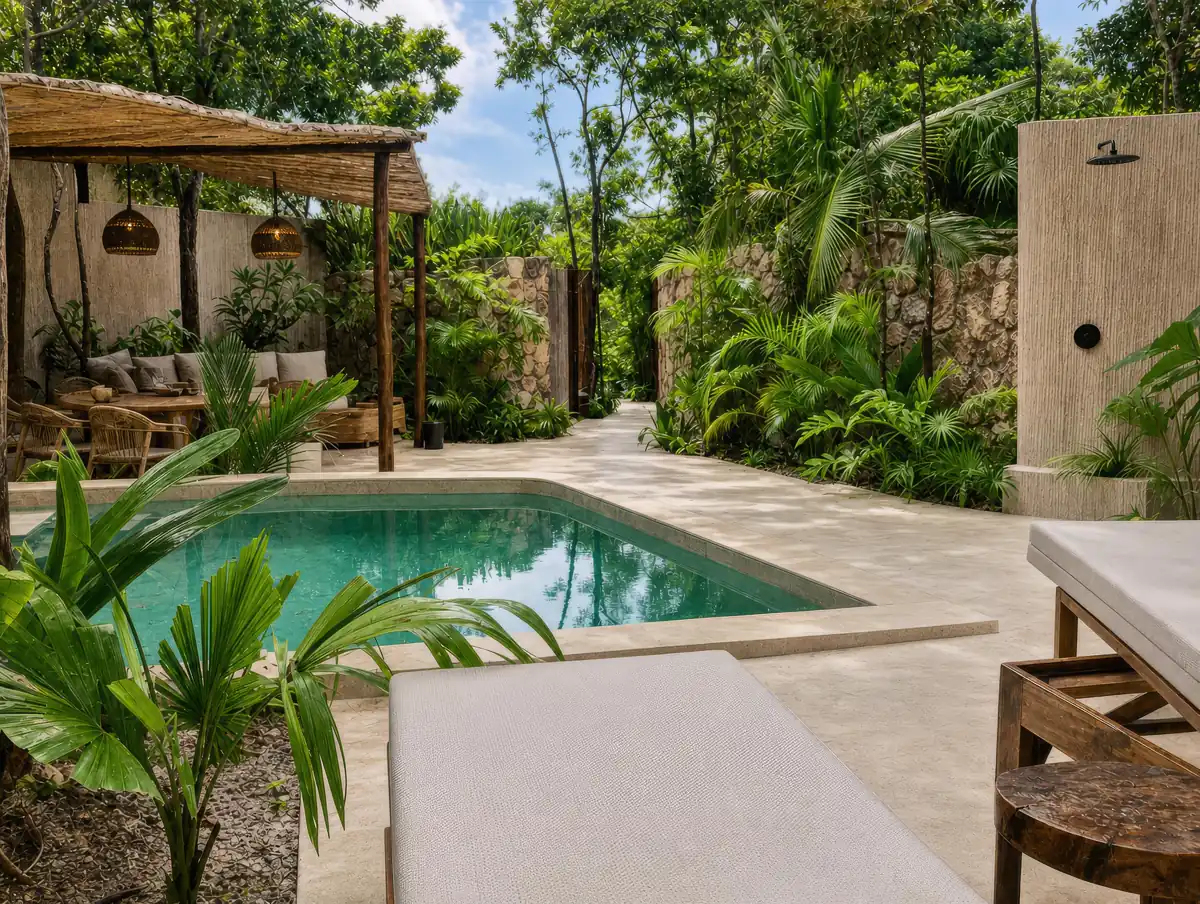
For a property manager, a convincing before-and-after is only the beginning. Before committing to a monthly photo-editing plan, check whether the process fits the work your team actually handles: different properties, uneven source photos, owner approval and recurring gallery updates.
Run a small pilot with a written scorecard. Start with one preview, review a representative property batch if the preview is suitable, and record the time and decisions involved. This guide gives you a practical way to choose between occasional editing, a monthly allowance and new photography.
Choose a useful pilot, not just an easy image
Pick a current property whose photos you have permission to use and edit. Include the kinds of images your team regularly receives, rather than selecting only a bright room that already looks finished. A dim interior, a room with mixed lighting and a clear exterior can reveal different review needs.
Keep each property in its own named project or batch. Preserve the original filenames and unit identifier. If two apartments have similar layouts, add a note identifying the actual room, furniture and view before anyone starts editing.
First separate suitable editing candidates from missing coverage. A current photo that needs light, color, crop or perspective adjustments is a different task from a missing bedroom or a newly renovated kitchen. Arrange new capture for the latter; an edit should not invent the current property.
Set your acceptance scorecard before reviewing results
Use the following table as a suggested internal checklist. These are review decisions for your team, not a claim that any service always passes them.
| Check | What to compare | Decision to record |
|---|---|---|
| Property identity | Unit, room, furniture and recognizable details against the source | Correct property, or reject |
| Permanent features | Doors, windows, finishes, room proportions and the real view | Faithful, or revise/reject |
| Presentation | Brightness, color, verticals, crop and natural appearance | Accept, or give a specific correction |
| Coverage | Whether the real rooms and amenities needed for the listing are shown | Complete enough, or arrange new capture |
| Handoff | Correct filenames, approved version and intended listing | Ready to use, or return for clarification |
Treat a material property change as a reason to stop, even when the image looks attractive. A brighter room does not compensate for a changed window, invented view or missing piece of furniture. Keep the source beside the result during review.
Start with the free preview, then decide on the batch
HospitalityLens offers a free watermarked preview. No card is required to create it. Payment is required to unlock the full-resolution, watermark-free commercial-use image; the preview itself is not that unlocked file.
Start a free watermarked preview using a representative source photo. Compare it against the scorecard and write down any corrections in plain terms: for example, keep the real window view or use a more natural white balance.
If the approach is suitable, use the same written standard for the rest of the property. Approving one preview is a useful first decision, not approval of every later image. Review each final against its own source before putting it on a listing.
Measure the workload your team would repeat
Keep a simple record of what happened during the pilot. Note how many source photos were usable, how many needed new capture, how much staff time went into preparation and review, and which corrections required another pass. Separate waiting time from hands-on work so the record is useful for staffing decisions.
Also record the reason for each rejected result. A source-quality problem calls for better capture instructions. An unclear brief calls for a clearer standard. A material editing error calls for correction or rejection. Combining all three into one satisfaction score hides the action your team needs to take.
HospitalityLens supports shared projects, enhancement history, batch intake and project downloads. Its property-manager workflow also uses account-wide starting defaults. Check which of these help your actual handoff; do not assume the tool replaces your team's final approval.
Choose the purchase pattern that matches the work
| Your situation | Option to compare | Check before choosing |
|---|---|---|
| A one-off refresh with usable existing photos | A one-time photo pack | The number of photos you actually need |
| A recurring flow of onboarding and gallery updates | A monthly photo allowance | Ongoing monthly cost, allowance and current terms |
| Missing rooms, changed interiors or unusable capture | New photography | A written quote for the coverage and rights needed |
Use the property photographer cost calculator to compare your entered workload and photographer quote with current editing options. Its monthly mode compares ongoing costs and shows a first-month promotion separately when relevant. Treat it as a planning estimate, not a prediction of bookings or revenue.
Read the current photo packs and monthly plans before purchasing. If your workload is irregular, compare a pack with the monthly option rather than buying a subscription simply because you manage several properties.
Make the rollout decision explicit
At the end of the pilot, record one decision: proceed with a defined batch, adjust the process and repeat the pilot, or arrange new photography. Name the person responsible for final approval and keep the originals, approved files and review notes connected to the property.
For recurring work, revisit that decision when your workload or source quality changes. The aim is a repeatable way to maintain accurate listing photos, with a purchase pattern your team can justify from its own experience.