Photography Tips
15 Minute Audit to Refresh Seasonal Photos for Property Managers
Swiftly audit and update your property photos with targeted edits, enhancing listings and attracting more bookings without costly full reshoots.
By Hospitality Lens · · 11 min read
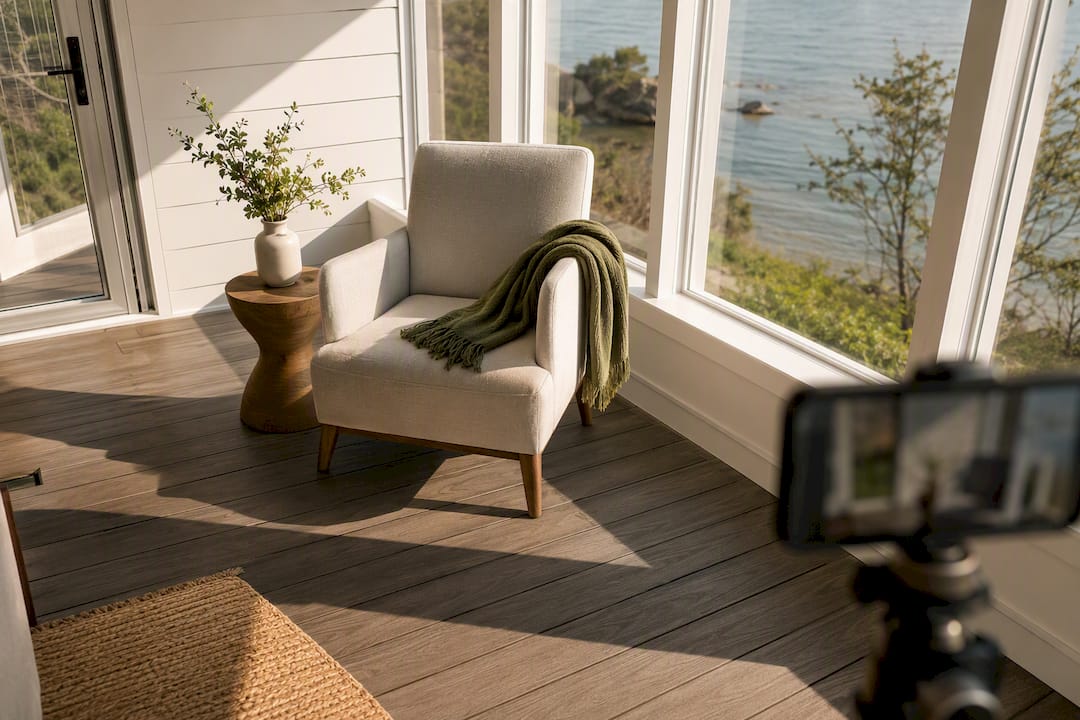
A seasonal photo refresh means auditing your existing image library, fixing or replacing only the photos that no longer reflect the current season or property condition, and updating listings without booking a full reshoot. For most property managers, the fastest practical route is audit first, then targeted edits or AI enhancement, then swap. A service like HospitalityLens can handle that middle step for photos that are usable but dated or flawed.
TL;DR:
- Refresh targeted images like hero shots, exterior, and seasonal amenities to maximize impact rather than reshooting entire listings.
- Prioritize high-traffic listings first, focusing on quick edits or AI enhancements with a three-week rollout plan for efficiency.
- Use a simple three-folder triage system to identify images needing light edits or full replacement, saving time and money on unnecessary shoots.
- Rely on smartphone photos with proper lighting and basic editing tools, and avoid generative AI that creates features not present in the property.
- Reserve professional photography for flagship launches or spaces requiring structural or staging adjustments beyond phone capabilities.
HospitalityLens
Refresh Listing Photos Without A Shoot
Turn usable phone or existing listing photos into realistic, booking-ready images for seasonal updates, onboarding, and portfolio consistency.
Table of Contents
How Often Should You Refresh Seasonal Listing Photos?
Two schedules work for most portfolios, and the right one depends on how weather-dependent your property’s appeal actually is.
A full refresh twice a year (spring and fall) suits properties where exterior conditions change dramatically. A ski cabin buried in July photos during December booking season loses trust instantly. A partial swap four times a year works better for urban apartments or hotels where interiors stay constant but you want quarterly highlights, holiday touches, or seasonal amenities like a pool versus a fireplace.
Either way, prioritize these slots first:
- The hero image (the first photo guests see on the listing)
- Exterior and curb-appeal shots
- Any amenity tied to a season (pool, fire pit, snow gear, garden)
- Photos featuring visible foliage, snow, or seasonal decor
Before you touch a single image, set a goal for the refresh, assign priority by listing traffic, reserve a timeline, notify booking platforms of the update window, and archive the outgoing photo set instead of deleting it. That archive becomes useful again next year.
Audit Your Image Library Quickly: A 15-Minute Method That Actually Saves Money
Most listings do not need a full photoshoot. They need a handful of updated images, and finding which ones takes less time than most managers assume.
Sort every photo into three folders: usable now, needs light edit, and replace. This triage method, recommended for refreshing online photos without a full photoshoot, keeps you from spending on images that only need a quick fix.
- Pull every active listing photo into one folder and view them at thumbnail size.
- Flag anything showing the wrong season, visible clutter, low resolution, or an off-kilter horizon.
- Move flagged images into “needs light edit” if the composition is sound, or “replace” if the angle or lighting is unsalvageable.
- Rank the remaining “replace” pile by which listing gets the most traffic or converts best, not by how old the photo is.
Google search and ranking systems use multiple signals that can change over time. Treat image quality as one part of listing quality and rely on current first-party guidance rather than a guaranteed ranking effect.
Pro Tip: Audit your top five highest-traffic listings first. A refresh on your best-performing pages returns more booking impact than an even refresh across a hundred low-traffic ones.
Phone Capture and Quick Edits: Listing-Ready Photos Without a Shoot
You do not need a camera to produce usable source images. You need light, a steady hand, and a repeatable checklist.
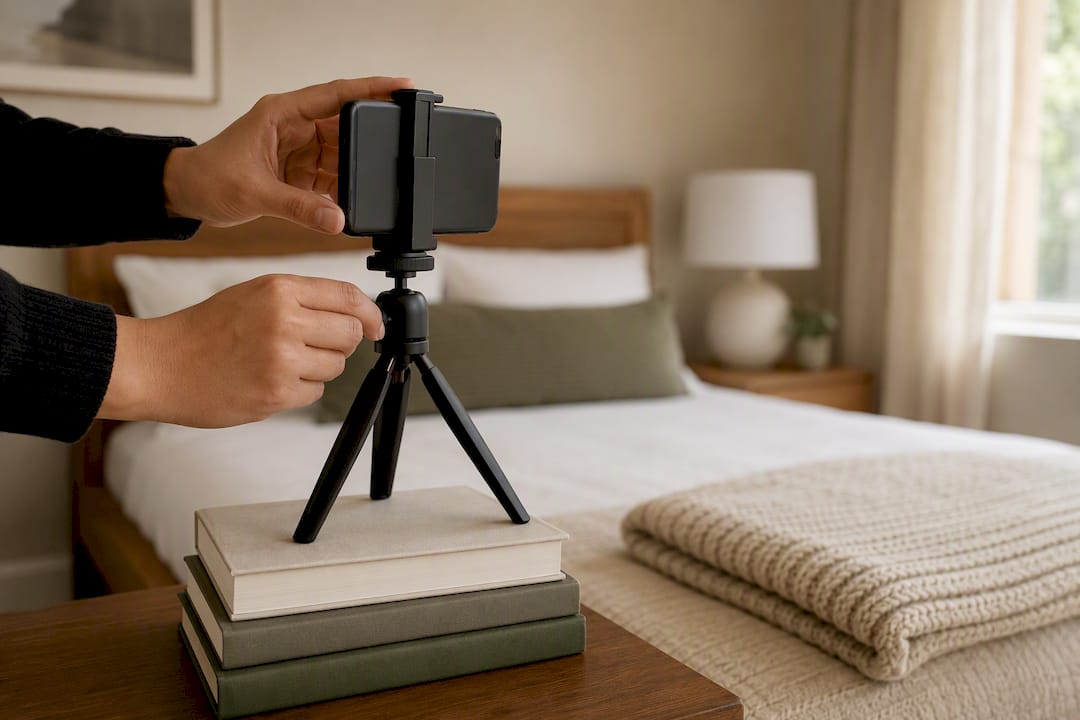
Shoot at eye level, not from above or below, and use window light rather than overhead fixtures whenever possible. Prop the phone on a stack of books or a small tripod and use the timer to avoid camera shake. Clear the frame of cords, trash cans, and personal items before you shoot, and capture the same space from two or three angles so you have options later.
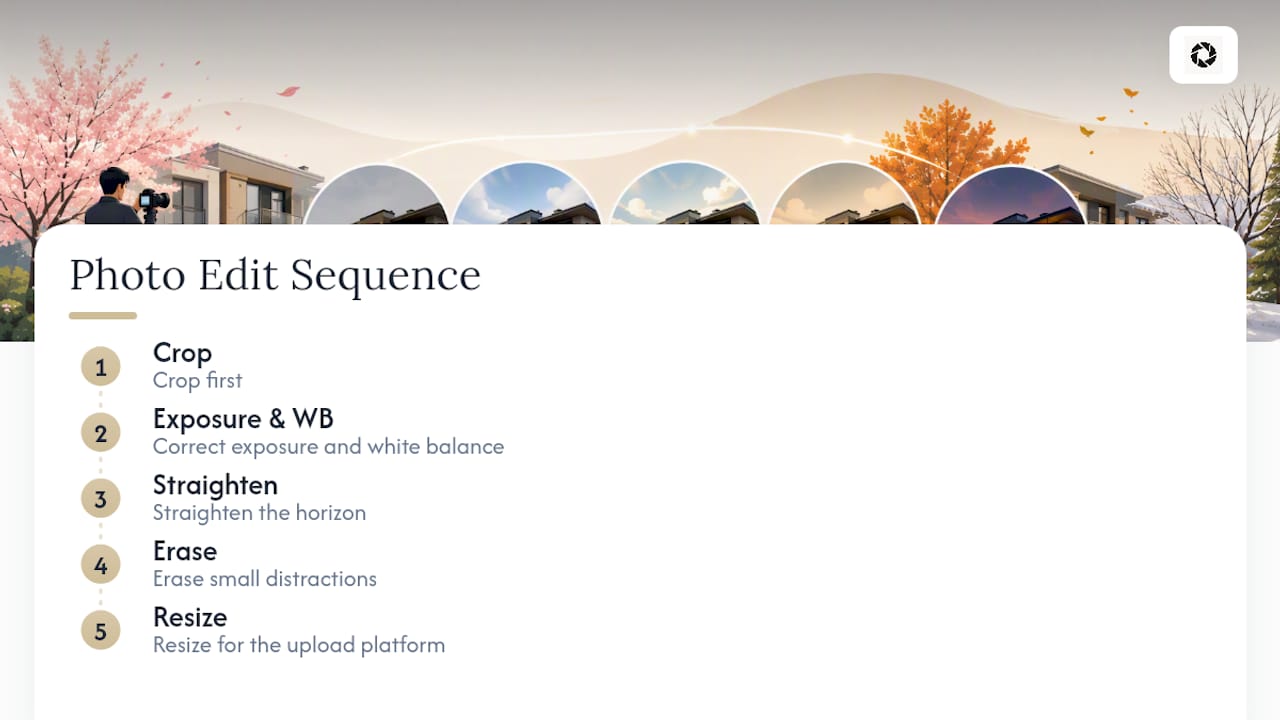
Once you have source images, edit in this order to avoid wasted work: crop first, then correct exposure and white balance, then straighten the horizon, then erase small distractions, then resize for the platform you’re uploading to. This sequence, outlined in a standard photo editing workflow, prevents you from polishing a crop you end up throwing away.
Smartphone auto-enhance and erase tools (built into Apple Photos and Google Photos) get most images roughly 80 percent of the way to acceptable with almost no manual work, according to TechRadar’s breakdown of AI photo tools. Use auto-enhance as your base layer, then dial back any filter that looks overprocessed. Avoid generative fill or object-replacement tools. They can add elements that were never in the room, which creates a listing accuracy problem you don’t want.
What AI Photo Enhancement Fixes, and What It Doesn’t
AI enhancement services correct lighting, color balance, perspective and horizon issues, and clutter. What they should never do is invent a room, a view, an amenity, or any feature that isn’t actually there. HospitalityLens follows that principle deliberately, treating the real property as fixed and the flaws as the only thing up for correction.
This approach fits best when you already have a usable source photo, when you’re trying to keep dozens or hundreds of listings visually consistent, or when you need a fast turnaround and can’t wait for a photographer’s schedule. AI season-changing tools specifically work best when the source image is sharp, well lit, and shows an unobstructed foreground, since that’s where seasonal elements like snow or fallen leaves land most convincingly, per Arteza’s AI Season Changer documentation.
Before you order from any enhancement service, check for:
- A free, watermarked preview so you can judge quality before paying
- A clear revision policy stated up front
- Usage rights that let you post the finished image everywhere you need it
- Real before/after samples, not just marketing renders
- A stated turnaround time and a transparent per-photo or per-pack price
Pro Tip: Test the free preview on your worst photo, not your best one. That’s the image where enhancement limits show up first.
When a Professional Photoshoot Is Still the Right Call
Enhancement and phone fixes solve most seasonal maintenance problems. They don’t solve every problem.
Hire a photographer for flagship property launches, new construction with no existing photo history, architectural spaces where scale and lens choice matter, and any hero image meant to anchor a major marketing campaign. If the property has structural issues visible only from angles you haven’t shot, or the space needs staging and lighting equipment beyond a phone’s capability, that’s a shoot, not an edit.
Weigh the cost against expected visibility. A boutique hotel relaunch justifies a few thousand dollars in photography. A single unit’s holiday refresh usually does not.
- Brief the photographer to shoot multiple seasonal setups in one visit
- Request both wide exterior and close amenity shots for reuse
- Ask for raw files so future light edits don’t require a callback
Scaling a Seasonal Refresh Across Dozens of Listings
Running a refresh across a real portfolio is a sequencing problem before it’s a photography problem. Prioritize listings by traffic and revenue impact first, then assign each one a treatment: light edit, AI enhancement, or full reshoot. Batching by treatment type, rather than working listing by listing, keeps the workflow efficient, an approach echoed in seasonal photography planning guidance.
A three-week rollout works for most portfolios:
- Week one: audit every listing and sort into treatment categories.
- Week two: batch-process edits and enhancements by treatment type, not property.
- Week three: run quality control on the finished set, then push updates live.
For file management, keep a consistent naming convention (property ID, season, version number) and never overwrite the original file. Archive outgoing images in a dated folder instead of deleting them.
Once the new set is ready, roll it out in this order:
- Update booking platforms (Airbnb, Vrbo, Booking.Image quality can influence how people evaluate a listing, but there is no universal performance uplift that applies to every property. Measure clicks, inquiries, bookings, or sales on the individual listing.
- Sync direct-booking websites and hotel or rental management software next
- Refresh social media and marketing assets last, once the primary listings are confirmed live
If you manage seasonal event pages alongside room listings, coordinate image updates with your hotel event marketing calendar so guest-facing pages don’t show mismatched seasons across the site.
Perspective From the HospitalityLens Team
The biggest mistake we see is treating a seasonal refresh as all-or-nothing. Test a small batch, maybe five listings, before committing a whole portfolio to one treatment. Inconsistent editing across a portfolio hurts more than dated photos do, because guests notice when quality varies listing to listing. Consistency beats perfection every time. That’s why a fast preview and predictable batch pricing matter more than chasing a flawless single image.
— The HospitalityLens Team
Try One Photo Free Before You Commit to a Refresh
HospitalityLens is a practical alternative to booking a new shoot every time the season turns. Instead of paying for a photographer’s calendar slot to fix lighting or straighten a horizon, you upload the photo you already have and get it corrected.

Free watermarked preview. Pay only if you like it. No card is required to create the free watermarked preview. See current pricing for unlocks, one-time packs, and subscriptions.
Sources
For the triage method behind a low-cost refresh, see the full photoshoot alternative guide. For phone-based AI enhancement basics, read TechRadar’s AI photo tool guide. For a comparison of hotel photo tools, browse the hotel photo tools breakdown on the HospitalityLens blog.
FAQ
What Is the Best Way to Restore Old Listing Photos?
For photos that are simply outdated rather than damaged, the fastest fix is enhancement, not restoration. Correct lighting, color, and perspective on the existing image rather than searching for specialized restoration software built for torn or faded prints.
What Is the 20-60-20 Rule in Photography?
Definitions of this rule vary across photography communities, and no single canonical version is widely agreed upon. Rather than rely on an unverified framework, focus on the fundamentals covered above: eye-level framing, window light, and a decluttered background produce more reliable results.
What Month Is Best for Fall Property Photos?
Peak fall foliage timing varies by region, so there’s no single best month across all markets. Watch your local foliage forecast and aim to shoot when color is at its most saturated but before leaves have dropped, since that’s the window guests associate with “fall” in listing photos.
What Should I Do With Years of Old Listing Photos?
Archive them by season and property rather than deleting them. Old photos are useful reference points for next year’s refresh, and tools like Google Photos’ Ask feature can help you search a large archive by theme when you need a specific seasonal shot again.
Does HospitalityLens Replace a Professional Photographer?
HospitalityLens works as a practical alternative for listings that already have usable source photos needing correction, not a replacement for every photography need. For flagship launches or spaces requiring a real reshoot, a photographer is still the better choice, and HospitalityLens maintains a photographer directory for exactly that situation.
Recommended