Photography Tips
AI Photo Enhancement Explained: How It Works in 2026
Unlock stunning images effortlessly as AI automatically corrects common flaws, ensuring your photos always look their absolute best.
By Hospitality Lens · · 18 min read

What is AI photo enhancement and how does it work?
AI photo enhancement is the automated use of deep learning models, specifically convolutional neural networks (CNNs), to analyze an image and correct quality problems without any manual editing. Upload a photo, and the AI scans every pixel, identifies what went wrong during capture, and applies targeted fixes in minutes. That’s the core of it.
The technology works by referencing patterns learned from millions of high-quality image pairs. The model has seen countless examples of noisy versus clean photos, blurry versus sharp images, and flat versus well-exposed scenes. When your photo arrives, it matches those patterns and applies corrections accordingly.
Common problems AI addresses automatically:
- Noise and grain from low-light or high-ISO shooting
- Blur from camera shake or soft focus
- Color imbalance, including poor white balance and flat exposure
- Low resolution, upscaled through super-resolution algorithms
- Compression artifacts from repeated saving or social media uploads
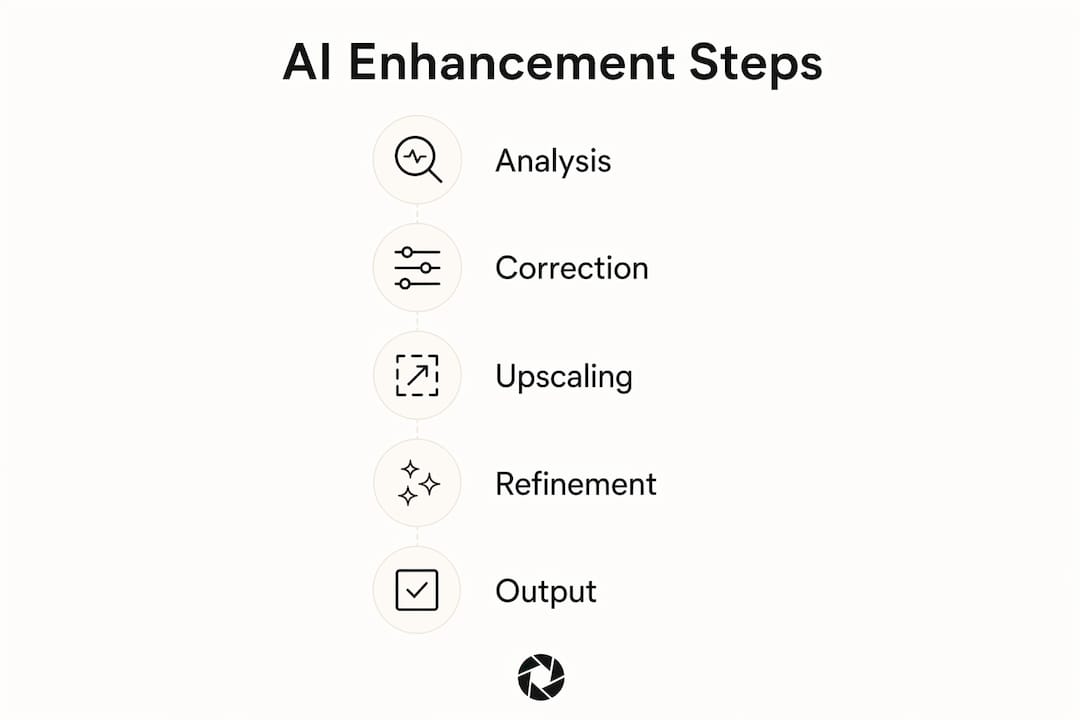
The processing sequence follows three broad steps: image content analysis (identifying faces, objects, backgrounds, and lighting conditions), targeted pixel refinement (applying corrections specific to each region), and output generation. Most tools complete this in seconds to a few minutes per image.
For hospitality professionals, this means a dark, crooked photo taken by a cleaner on a phone can come back as a correctly exposed, straight, and polished listing image, without booking a photographer.
Key benefits and practical applications of AI photo enhancement
Speed is the most immediate benefit. What once required hours inside Lightroom or Photoshop now takes seconds. Adobe and Picsart both highlight significant time savings for photographers and property managers preparing booking-ready photos at scale.
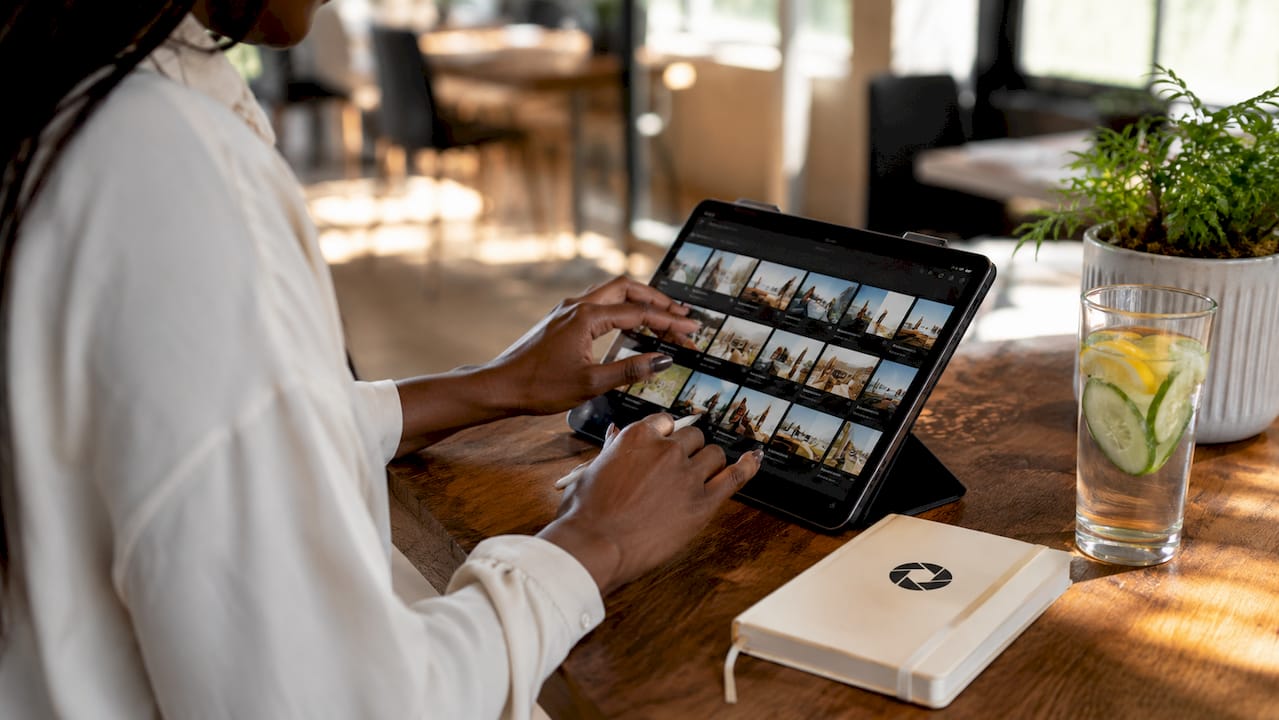
The quality improvements are real and consistent across several dimensions. Noise reduction removes grain without smearing fine detail. Sharpening brings out texture in fabrics, wood, and tile. Color correction lifts flat, yellowish indoor shots into accurate, natural-looking images. Background cleanup removes distracting objects that pull a guest’s eye away from the space itself.
Practical applications span a wide range of industries:
- Personal photography: restoring old or damaged family photos
- Social media content: improving smartphone shots before posting
- Ecommerce: cleaning product images, correcting color, removing backgrounds
- Hospitality listings: fixing exposure, white balance, and clutter in property photos
- Marketing: preparing consistent, polished visuals for ad campaigns
Generative AI capabilities extend this further. Tools like Adobe Firefly now support object removal and background replacement through natural language commands, so you can remove a lamp cord or swap a gray sky for a blue one without touching a single slider.
For property managers handling multiple listings, the workflow efficiency gain is substantial. Batch processing means an entire property’s photo set can be corrected in one pass, with consistent lighting and color across every room.
How to enhance photos with AI: a step-by-step guide
The process is straightforward regardless of which tool you use. Here is the sequence that produces reliable results.
-
Prepare your source image. Start with the highest-quality original you have. A well-lit, properly framed photo will always produce a better enhanced result than a severely underexposed one. AI improves what’s there; it cannot invent detail that was never captured.
-
Upload to your chosen AI tool. Most platforms accept JPEG and PNG. For archival or print work, scan physical photos at 600 dpi or higher before uploading.
-
Let the AI analyze the image. The tool uses computer vision to identify image elements: faces, objects, backgrounds, and lighting conditions. This analysis determines which corrections apply and where.
-
Apply corrections. The AI runs noise reduction, sharpening, color balance, and resolution upscaling in sequence. Some tools do this automatically; others let you choose which corrections to apply and at what intensity.
-
Review and adjust. Check the result carefully. Look for over-smoothed skin, flattened shadows, or unnatural sharpening halos. If the tool offers sliders or selective controls, use them to dial back any corrections that went too far.
-
Export in the right format. Save as TIFF or PNG for archival use. Use high-quality JPEG for print at 300 dpi. For web and listing platforms like Airbnb or Booking.com, a compressed JPEG keeps file sizes manageable without visible quality loss.
Pro Tip: If you need consistent results across a batch of property photos, look for tools that support persistent style profiles or conversational editing. Jenova, for example, lets you specify exactly what to preserve, such as natural grain or warm ambient light, so the AI doesn’t override your aesthetic choices with its default settings.
The market for AI photo enhancement tools has matured considerably. The options below cover the full range from free online tools to professional desktop software and human-assisted services.
| Tool |
Best For |
Key Features |
Ease of Use |
Pricing |
| Picsart |
Social media and quick edits |
Noise reduction, sharpening, resolution boost, batch enhancer |
Very easy |
Free tier; paid plans available |
| Fotor |
Beginners and batch editing |
Batch processing, color correction, noise removal |
Very easy |
Free tier; budget-friendly paid plans |
| Topaz Labs |
Professional photographers |
3 specialized AI models, up to 8x upscaling, fine-tune controls |
Moderate |
Subscription and one-time purchase |
| Adobe Firefly |
Creative and generative editing |
Object removal, background replacement, natural language prompts |
Easy to moderate |
Free credits; Adobe plans |
| Jenova |
Granular, conversational control |
Multi-model access, persistent style memory, domain-specific edits |
Moderate |
Subscription |
| HitPaw FotorPea |
Casual restoration and quick fixes |
Noise reduction, blur removal, simple interface |
Very easy |
One-time purchase and subscription |
| Claid.AI |
Ecommerce product images |
Background removal, color correction, automated cleanup |
Easy |
API and subscription pricing |
| AdCreative.AI |
Marketing and ad visuals |
Enhancement integrated with ad design workflow |
Easy |
Subscription |
| Luminar Neo |
Portrait and content creators |
AI skin smoothing, detail enhancement, portrait retouching |
Easy to moderate |
Subscription and one-time purchase |
| Dezgo |
Creative and generative users |
Generative plus enhancement integration |
Easy |
Free tier; paid plans |
| Phot.AI |
Automated workflow |
Preset-driven corrections, quick turnaround |
Very easy |
Subscription |
| LetsEnhance |
High-quality upscaling |
Detail-preserving super-resolution, batch processing |
Easy |
Credit-based and subscription |
| Fiverr (AI Professional Editors) |
Human-reviewed AI editing |
Expert oversight combined with AI processing |
N/A (service) |
Per-project pricing |
| VideoProc Converter AI |
Combined photo and video |
Cross-media enhancement, blur removal, sharpening |
Easy to moderate |
One-time purchase |
Topaz Labs stands out for professional work. Its image enhancer has earned a Technical Emmy for video and image enhancement technology, and its three specialized AI models let you choose the right approach for portraits, landscapes, or product shots. Upscaling up to 8x without visible pixelation is genuinely useful for print and large-format advertising.
Adobe Firefly is the strongest option for creative editing. Natural language prompts let you describe what you want removed or added, and the models are trained on licensed Adobe Stock content, making outputs commercially safe. For hospitality teams that need to remove a cluttered countertop or replace a dull sky, Firefly handles it without requiring Photoshop skills.
Jenova occupies a different position entirely. Rather than one-click automation, it operates as a conversational editor where you describe the enhancement in plain language and specify what to preserve. Its persistent memory means your style preferences carry over from one session to the next, which is valuable for anyone processing photos across multiple properties or listings. See the AI real estate photo editing breakdown for a deeper comparison of tools suited to property work.
Fiverr’s AI professional editors suit users who want a human reviewing the final result. The combination of AI speed and human judgment catches errors that automated tools miss, particularly on complex images with unusual lighting or mixed content.
LetsEnhance is the cleaner choice for pure upscaling. Its super-resolution algorithms preserve fine detail during enlargement, making it reliable for taking a small product image to print-ready resolution.
For ecommerce, Claid.AI automates the background removal and color correction workflow that product photographers typically spend hours on manually.
What AI enhancement can and cannot do
AI photo enhancement reliably handles a defined set of problems. Noise removal, resolution upscaling, color correction, and basic sharpening all produce consistent, natural-looking results when the source image has reasonable quality to begin with.
The limitations are real, though. Three technical failures produce the characteristic over-processed look that makes an image feel wrong even when it looks technically sharper: uniform sharpening that destroys depth-dependent focus variation, texture homogenization that applies a single learned texture across the entire image, and dynamic range flattening that lifts shadows and noise equally, creating an artificial HDR appearance.
What AI cannot do is recover detail that was never captured. A severely out-of-focus photo will improve, but it will not become sharp. An extremely underexposed image will gain some usable detail, but the noise floor limits how far recovery can go. AI generates plausible pixel data based on learned patterns, which means enhanced images are interpretations rather than exact originals. For hospitality marketing, that distinction is acceptable. For forensic or legal use, it is not.
The best tools avoid over-processing by offering selective, content-aware editing rather than applying the same algorithm to every pixel. Topaz Labs documents this shift in the industry, from basic sharpening to context-aware corrections that treat a face differently from a background wall.
AI photo enhancement in hospitality: practical insights
Property photos are the first decision point for a potential guest. A dark, crooked, or cluttered photo communicates neglect before anyone reads a single word of the listing description. AI photo enhancement addresses this directly, and for hospitality teams managing multiple listings, it changes the economics of photo preparation entirely.
The specific corrections that matter most in hospitality work:
- White balance and exposure correction for indoor shots under mixed lighting
- Perspective and horizon straightening for wide-angle room photos
- Clutter removal: cords, personal items, cleaning supplies left in frame
- Sharpening of key surfaces: countertops, bedding, flooring
- Background cleanup to remove distracting elements outside windows or in mirrors
Workflow consistency is a separate challenge. When you process photos across ten or twenty listings using different tools or settings, the results look visually inconsistent, which confuses prospective guests comparing properties. Using a single AI workflow with persistent style profiles keeps lighting and color consistent across your entire portfolio.
Conversational editing tools add another layer of control. Rather than accepting whatever the AI decides is “better,” you can instruct it to preserve the warm ambient light in a dining room photo or keep the natural grain in a film-style shot. This matters when your brand aesthetic is specific and you need every listing to feel cohesive. For a practical overview of how this applies to property work, the AI property photo enhancer guide covers the workflow in detail.
Pro Tip: For hospitality teams onboarding new listings regularly, look for AI tools that support batch processing with a saved style profile. Processing each photo individually with different settings is the fastest way to end up with an inconsistent portfolio that looks like it belongs to three different properties.
The cost comparison with traditional photography is straightforward. A professional real estate photoshoot typically runs $150–$400 per property. AI enhancement of owner-submitted or existing photos costs a fraction of that, and for seasonal refreshes or minor updates, it removes the need to rebook a photographer entirely. For teams managing photo enhancement workflows across multiple venues, that efficiency compounds quickly.
The tools featured in this article were assessed across four dimensions: image quality output, ease of use, pricing transparency, and fit for specific use cases. Quality evaluation focused on how each tool handled the three most common failure modes: over-sharpening, texture homogenization, and dynamic range flattening. Tools that produced natural-looking results on a range of image types, including indoor property photos, portraits, and product shots, received stronger consideration.
Ease of use was assessed based on the number of steps required to reach a usable result, whether the tool required software installation, and whether non-technical users could operate it without guidance. Pricing was evaluated on transparency: tools with clear, publicly listed pricing received preference over those requiring a sales conversation.
Fit for use case was the final filter. A tool that excels at portrait retouching but produces artifacts on architectural interiors is not the right choice for a property manager, regardless of its general reputation. The comparison table reflects these distinctions directly.
Types of AI photo enhancement techniques
Understanding the underlying techniques helps you choose the right tool for your specific problem.
Super-resolution is the process of enlarging an image while reconstructing detail rather than simply stretching pixels. Deep learning models trained on high-resolution image pairs predict what the missing pixels should look like, producing enlargements that hold up at print sizes. Topaz Labs offers upscaling up to 8x using this approach.
Noise reduction removes grain caused by high ISO settings or low-light shooting. Modern AI noise reduction distinguishes between actual image detail and random noise, preserving texture while cleaning up the grain. Earlier algorithms blurred everything equally, which is why old noise reduction tools produced that characteristic “watercolor” softness.
Colorization applies to black-and-white or faded photos. AI models trained on color photographs learn the statistical relationships between luminance patterns and likely colors, then apply those predictions to grayscale images. Results are plausible but not guaranteed to match the original colors.
Color correction and white balance adjustment fix the color cast introduced by different light sources. Fluorescent office lighting pushes images toward green; tungsten bulbs push toward orange. AI identifies the dominant light source and corrects the cast automatically.
Object removal and generative fill represent the newest category. Tools like Adobe Firefly use generative AI to remove unwanted elements and fill the gap with plausible background content. This goes beyond traditional content-aware fill by generating entirely new pixels rather than cloning from nearby areas.
Face enhancement applies region-specific corrections to facial features: smoothing skin, sharpening eyes, and recovering detail in damaged or degraded portraits. The AI understands facial structure, so repairs to a face use that structural knowledge to produce realistic results.
Common challenges and how to troubleshoot them
The most frequent complaint about AI enhancement is the over-processed look. Images come back sharper but feel wrong. The fix is usually to reduce the sharpening intensity or switch to a tool that offers selective sharpening rather than global application. If the tool has no controls, try a different tool.
Artifacts around edges, particularly halos of light or dark pixels along high-contrast boundaries, indicate that the sharpening algorithm is working too aggressively. Reducing sharpening strength or using a tool with content-aware edge detection resolves this in most cases.
Skin smoothing that produces a plastic or airbrushed appearance is common in portrait-focused tools. Look for tools that offer texture preservation controls, or use a tool like Jenova where you can explicitly instruct the AI to preserve natural skin texture variation.
Inconsistent results across a batch of photos usually trace back to using different settings or different tools for each image. Standardizing on one tool with a saved preset or style profile eliminates most of this variation.
Color shifts after enhancement, where the image looks warmer or cooler than the original, often result from the AI’s color correction model overriding a deliberate white balance choice. If the original color temperature was intentional, look for a tool that lets you lock white balance before applying other corrections.
Finally, resolution upscaling on images that are severely degraded to begin with will produce soft results. AI upscaling works best when the source image has reasonable sharpness. Starting from a blurry low-resolution image and expecting a crisp 4K output is asking the algorithm to invent detail it has no basis for.
Ethical considerations and potential misuse
AI photo enhancement raises real questions about authenticity, particularly in contexts where accuracy matters. For hospitality listings, the line is clear: improving lighting, correcting color, and removing a stray cord are honest improvements. Generating a view that doesn’t exist, adding furniture that isn’t there, or removing structural problems from a photo crosses into misrepresentation.
The same technology that cleans up a dark bedroom photo can generate entirely fabricated scenes. Generative AI tools like Adobe Firefly can replace a parking lot view with a mountain vista, or add a pool that the property doesn’t have. Using these capabilities on listing photos violates platform terms of service on Airbnb, Vrbo, and Booking.com, and more practically, it creates guest expectations that the property cannot meet.
Deepfakes and manipulated portraits represent a separate concern. Face enhancement tools can alter a person’s appearance significantly, and the same super-resolution algorithms used to restore old family photos can be used to sharpen surveillance images in ways that raise privacy issues.
For professional use, the practical standard is straightforward: enhancement that makes a photo accurately represent what a guest or buyer will actually experience is honest. Enhancement that creates a false impression is not. The technology itself is neutral; the application determines whether it’s used responsibly.
Watermarking and provenance tools are emerging as a response to these concerns. Google’s SynthID embeds a digital watermark in AI-generated images, and similar standards are being developed across the industry to distinguish AI-processed images from unaltered originals.
HospitalityLens: a different approach to property photo enhancement
The tools compared above are self-serve platforms. You upload, the AI processes, and you download. That works well for users comfortable evaluating the output and making adjustments. For property managers who want a reviewed, booking-ready result without learning a new tool, HospitalityLens offers a different route.

HospitalityLens is built specifically for short-term rental managers, Airbnb co-hosts, boutique hotel teams, and vacation rental operators who need photos that accurately represent their properties without booking a photoshoot. You upload whatever you have, including dark owner-submitted photos, crooked cleaner shots, or outdated listing images, and receive professionally enhanced images with lighting correction, perspective straightening, clutter removal, and overall visual polish. The property is always represented honestly.
Current HospitalityLens pricing (USD); one-time packs — The Hero: 1 photo for $12; The Refresh: 10 photos for $59; The Property: 25 photos for $129; The Portfolio: 100 photos for $399; monthly subscriptions — THE STARTER: 10 photos/month for $49/month; THE OPERATOR: 25 photos/month for $99/month; THE PORTFOLIO: 100 photos/month for $299/month; one-time pack credits do not expire; monthly subscription credits remain valid for up to 3 months; 2 free revisions per photo on one-time packs; 3 free revisions per photo on monthly subscriptions. See current pricing.
FAQ
Does AI photo enhancement actually work?
Yes, AI photo enhancement reliably improves noise, sharpness, color balance, and resolution for most standard photos. Results depend on source image quality; severely blurred or underexposed images have limits on how far recovery can go.
How does AI improve a photo technically?
AI analyzes the image using computer vision to identify content and defects, then applies targeted corrections, including noise reduction, sharpening, color correction, and super-resolution upscaling, based on patterns learned from millions of training images.
What is the best AI photo enhancer in 2026?
The best tool depends on your use case. Topaz Labs leads for professional photographers needing high-quality upscaling and fine-tune controls. Adobe Firefly is strongest for generative editing. For hospitality property photos with human review, HospitalityLens handles the full enhancement workflow without requiring any editing skills.
Why do some AI-enhanced photos look unnatural?
The over-processed look comes from three specific failures: uniform sharpening across the entire image, texture homogenization, and dynamic range flattening. Tools that offer selective, content-aware controls, or conversational editing like Jenova, avoid these problems by letting you specify what to enhance and what to leave alone.
Key Takeaways
AI photo enhancement uses deep learning CNNs to automatically correct noise, blur, color imbalance, and resolution in seconds, making professional-quality image improvement accessible without manual editing skills.
Current HospitalityLens pricing (USD); one-time packs — The Hero: 1 photo for $12; The Refresh: 10 photos for $59; The Property: 25 photos for $129; The Portfolio: 100 photos for $399; monthly subscriptions — THE STARTER: 10 photos/month for $49/month; THE OPERATOR: 25 photos/month for $99/month; THE PORTFOLIO: 100 photos/month for $299/month; one-time pack credits do not expire; monthly subscription credits remain valid for up to 3 months; 2 free revisions per photo on one-time packs; 3 free revisions per photo on monthly subscriptions. See current pricing.
Recommended