Short-Term Rentals
Hosts: Airbnb Photo Policy, Fix Rejected Photos Fast, When AI Works
Image quality can influence how people evaluate a listing, but there is no universal performance uplift that applies to every property. Measure clicks, inquiries, bookings, or sales on the individual listing.
By Hospitality Lens · · 16 min read
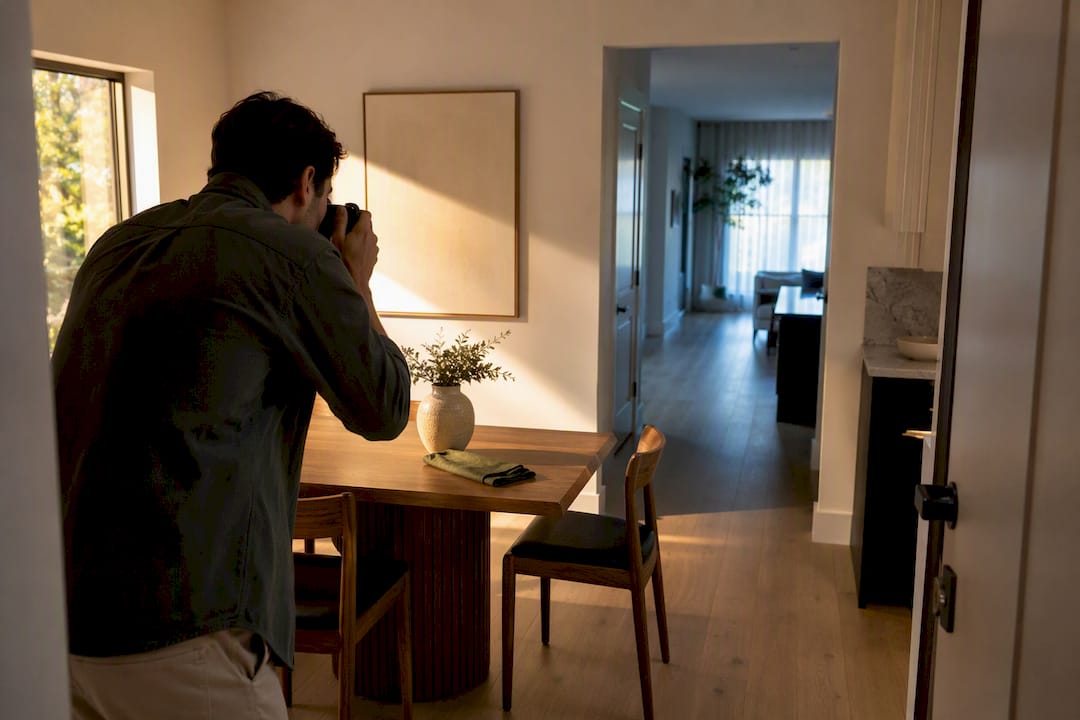
Airbnb’s photo policy requires every listing image to be an honest, unaltered representation of the actual space, free of logos, contact information, explicit or violent content, and anything that reveals an exact address. Photos also need to meet baseline technical quality, and Airbnb can request in-person photo verification if accuracy is ever in question. Break these rules and you risk content removal, listing suspension, or account action.
TL;DR:
- Photos must accurately represent the space without logos, personal info, or misleading distortions, or risk removal or suspension.
- Ensure images meet technical standards: at least 1024 x 683 pixels, shot in landscape, and free of filters or wide-angle distortions.
- Confirm property details are current with fresh photos, especially after renovations or changes, to avoid verification failures or negative guest impressions.
- Use in-app, on-site photo verification for new images instead of reusing old camera-roll shots, as this is key to maintaining listing compliance.
- Correct common photo issues like low resolution, duplicated shots, or unwanted reflections through straightforward retakes and timely updates to stay within policy bounds.
HospitalityLens
Refresh Your Listing Photos
Improve usable property photos with truthful lighting, perspective, clutter, and color corrections, without arranging a new photoshoot.
Table of Contents
What Airbnb Forbids in Photos
Airbnb’s Content Policy reads less like a suggestion list and more like a line in the sand. The platform draws that line around content that misleads guests, invades privacy, or crosses legal boundaries, and it enforces it consistently across every listing type.
Banned categories include:
- Superimposed logos, watermarks, or advertising overlays
- Phone numbers, email addresses, or other contact information
- Sexually explicit, violent, or harassing imagery
- Discriminatory content, including anything targeting a protected group
- Images that reveal an exact address, license plate, or private documents
- Copyrighted material used without permission
Here’s a detail hosts often miss: the policy applies to what’s inside the frame, too. A framed movie poster, a piece of branded merchandise on a shelf, or a family photo showing someone’s face can trigger the same review as an obviously staged violation. Airbnb’s enforcement escalates from quiet content removal to listing suspension to full account action, depending on severity and repeat offenses.
Technical Photo Requirements for Airbnb Listings
Getting rejected over a technical spec is one of the most avoidable mistakes a host can make, and it happens constantly with photos pulled straight off a phone without checking dimensions first.
Airbnb’s own photo guidance sets these baselines:
- Minimum resolution: at least 1024 x 683 pixels, though the platform performs better with higher resolutions up to roughly 3840 x 2160
- File formats: JPEG, PNG, WebP, and AVIF are all accepted
- Orientation: landscape is preferred for listings, since Airbnb’s search results crop vertically shot images in ways that cut off ceilings and floors
- Experiences: vertical orientation is acceptable, since experience listings display differently than home listings
- Cover photo: should be your sharpest, most representative horizontal shot, since it’s the first image guests see in search
Pro Tip: Shoot every room in landscape by default, even if you plan to crop later. It’s far easier to trim a wide shot down than to stretch a vertical one to fit a horizontal frame without distortion.
Airbnb doesn’t publish a strict minimum photo count for standard listings, but experience listings and new onboarding flows typically expect enough images to cover every distinct space or activity. Duplicate photos, or the same room shot from nearly identical angles, get flagged during review and add nothing for guests scrolling a gallery.
How to Shoot Photos That Meet Airbnb’s Quality Standards
Compliance and appeal aren’t separate goals. The techniques that keep you inside Airbnb’s rules are largely the same ones that make a listing look trustworthy.
- Shoot in natural daylight. Open every blind, turn off overhead lights that cast yellow tones, and photograph mid-morning to mid-afternoon when the light is even.
- Declutter before you shoot, not after. Clear countertops, tuck away cords, and make beds. Airbnb’s guidance treats a tidy space as part of accurate representation, not just aesthetics.
- Skip the flash and heavy filters. Flash flattens depth and creates harsh shadows. Filters that shift color dramatically can misrepresent the space, which puts you at odds with the content policy.
- Avoid fisheye or extreme wide-angle lenses. These distort room proportions, making a small bedroom look twice its actual size, and Airbnb specifically warns against imagery that misleads on scale.
- Use your phone’s grid feature. Align vertical lines (door frames, wall edges) with the grid to keep photos level and avoid the crooked-horizon look that reads as amateur.
- Shoot from hip height in doorways. This mimics how a guest actually experiences walking into a room, and it captures more of the space than a phone held at eye level in the center.
- Take multiple angles per room. Two or three shots per space give you options and help guests understand layout, something Airbnb’s Resource Center specifically recommends.
- Build a photo tour with captions. Image quality can influence how people evaluate a listing, but there is no universal performance uplift that applies to every property. Measure clicks, inquiries, bookings, or sales on the individual listing.
For a deeper technical breakdown, HospitalityLens has published a full vacation rental photo standards guide covering room-by-room shot lists.
How Airbnb Verifies Photo Accuracy and Enforces Violations
Airbnb doesn’t manually review every photo on every listing, but it does step in when something looks off. Verification usually gets triggered by guest accuracy complaints, automated flags on suspicious edits, or random compliance checks during audits.
The rule that surprises most hosts: you cannot upload existing camera-roll photos to satisfy a verification request. Airbnb requires hosts to physically visit the property and take new photos using the Airbnb app itself, in the moment, matching the angles the platform requests.
A few things worth knowing about this process:
- Verification images are used for internal review only. They are never shown to guests.
- Failing verification doesn’t always mean an instant suspension, but it can escalate to content removal or listing restrictions if the mismatch is significant.
- The requirement to shoot in-app, in person exists specifically to prevent hosts from reusing old or borrowed images that no longer reflect the property.
The best way to avoid ever getting flagged is simple: keep your listing photos current. If you’ve renovated, changed furniture, or the property looks meaningfully different than what’s posted, update the gallery before Airbnb asks you to.
Fixing Rejected Photos: Common Causes and Quick Solutions
Most rejections trace back to a short list of repeat offenders, and nearly all of them are fixable in an afternoon.
- Low resolution or blurry images. Retake in daylight with a steady hand, or use a tripod if your phone struggles with low light.
- Duplicate or near-identical shots. Cut redundant angles and keep only the strongest version of each space.
- Text, watermarks, or logos in frame. Reshoot without the overlay, or crop tightly enough to remove it.
- Collages or stitched panoramas. Airbnb wants single, unaltered frames, not composite images.
- Visible personal information. Remove mail, ID documents, or anything showing a full address before shooting.
- Black-and-white or heavily filtered photos. Convert back to full color; accuracy matters more than mood.
- Extreme close-ups with no context. Back up and reframe so the guest understands where the object sits in the room.
If the underlying photos are usable but flat, dark, or crooked, an enhancement pass often solves the problem faster than a reshoot. If the photos themselves are unusable, missing angles entirely, or the space has changed since they were taken, it’s time to book a photographer or a new shoot.
AI Enhancement vs. Hiring a Photographer: Which Fits Your Situation
Not every problem photo needs a new photoshoot. The real question is whether the images you already have are structurally sound but poorly executed, or fundamentally incomplete.
AI enhancement makes sense when:
- You’re refreshing an existing listing and the layout hasn’t changed
- Photos came from an owner’s phone or a cleaner between turnovers, and they’re usable but dark, crooked, or cluttered-looking
- You manage a portfolio and need consistent visual quality across dozens of listings fast
- Turnaround matters more than getting brand-new angles
A photographer is the better call when:
- The original photos are missing entire rooms or angles
- You’re launching a flagship property and need architectural or wide-property shots
- Lighting conditions at the property are genuinely difficult (no windows, awkward layouts) and no amount of correction fixes that
- You need shots that don’t exist yet, not improved versions of shots you already have
HospitalityLens focuses on truthful correction, meaning lighting and color fixes, perspective and horizon straightening, clutter cleanup, and removing stray people or objects, without inventing rooms, views, or amenities that aren’t there. Pro Tip: Upload your worst photo first. If a service can fix your hardest case, it can handle the rest of your portfolio without surprises.
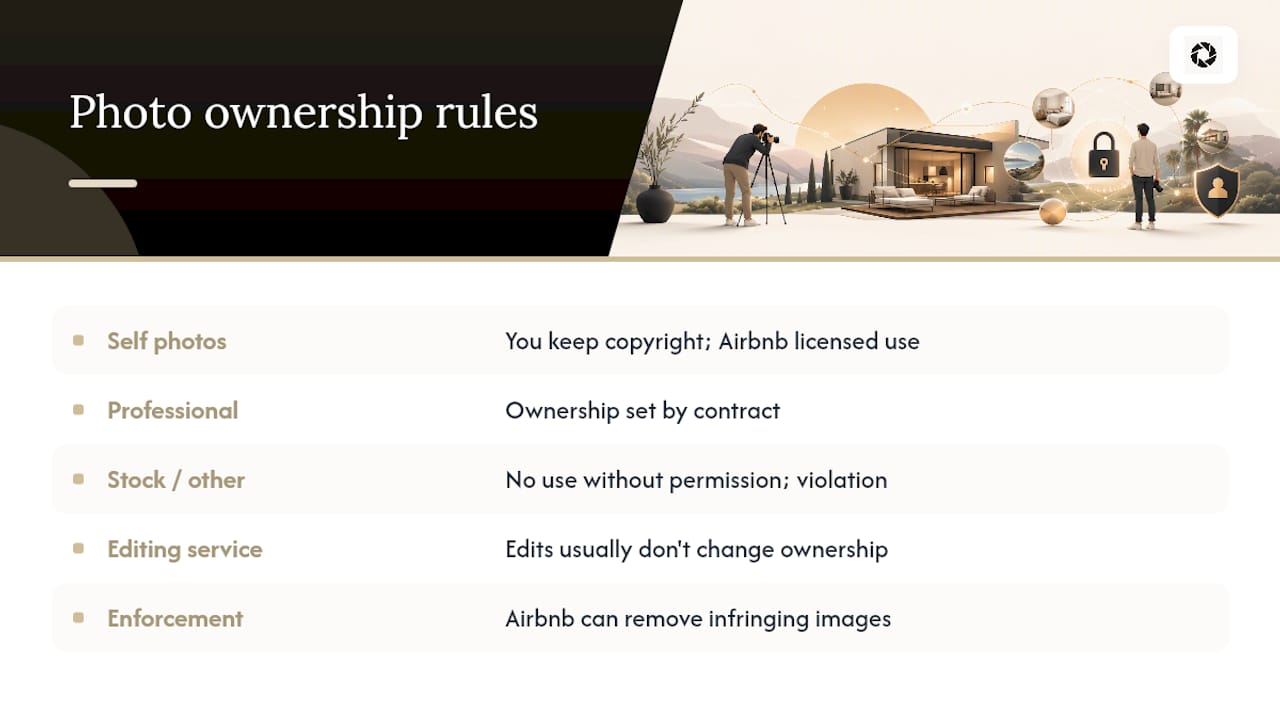
Who Owns Your Airbnb Listing Photos
Airbnb search and ranking systems use multiple signals that can change over time. Treat image quality as one part of listing quality and rely on current first-party guidance rather than a guaranteed ranking effect. This is standard across nearly every listing platform, not unique to Airbnb, and it’s part of the terms you accept when you publish a listing.
Where this gets more complicated is with professionally commissioned photography. If you hire an outside photographer, ownership and usage rights depend entirely on the contract you sign. Some photographers retain copyright and only license usage rights to the host for a specific platform or time period. Others sell full ownership outright. Read the fine print before you assume you can reuse a professional shoot on your direct-booking website or in paid ads.
Copyright violations cut both ways under Airbnb’s policy. You can’t use images you don’t have rights to, including stock photos, images pulled from other listings, or professional real estate photography licensed for a different purpose. Airbnb search and ranking systems use multiple signals that can change over time. Treat image quality as one part of listing quality and rely on current first-party guidance rather than a guaranteed ranking effect.
If you’re working with an enhancement or editing service, check what happens to the underlying image rights. A tool that corrects lighting and perspective on a photo you already own and control doesn’t typically raise ownership questions, since you’re not generating new content, just improving what you already have.
Photographing People and Private Property: What Consent Requires
Guests, cleaners, family members, and even neighbors sometimes end up in the frame during a shoot, and that’s where privacy rules matter as much as content rules.
Airbnb’s policy against content that identifies individuals without consent extends to recognizable faces in listing photos. If a person appears clearly enough to be identified, it’s safer to get their permission or simply crop them out before uploading. This applies whether it’s a staged lifestyle shot with a friend standing in for scale, or an accidental bystander caught in a window reflection.
Private property outside your own listing raises a separate issue. Photographing a neighbor’s yard, a shared driveway, or another unit in a multi-family building without consent can create legal exposure independent of anything Airbnb enforces. If your property’s exterior shot inevitably includes a neighboring home, keep the framing tight enough that identifying details, house numbers, license plates, faces in windows, stay out of frame.
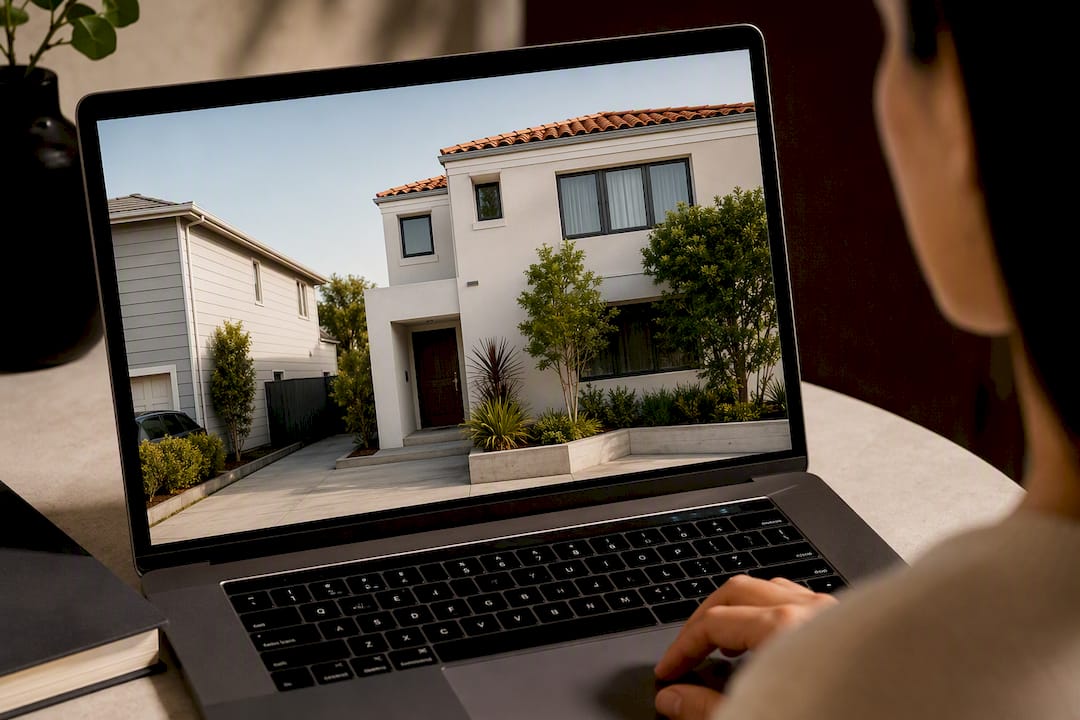
The safest approach is treating your listing photos the way you’d treat any public-facing marketing image: assume anything identifiable needs either consent or cropping. This is especially relevant for hosts who use cleaners or co-hosts to shoot updated photos between guest turnovers. Brief them in advance to clear personal items, avoid capturing other people, and skip anything that shows more of the property or its surroundings than intended.
Why Accurate Photos Directly Affect Booking Rates
Guests decide emotionally before they decide rationally, and the photo gallery is where that emotional decision happens. A listing with sharp, well-lit, accurate photos builds trust before a guest reads a single review.
The inverse is just as powerful, and more costly. A listing with misleading angles, outdated photos, or an obvious mismatch between the gallery and the actual space invites cancellations, negative reviews, and disputes over refunds. Airbnb’s own framing treats accurate photos as expectation management first and marketing second, because a guest who books based on inflated visuals arrives disappointed regardless of how nice the property actually is.
This is also where policy compliance and booking performance overlap more than hosts expect. A photo that violates the Content Policy (a watermark, a filter that shifts colors, a fisheye lens that exaggerates room size) doesn’t just risk enforcement. It also erodes the specific kind of trust that gets a guest to click “book” instead of scrolling to the next listing. Airbnb’s guidance on captions and photo tours exists for the same reason: guests who understand a layout before arrival ask fewer questions and cause less friction during the stay.
Hosts who treat photo accuracy as a booking lever, not just a compliance checkbox, tend to see fewer accuracy-related complaints and smoother guest communication overall. For portfolio-wide consistency, HospitalityLens’s guide on standardizing vacation rental photos covers how to keep multiple listings visually aligned without losing the accuracy that guests are booking on.
How Airbnb’s Photo Policy Has Evolved and How to Stay Current
Airbnb updates its photo and content guidance periodically, usually in response to enforcement patterns Airbnb identifies at scale, like a spike in watermarked images or misleading wide-angle shots. The core principles (accuracy, no prohibited content, baseline technical quality) have stayed consistent, but specific thresholds and recommended resolutions have shifted upward as displays and guest expectations have improved.
The most reliable way to stay current is checking Airbnb’s own Help Center and Resource Center directly rather than relying on secondhand summaries, since third-party guides (including this one) can lag behind platform updates. Airbnb search and ranking systems use multiple signals that can change over time. Treat image quality as one part of listing quality and rely on current first-party guidance rather than a guaranteed ranking effect.
For hosts managing multiple properties across seasons, building a recurring photo review into your calendar (quarterly, or at minimum before peak booking season) catches both policy drift and simple staleness, like outdoor photos from a different season than the one guests are currently booking for. HospitalityLens’s image tips guide covers seasonal refresh timing in more detail for hosts running larger portfolios.
Our Take on Getting Airbnb Photos Right
The hosts who struggle most with Airbnb’s photo policy usually aren’t breaking obvious rules. They’re chasing a polish that reads as staged, and staged is exactly what triggers guest complaints and verification requests. Accuracy isn’t a compliance minimum, it’s the actual product you’re selling before a guest ever walks through the door.
We built our approach around that idea. Truthful improvement, not fabrication. We fix lighting, correct crooked angles, and clean up clutter, but we don’t invent rooms, views, or amenities that don’t exist. If a photo needs something we can’t honestly deliver, we’ll tell you to book a shoot instead.
Prioritize photos that represent your space exactly as a guest will find it. That’s what builds the kind of trust that turns into repeat bookings.
— The HospitalityLens Team
Try One Photo Free: A Faster Path to Compliant, Booking-Ready Images
If your current photos are usable but flat, dark, or crooked, a full reshoot is often more time and expense than the problem calls for. HospitalityLens lets you try one photo free with a watermarked preview, so you see the fixed lighting, straightened perspective, and cleaned-up clutter before spending anything. You pay for the finished, watermark-free version, and that purchase includes revisions.

For hosts managing several listings, one-time packs and monthly subscriptions provide flexible options for bulk photo enhancements without scheduling a photoshoot, suitable for bulk onboarding, seasonal refreshes, or fixing underperforming listings.
If your existing photos are missing rooms entirely, or you’re launching a flagship property that needs new angles, a professional photographer is still the right call. Browse our photographer directory for that scenario, or check the step-by-step guide to see exactly how the enhancement workflow runs before you commit.
Sources
FAQ
What is the 80/20 rule in Airbnb?
There’s no official Airbnb rule tied to photo policy like the so-called “80/20 rule.” If you’ve seen this term used for pricing or occupancy strategy elsewhere, it’s not part of Airbnb’s documented content or image guidelines.
Is it normal for an Airbnb host to ask for a photo?
Airbnb itself may request verification photos directly from the host, taken in person through the Airbnb app, but hosts asking guests for personal photos outside the platform’s own verification process is not a standard or required practice.
Can Airbnb watch you on camera?
No. Airbnb’s policies prohibit hidden or undisclosed surveillance cameras inside listings, and any security cameras must be disclosed to guests and cannot monitor private spaces like bedrooms or bathrooms.
What is the 75-55 rule in Airbnb?
This isn’t a term found in Airbnb’s official photo or content policy documentation. Definitions circulating online vary, so treat any specific claim about such a rule with caution unless it traces back to Airbnb’s own Help Center.
How many photos does Airbnb require for a listing?
Airbnb doesn’t publish a strict universal minimum, but listings need enough photos to show every distinct room or space clearly, and duplicate or near-identical shots get flagged during review.
Recommended