Photography Tips
Can AI Remove People From Property Photos?
Effortlessly erase accidental bystanders and reflections from your listing shots to create professional, booking-ready property photos without scheduling an expensive reshoot.
By Hospitality Lens · · 6 min read
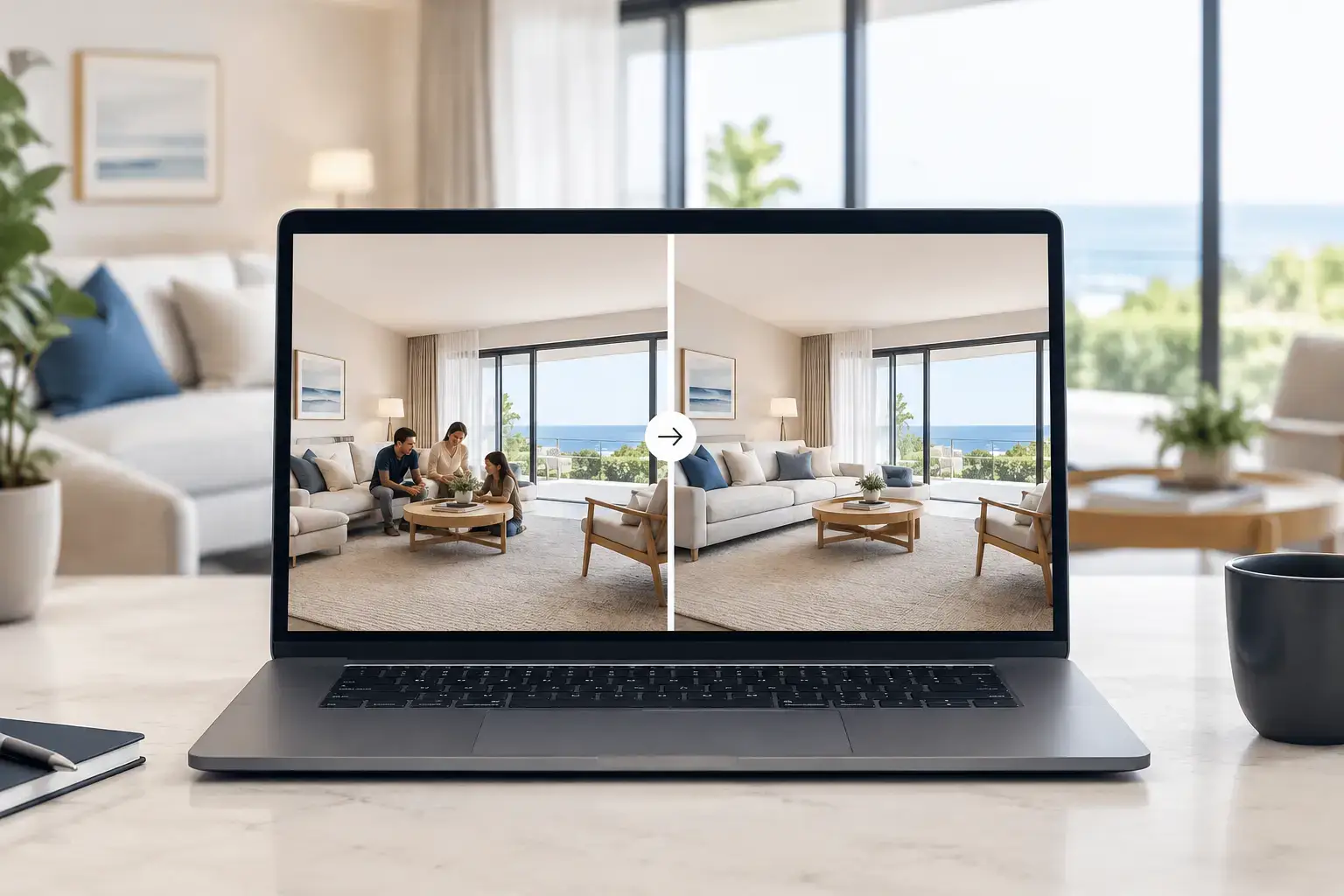
A cleaner standing in the doorway, a guest reflected in a bathroom mirror, or an owner caught at the edge of a living-room frame can make an otherwise usable listing image feel unfinished. Can AI remove people from property photos? Yes, often. But the useful answer for property operators is more specific: it can remove people convincingly when the photo contains enough accurate visual information to rebuild the area behind them without changing what the property actually offers.
That distinction matters. For an Airbnb, vacation rental, serviced apartment, boutique hotel, or real estate listing, photo cleanup should make an existing room easier to evaluate, not make the room look different from reality. Used well, AI property photo enhancement can turn a distracting source image into a professional-looking, booking-ready listing image. Used carelessly, it can leave obvious artifacts or create a misleading result.
When Can AI Remove People From a Photo Well?
People removal works best when the person covers a small or moderate, visually simple part of the scene. Think of a cleaner standing against a plain wall, a person walking through an outdoor patio shot, or someone partially visible at the side of a bedroom image. If the surrounding floor, wall, rug, grass, or sky is visible elsewhere in the frame, an editor has reliable context for reconstructing that area.
It is also effective for common listing-photo distractions: a photographer’s reflection in a mirror, a person’s shadow, a hand holding a door open, or a passerby appearing through a window. These details pull attention away from the room, yet their removal does not alter the property itself.
The strongest results come from usable source photos with reasonable focus, exposure, and resolution. A phone image can be enough. It does not need to be a magazine-quality capture before editing, but it should clearly show the architecture, furnishings, and surfaces around the person. AI can improve lighting, color, and perspective alongside cleanup, but it cannot reliably recover detail that was never captured.
Where People Removal Gets Difficult
Removal becomes less dependable when a person blocks a major feature that needs to remain truthful. If someone is standing directly in front of a fireplace, kitchen island, balcony railing, built-in wardrobe, or bathroom vanity, the hidden area may not be visible anywhere else in the image. Reconstructing it could require guessing - and guessing is not a good basis for property marketing.
The same applies when the person overlaps detailed patterns or architectural lines. A guest sitting on a patterned sofa, someone covering a tiled shower wall, or a figure crossing an intricate staircase can leave an edited area that looks soft, repeated, or slightly distorted. The result may be technically clean at a glance while still feeling wrong to a careful viewer.
Reflections add another layer of difficulty. Removing a person from the room but leaving their reflection in a television, window, framed artwork, or glossy appliance creates an inconsistent image. A careful edit accounts for the whole scene, not just the most obvious person.
For operators, the practical rule is straightforward: remove distractions, not evidence of the property. If the subject blocks a feature a prospective guest needs to see, use another image or arrange a new photo. Truthful photo enhancement is more valuable than a polished image that creates uncertainty.
What Should Be Removed From Listing Photos?
There is a clear commercial case for removing accidental people from otherwise strong photos. Listing images should focus on the space, layout, finishes, views that genuinely exist, and amenities guests can expect to use. A person who happens to be in the image is rarely relevant to that job.
Removal is usually appropriate when it cleans up accidental human presence without changing the physical space. A cleaner in a hallway, an owner in a mirror, or a visitor on a patio can make a listing appear less prepared than it is. Removing them helps the image communicate the property more clearly.
It should not be used to change how a property is occupied or equipped. Removing a person is different from removing permanent damage, changing a neighboring building, adding furnishings, or inventing an unobstructed view. Those changes cross the line from photo cleanup into a potentially misleading representation.
That is why operators should treat people removal as part of a broader editing standard. The goal is realistic lighting and perspective correction, clean compositions, and consistent visual quality across the portfolio - with no fake rooms, views, amenities, or property features.
AI Enhancement or a New Professional Photoshoot?
AI removal is a practical property photographer alternative when the existing image already represents the room well and needs targeted cleanup. It can be especially useful for owner photos to booking-ready images, cleaner-taken images from a new onboarding, seasonal updates, or a listing refresh without a new photoshoot.
For example, a property manager may have a good daytime living-room photo with a cleaner in the background, or a well-composed bedroom shot with an owner reflected in a mirror. If the room is accurately shown and the underlying photo is usable, editing may be faster and more economical than coordinating access, styling, and a completely new shoot.
A professional photographer remains the better choice when the source images are fundamentally weak. That includes rooms photographed from poor angles, severe motion blur, extremely dark interiors, incomplete coverage of key spaces, or images that fail to show important selling points. It is also the right decision after a major renovation, redesign, or new furnishing package. Editing can improve a photograph; it cannot document a room that was never properly photographed.
For multi-property teams, the best approach is often a mix. Use professional photography for flagship properties, major launches, and spaces that need comprehensive coverage. Use AI property photo enhancement to maintain quality between shoots, bring usable incoming images up to portfolio standard, and refresh listings when a full reshoot is not justified.
How to Send Better Source Photos for Cleanup
A few capture choices make people removal and overall enhancement much more reliable. Ask whoever takes the image to hold the phone steady, avoid extreme wide-angle distortion where possible, and leave a little space around the room’s main features. If a person accidentally enters the frame, take a second photo from the same position after they move. That extra image can provide useful reference for the blocked background.
Before sending a batch for editing, review each image at full size. Look beyond the person in the room: check mirrors, windows, televisions, polished appliances, glass tables, and shadows. Also check whether the photo accurately represents the room’s condition and contents. Image quality can influence how people evaluate a listing, but there is no universal performance uplift that applies to every property. Measure clicks, inquiries, bookings, or sales on the individual listing.
It also helps to be specific about the intended cleanup. “Remove the person in the hallway, retain the wall art and doorframe” is clearer than “fix this photo.” Good instructions protect the details that matter while keeping the edit focused on the distraction.
The Standard to Use for Every Edit
The test is not simply whether an edited image looks cleaner. The test is whether it still gives a future guest, traveler, or buyer an honest understanding of the space. A well-executed edit should be difficult to notice because it preserves the property, its proportions, and its real features.
HospitalityLens applies that standard to usable existing property images, combining people or object removal with realistic color, lighting, and perspective correction. For teams unsure whether an image is suitable, the practical starting point is to try one photo free. The preview is watermarked, so you can assess the cleanup before paying for the completed, watermark-free image.
The best listing image is not necessarily the most heavily edited one. It is the image that removes avoidable distraction and lets the property speak for itself.