Short-Term Rentals
Fix Owner Photos at Scale for Property Managers: 5 Step Workflow
Implement a streamlined 5-step workflow to effortlessly transform subpar owner photos into booking-ready listings, boosting your property portfolio's appeal and performance.
By Hospitality Lens · · 10 min read
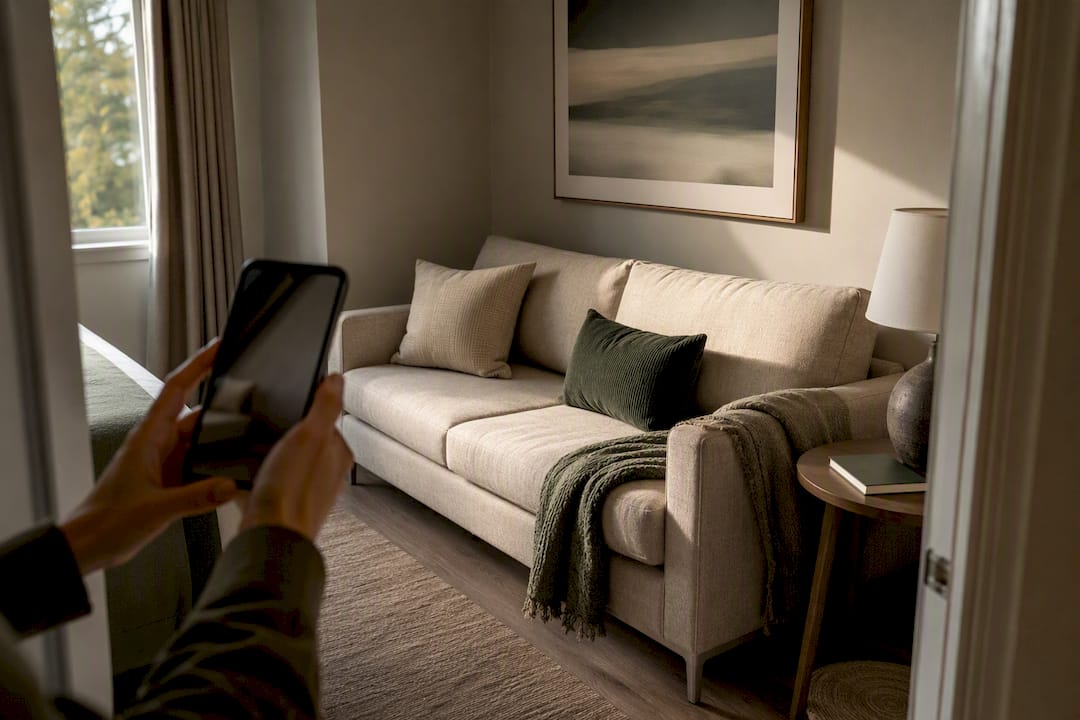
Most owner-submitted and cleaner-taken phone photos are fixable for booking-ready listings, and the fastest route is a truthful enhancement pass rather than a full reshoot. The exceptions are photos that are misleading, missing rooms entirely, or too degraded to recover. Start by sorting every incoming photo into three piles: cover candidate, edit-worthy, and reshoot-needed, then run those piles through the five-step workflow below. Research on photo layout and listing performance backs up why this triage matters before you touch a single edit.
Free watermarked preview. Pay only if you like it. No card is required to create the free watermarked preview. See current pricing for unlocks, one-time packs, and subscriptions.
HospitalityLens
hospitalitylens.com
Turn Usable Photos Into Listing Images
HospitalityLens enhances owner and cleaner photos with realistic corrections, helping property teams refresh listings without arranging a new photoshoot.
Try one photo freeTable of Contents
Common Problems in Owner-Submitted or Cleaner Photos
Owner and cleaner photos tend to fail in the same handful of ways, and once you know the pattern, spotting salvageable shots takes seconds instead of minutes.
- Exposure and white balance: rooms shot against a bright window go dark and blue-gray; overhead lights turn everything yellow.
- Skew and perspective: phones held at an angle make floors, doorframes, and countertops lean, which reads as sloppy even when the room is clean.
- Clutter and personal items: laundry baskets, chargers, toiletries, and stray shoes sneak into frame constantly.
- People in the shot: cleaners, contractors, or family members caught mid-task.
- Low resolution or blur: older phones, poor lighting, or hand shake produce soft, grainy images that look fine on a phone screen and fall apart on a listing page.
- Odd crops and missing coverage: a kitchen photo that cuts off the stove, or no shot of the primary bathroom at all.
Red flags that should trigger an immediate reshoot request rather than an edit ticket: a room with no usable angle at all, a listing missing a photo of a bedroom or bathroom guests will book based on, or any image where correcting the lighting would require guessing what’s actually in the shadows. For a deeper breakdown of these fixes by room type, HospitalityLens has published a full checklist for correcting owner-submitted images.
A Five-Step Workflow for Fixing Owner Photos at Scale
Running this process consistently, rather than eyeballing each batch differently, is what lets a small team handle dozens of properties without losing quality control.
- Collect and tag. The property owner, cleaner, or on-site coordinator uploads raw photos to a shared folder, and someone on the operations side tags each one: cover candidate, standard edit, or reshoot flag.
- Write the enhancement brief. For every photo going to editing, note what needs fixing (lighting, straightening, clutter) and what must stay untouched. Specify cover-photo intent and the platform’s minimum pixel size, since Airbnb’s own hosting guidance calls out brightness, contrast, and straightening as the baseline edits hosts should expect.
- Send for enhancement. Whether you’re using an in-house editor or an AI enhancement service, the brief should explicitly state that edits must reflect the real room. No added furniture, no invented views, no swapped fixtures.
- Check the preview before paying. A watermarked preview lets you confirm the crop, color, and straightening are right before you commit to the finished file.
- Log revisions and upload. Track which photos needed a second pass so you can spot recurring vendor issues, then upload the finished set in the order a guest would walk the property.
Pro Tip: Ask your enhancement vendor to confirm cover-photo intent in writing before they start. A living-room shot edited as a generic interior photo often needs different framing than one flagged as the primary listing image.
The Edit Checklist That Produces the Biggest Booking Gains
Not every edit carries equal weight. When you’re reviewing returned images, check these five things before accepting the batch:
- Exposure and color correction. This is where the returns are largest. Research on Airbnb image analytics found color and composition account for a large share of the booking uplift tied to verified photos, more than most hosts assume.
- Perspective and horizon correction. Lines that were crooked should now read as straight, not artificially stretched or bowed. If a doorframe looks wider than it should, that’s over-correction, not a fix.
- Clutter cleanup and object removal. Trash cans, cables, and personal items should disappear. Structural features never should.
- Crop and resolution. Confirm the file meets your platform’s pixel requirements and that any visible text, like a thermostat display or house number, stays legible.
- Consistency across the set. Every photo for the same unit should share the same color temperature and framing style, so the listing doesn’t look like it was shot on five different days.
A single mis-colored photo in an otherwise clean set is more noticeable to guests than you’d expect, since even small quality inconsistencies stand out in a photo grid guests are scanning fast.
When to Reshoot Instead of Edit
Editing has limits, and pushing past them wastes money on photos that were never going to work.
- Coverage gaps. No angle exists of a room or feature guests will book on, like a pool or a primary suite.
- Misrepresentation risk. The only available angle makes a small room look misleadingly large, or a shadow hides a real flaw a guest will notice on arrival.
- Severe corruption. Motion blur, extreme underexposure, or resolution too low to recover detail.
For a single flagship property or a unit about to anchor a new portfolio, a professional shoot is worth the cost. For a batch of twenty existing units needing a seasonal refresh, bulk enhancement is the more sensible spend. When a reshoot is the right call, schedule it around renovations so you’re not paying twice, and pull from a property photographer directory rather than improvising with whoever’s available.
What to Verify Before You Pay for Photo Edits
Three commercial details separate a good enhancement partner from a frustrating one: turnaround time, what’s included in the price, and who owns the final file.
- Pricing shape. Pay-per-image works for occasional fixes; packs suit onboarding a new property; subscriptions fit teams refreshing photos monthly across a portfolio.
- Revisions included. Confirm the number of revisions per photo before you buy, not after the first round comes back wrong.
- Preview and watermark policy. A free preview should be watermarked, not a bait-and-switch full-resolution file you then can’t legally use.
- Usage rights. Confirm you own the right to use the finished image across every platform you list on, not just the one you mentioned.
Free watermarked preview. Pay only if you like it. No card is required to create the free watermarked preview. See current pricing for unlocks, one-time packs, and subscriptions.
How Portfolio Teams Keep Photos From Drifting Out of Date
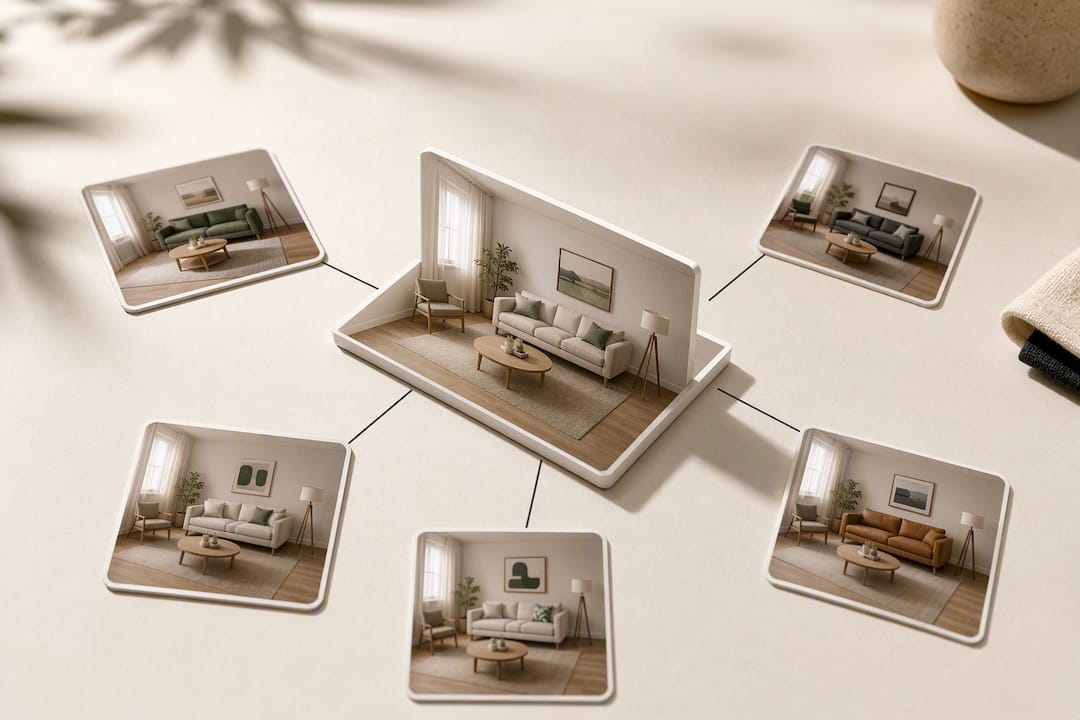
Once a set of photos is fixed, the harder problem is keeping them accurate. Furniture gets replaced, artwork moves, a couch fades. Set a canonical reference photo for each room right after your refresh, and treat it as the standard every future comparison gets checked against.
Build a light photo check into your cleaner’s turnover routine. If the espresso machine in the kitchen photo is gone, that’s a signal to flag for restocking or a re-edit, not something to notice three guest complaints later. One approach industry operators use for catching staging drift treats every turnover as a small audit.
After you swap a photo, watch your cover click-through rate and scan new reviews for photo-related mentions over the following weeks. That feedback loop tells you whether the fix actually solved the problem or just moved it somewhere else.
— The HospitalityLens Team
Try HospitalityLens Before You Book a Reshoot
Free watermarked preview. Pay only if you like it. No card is required to create the free watermarked preview. See current pricing for unlocks, one-time packs, and subscriptions.

HospitalityLens isn’t the right call for every situation. If a unit has no usable angle of a bedroom, or you’re launching a flagship property that needs new photography entirely, a professional shoot from the photographer directory is the better investment. But if you’re staring at a folder of decent, if unglamorous, phone photos, start with a free preview on your best candidate and see what a truthful enhancement actually looks like before you spend a dime on anything else.
Sources
The photo-layout and revenue findings cited above come from Estimating and Exploiting the Impact of Photo Layout and a companion study on background image content and booking rate. Platform guidance is drawn from Airbnb’s photo help article. For platform-specific pixel requirements, see HospitalityLens’s guide on fixing blurry listings and meeting size requirements, and for broader distribution context, where vacation rentals get listed is worth a read.
FAQ
Can Owner or Cleaner Phone Photos Really Be Fixed?
Yes, in most cases, as long as the photo shows the real room clearly and just needs correction for lighting, color, skew, or clutter. Photos that are missing entire rooms or too blurry to show real detail need a reshoot instead of an edit.
What Edits Should I Ask for When Fixing Owner Photos?
Ask for exposure and color correction, perspective straightening, and removal of clutter, people, or stray objects, while keeping every structural feature untouched. Airbnb’s own guidance recommends brightness, contrast, and straightening as baseline fixes for every host.
How Much Does It Cost to Fix a Batch of Owner Photos?
Free watermarked preview. Pay only if you like it. No card is required to create the free watermarked preview. See current pricing for unlocks, one-time packs, and subscriptions.
When Should I Hire a Photographer Instead of Editing?
Hire a photographer when photos are missing key rooms, when the only available angle misrepresents the space, or when you’re launching a flagship property that needs new coverage. For portfolio-wide refreshes where the existing photos are usable, enhancement is typically the faster, cheaper route.
Does the Cover Photo Really Matter That Much?
Yes. Image quality can influence how people evaluate a listing, but there is no universal performance uplift that applies to every property. Measure clicks, inquiries, bookings, or sales on the individual listing.
Recommended