Short-Term Rentals
Why Your Airbnb Photos Look Blurry and How to Fix Them
Image quality can influence how people evaluate a listing, but there is no universal performance uplift that applies to every property. Measure clicks, inquiries, bookings, or sales on the individual listing.
By Hospitality Lens · · 14 min read

Blurry listing photos usually come from one of three places: the original shot was soft or too small, the file was shrunk or compressed on the way to the platform, or the platform is cropping and scaling it for display. You can tell which one it is in about ten minutes, and in many cases you can fix it without a new photoshoot. This guide shows you how to diagnose it, what each platform asks for, and when to retake the photo instead.
HospitalityLens
Improve Usable Airbnb Photos
Enhance lighting, color, perspective and clutter in existing property photos while keeping the real space and its details intact.
Try one photo freeTL;DR
- Open the original file on your computer first. If it looks sharp there, the problem happened during upload or display. If it looks soft there, the problem is the capture.
- Small files are the most common culprit. Airbnb recommends at least 1200 × 800 pixels, Vrbo asks for 1024 × 683 at minimum, and Booking.com recommends at least 2048 × 1080.
- Editing can correct lighting, color, crooked angles and clutter. It cannot rebuild a photo that is badly out of focus or shot through camera shake.
- Replace the photo in your host or partner dashboard, then allow time for the change to show correctly.
- For usable but weak phone photos, you can try one photo free with HospitalityLens. The preview is watermarked.
Table of Contents
Where blur really comes from
When a host says a listing photo “looks blurry,” they are describing a result, not a cause. Four different problems produce the same complaint, and each has a different fix.
The capture was soft. The phone focused on the wrong thing, the room was dark so the shutter stayed open longer, or the camera moved. Low light is the quiet offender in bedrooms and bathrooms, where a phone compensates with a slow exposure or heavy noise reduction that smears detail.
The file was too small. A photo that was downsized for an email, a messaging app or an owner’s shared folder may arrive at a fraction of its original resolution. Stretch it back up on a big desktop screen and it softens.
The file was compressed. Every platform re-encodes images so pages load fast. Engineers at one property portal describe listing-image problems as a mix of blur, compression and poor lighting, and note that website compression can add some noise in exchange for faster loading. Starting from a larger, cleaner file gives compression less to damage.
The platform cropped it. Airbnb explains that it crops images into squares in search results and shows them in landscape on the listing page, which is why it recommends horizontal photos. A vertical phone photo gets cut and enlarged, and the enlargement reads as softness.
Most blurry listings have more than one of these going on. A dim, vertical, messaged-over photo from an owner hits all four.

How to tell which one you have
Do this in order. Each step rules something out.
Step 1: Find the original. Not the screenshot, not the version in a group chat, and not the image you downloaded back from the listing. Ask the person who took it for the file straight from the phone or camera. Every resize, re-save and screenshot loses information, so a diagnosis based on a platform copy is a guess.
Step 2: Check the pixel dimensions. On a Mac, open the file in Preview and look at Tools, then Show Inspector. On Windows, right-click the file, choose Properties, then Details. Compare the width and height with the table below.
Step 3: Zoom to 100 percent. Look at an edge with high contrast, such as a window frame or a lamp base. If the edge is crisp at 100 percent, the capture is fine. If it looks doubled or smeared, the camera moved or missed focus.
Step 4: Compare it with the live listing. Open the listing on a desktop browser and on a phone. If the original is crisp but the listing is soft, the cause is size, compression or cropping. If both look the same, it was soft from the start.
Step 5: Look for over-editing. Heavy sharpening, strong filters and aggressive noise reduction can leave halos around edges and a plastic look on walls. If a photo has been through several apps, go back to an earlier copy. Booking.com’s partner guidance advises realistic photos and avoiding filters, excessive HDR, distortion and over-processing.
If you manage many listings, keep a simple habit: store every original in one folder and never edit it. Work on copies. That single rule makes every future diagnosis faster.

Size guidance differs by platform and gets updated, so treat this as a snapshot and confirm on the linked pages before you batch-process a portfolio.
Two things stand out. First, “minimum” and “looks good” are not the same number. A photo that just clears 1024 × 683 will be accepted and still look soft on a large monitor or a high-density phone screen. Booking.com’s partner materials say 2048 × 1536 pixels displays well on desktop and mobile without turning blurry or pixelated, which is a useful working target for every platform.
Second, if you list on all three, export one large, horizontal master file per photo and let each platform scale it down. Scaling down is safe. Scaling up is where blur appears. For more on ratios and limits, see our guide to image resolution for Airbnb and the longer breakdown of Airbnb photo requirements.
Fix it, or retake it?
This is the decision that saves the most money, and it is worth being honest about.
Editing usually helps when the photo is usable but weak. Think of a bedroom shot on a phone at dusk: slightly dark, a little yellow, tilted a few degrees, with a laundry basket in the corner. Brightness, color, straightening and removing a stray object are all corrections to what was really there. Airbnb itself recommends modest adjustments to brightness, contrast, highlights, crop, rotation and alignment. Our guide on straightening rental photos without a reshoot covers the tilt problem in detail, and the one on sharpening interior photos covers mild softness.
Retaking is the better call when the capture itself failed. That means:
- The main subject is clearly out of focus, not just slightly soft.
- Camera shake has doubled every edge in the frame.
- The file is tiny, for example a thumbnail saved from a chat app, so there is no real detail to work with.
- The room needs an angle that no existing photo shows.
- It is a flagship property launch or an architecturally distinctive space where a professional photographer will earn their fee.
No enhancement should add detail that was never there. If a service promises to turn a hopelessly blurry shot into a crisp one by inventing what it cannot see, it risks showing guests something that is not the real room. Booking.com’s photography guide lists camera shake, grainy or pixelated files and over-processing among the things to avoid, and recommends a tripod and high-resolution files.
A practical test: if you can see the texture of the pillowcase and the edge of the window frame in the original at 100 percent, the photo is a candidate for enhancement. If you cannot, retake it.
Once you have a better file, the swap is simple, but the timing catches people out.
Airbnb: open the listing editor, go to Photo tour or Photos, and upload the new version in place of the old one. Keep the order in mind, because the first photo is the one guests see in search.
Vrbo: open your listing’s Photos section in the owner dashboard, add the new image and remove the old one. Vrbo requires at least six unique published photos, and fewer than six for more than 30 days can bring an indefinite suspension, so add the replacement before you delete the original.
Booking.com: photos can be added, replaced, deleted and reordered in the Extranet or the Pulse app, but updates take time to appear correctly on the property page. Do not assume the change failed after a few minutes. Check again later and clear your browser cache before you decide.
Whatever the platform, check the result on both desktop and mobile. Guests browse on both, and a photo that holds up on one can still crop badly on the other.
Why this matters to bookings
A listing photo is emotional before it is rational. Guests decide in a second whether a place feels cared for, and a soft, dark image reads as a place that is not. Hard numbers on blur alone are scarce, so we will not invent one. What the platforms do publish points the same way: Booking.com’s partner materials say its experiments found that around 24 property-level photos and four photos per room type, including a bathroom, had a positive impact on conversion. Quantity and clarity work together. Guests comparing stays in unfamiliar destinations, whether they are choosing hotels in Ghana or booking a condo in Scottsdale, lean on photos because they cannot walk in first.
What we see in blurry listings
Most of the blurry listings we look at are not a photography failure. They are a process failure. An owner sends a photo through a messaging app, a cleaner snaps a room between turnovers, and nobody checks the file size before it goes live.
That is why we built HospitalityLens around the photos operators already have. Many of those images are usable: the room is real, the framing is reasonable, but the light is flat, the angle is tilted or a few objects distract. We correct those things and keep the property exactly as it is. We do not invent rooms, views, amenities or features.
We also say plainly where a photographer is the better choice: flagship launches, architectural work, new angles, difficult capture conditions, and any case where the original is unusable. Our job is the large middle ground, where a full reshoot is more cost and scheduling than a listing needs.
You can see what we would do with one of your photos before you pay anything. The preview is free and watermarked, and it typically arrives in about 15 minutes.
The HospitalityLens Team
Preventing blur across many listings
Fixing one photo is a task. Preventing the problem across 10, 30 or 100 listings is a system. These habits do most of the work.
Write a one-page photo standard. State the minimum pixel width, horizontal orientation only, natural light with curtains open, no flash, and original files only. Booking.com’s materials recommend natural light, open curtains and room lights, and say flash flattens the image and compresses depth. Our vacation rental photo standards guide gives a fuller template.
Ask cleaners and owners for the right thing. “Send the original file, shot sideways, with lights on and blinds open” is a clearer request than “send some photos.” If your team uses a shared folder instead of chat, the files arrive at full size. The Airbnb co-host photo workflow shows how co-hosts handle this at onboarding.
Steady the camera. A small phone tripod or even a ledge removes most shake in dim rooms. Airbnb also recommends shooting straight ahead and in daylight, which fixes tilt and noise at the source.
Shoot small spaces deliberately. Tight rooms tempt people toward wide, distorted shots that look soft at the edges. Our piece on photographing small rentals so they feel open covers it, and the same care applies to bedroom photos.
Audit quarterly. Open each listing on desktop and phone, and flag any photo that looks soft, dark or crooked. Seasonal refreshes are a natural moment to do it.
Edit within limits. Keep edits honest. Our guide to Airbnb photo editing that keeps listings truthful draws the line between polish and misrepresentation, and a few more habits are in these vacation rental image tips.
Try it on one photo
If you have a usable phone photo that looks dark, crooked or cluttered, try one photo free. You get a watermarked preview, with no obligation, so you can judge the result before you spend anything.
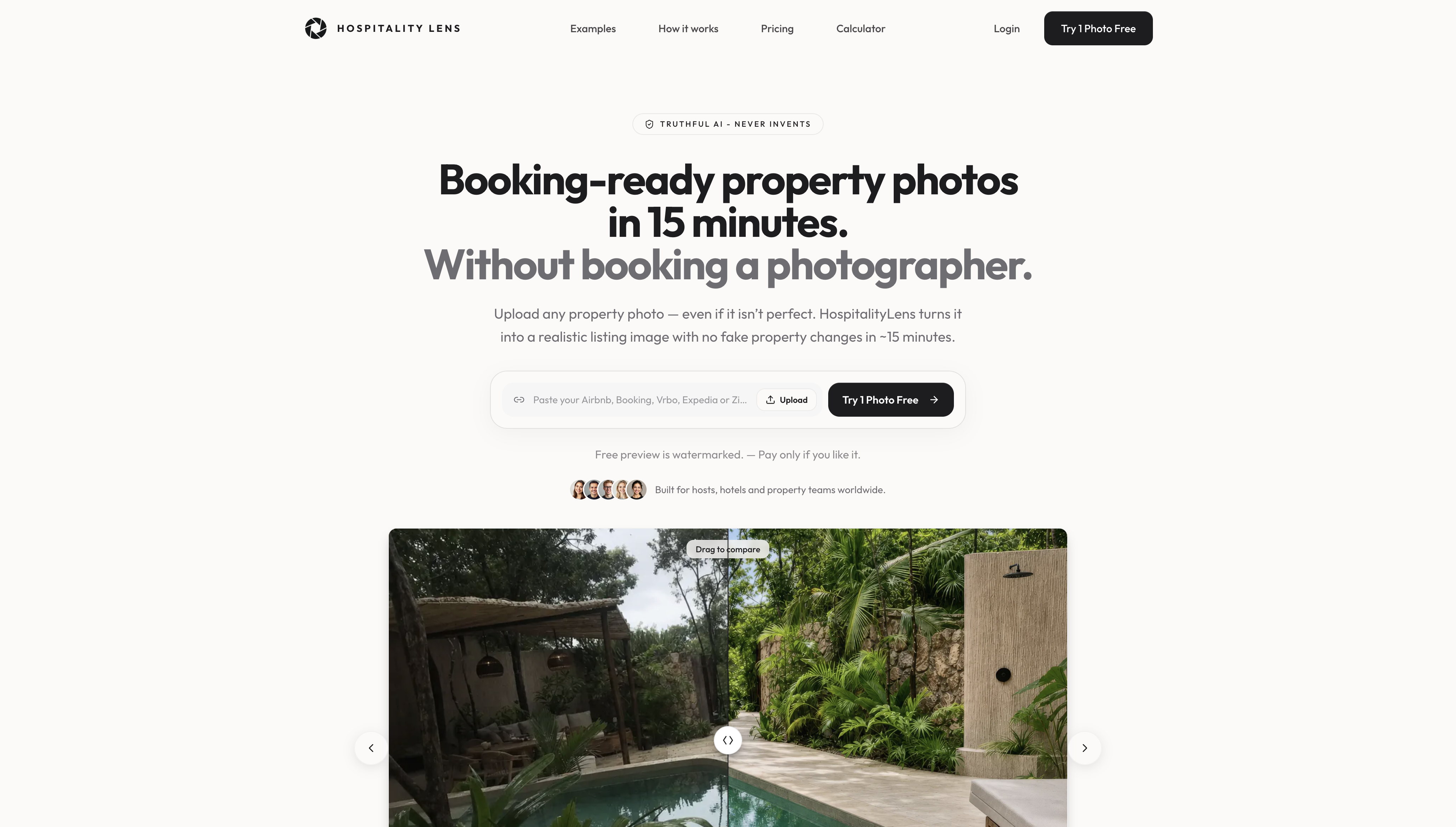
If you like what you see, our property photo editing for managers page explains how it works for portfolios. Per-image enhancement is priced at $2.99 to $12, The Refresh is a $59 one-off, and THE OPERATOR plan is $99 per month for recurring upgrades, all listed on the pricing page. If you are weighing this against hiring someone, our comparison with an Airbnb photographer lays out where each makes sense.
FAQ
Why do my Airbnb photos look blurry only after I upload them?
The most common causes are a file that is smaller than the display size, compression applied on upload, and square cropping in search results. Start from the original at full size and shoot horizontally. Airbnb recommends at least 1200 × 800 pixels, and a larger source gives compression less to damage.
What size should photos be for Vrbo and Booking.com?
Vrbo requires at least 1024 × 683 pixels and recommends 3840 × 2160 or higher. Booking.com recommends at least 2048 × 1080 and prefers 4000 × 3000. A single large horizontal master file, scaled down by each platform, covers all three.
Can AI fix a photo that is truly out of focus?
Not honestly. Enhancement works well on lighting, color, tilt, clutter and mild softness, because the detail is still in the photo. If the subject is clearly out of focus or shaken, there is nothing real to recover, and the right fix is a retake, or a photographer for important spaces.
How long does a replaced photo take to appear?
It depends on the platform. Booking.com states that updates take time to show correctly on the property page, so check again later and on more than one device. If the old image persists after a reasonable wait, contact the platform’s partner support.
Does HospitalityLens change what my property looks like?
No. We correct light, color, perspective and clutter while preserving the real property, and we never invent rooms, views, amenities or features. You can check a watermarked preview of one photo free before ordering.
Sources
Recommended