Photography Tips
DPI vs Pixels: What Each One Means and Which Matters
Discover how image resolution actually works so you can size sharp photos for web listings and produce flawless physical prints with complete confidence.
By Hospitality Lens · · 15 min read

Pixels are the real size of your image. DPI is a number that only appears when you decide how large to print it. A photo that is 3,000 pixels wide has no fixed DPI until someone says “print this 10 inches wide,” and then it is 300. Change the print size and the DPI changes with it, while the pixels stay exactly the same.
That one idea clears up most of the confusion. Below you will find the definitions, the math, a size chart you can reuse, and a plain answer on what resolution web images need. We also cover what this means if you manage rental or hotel listing photos, where the question usually shows up as “is my photo big enough?”
HospitalityLens
Make Listing Photos Look Their Best
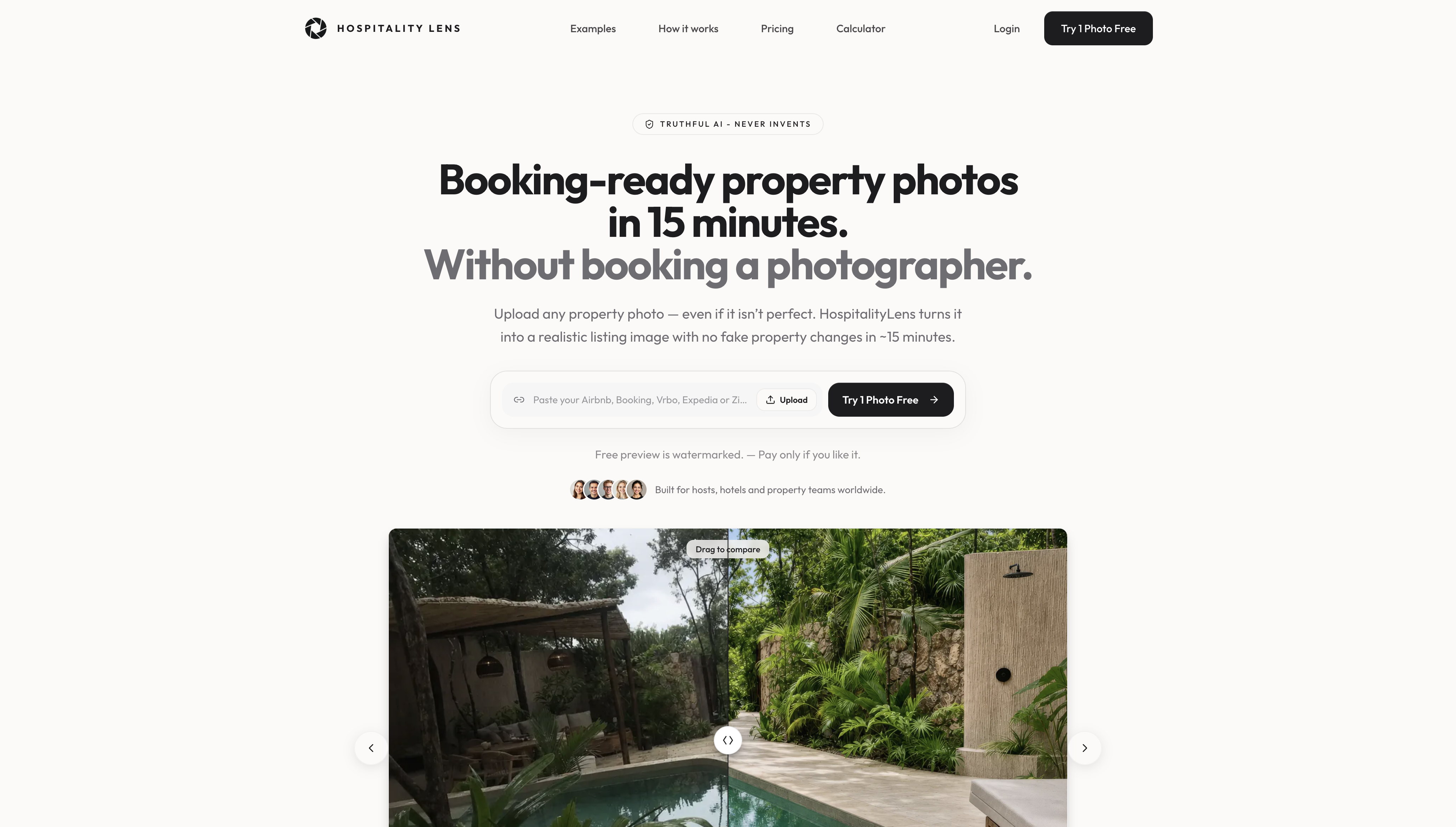
HospitalityLens enhances usable property photos with realistic lighting, color, and perspective corrections, without arranging a new photoshoot.
Try one photo freeTL;DR
- Pixels describe the image itself. DPI (or, more precisely, PPI) describes how densely those pixels are spread across a printed or displayed inch.
- The formula is simple: pixels ÷ inches = PPI, and inches × PPI = pixels needed.
- For a quality photo print, 300 PPI is the general standard. Larger prints viewed from a distance can look fine at 150 to 200.
- For web and listing photos, pixel dimensions matter. The DPI number stored in the file does not change how it looks on screen.
- Raising the DPI setting on a small image does not add detail. Only more captured pixels do.
Table of Contents
The short answer: pixels are the image, DPI is the plan for printing it
A digital photo is a grid of pixels. It has a width and a height in pixels, and that is all it has. The European Commission’s data-visualization guide says bitmap images are made of pixels, but pixels have no physical size until the image is displayed or printed.
DPI enters when you give those pixels a physical size. ShootProof’s support page puts it this way: a digital image by itself has no fixed DPI, and the effective value depends on the pixel dimensions and the size of the print.
So when someone asks “which is more important, DPI or pixels?”, the honest answer is pixels. DPI is what you get after you choose a print size. If you want a sharper print, you need more pixels, a smaller print, or both.
DPI, PPI and pixel density: the terms people mix up
Three terms cause most of the trouble, so here they are side by side.
Pixels are the individual points of color in a digital image. A 4,000 × 3,000 photo has 12 million of them.
PPI (pixels per inch) is how many of those pixels land in one inch of a screen or a print. Sony’s support article says DPI refers to printed dots per inch, while PPI refers to pixels per inch in an image shown on a computer monitor, so the two are not the same measurement.
DPI (dots per inch) strictly describes a printer. The European Commission guide defines it as the number of ink dots a printer can place along one inch, and higher printer DPI generally allows clearer, more detailed prints.
Pixel density is PPI applied to a display: the number of pixels in one physical inch of a screen. It follows from the screen’s pixel dimensions and its physical size.
In daily use, almost everyone says “DPI” when they mean PPI. The US National Archives notes that resolution for digitization is usually measured in pixels per inch, while DPI describes ink dots, but the two terms are commonly used interchangeably. Sony adds that some print services ask for DPI when they really mean PPI. So when a print shop asks for “300 DPI,” read it as “enough pixels to print this size at about 300 pixels per inch.”
The math: how pixels and DPI set your print size
You need only two formulas.
- PPI = pixels ÷ inches. Divide the pixel width by the print width in inches.
- Pixels needed = inches × PPI. Multiply the print width by your target resolution.
Here are worked examples from the sources we checked.
ShootProof’s example: a 1,200 × 800 pixel image printed at 6 × 4 inches has a DPI of 200. Print the same file at 3 × 2 inches and the long side is 1,200 pixels over 3 inches, which is 400. Same file, different DPI.
The relationship also runs backward. Vanderbilt’s image-resolution guidance explains that pixel dimensions equal the intended print dimensions multiplied by the target resolution, which is why a 200 DPI, 6 × 4 inch print needs 1,200 × 800 pixels.
And a larger case: a 10 by 10 inch image at 300 PPI needs 3,000 by 3,000 pixels, found by multiplying each side by 300.

The National Park Service states the direction of the trade-off clearly: with fixed pixel dimensions, increasing PPI reduces print size, and decreasing PPI increases it. A camera captures a fixed number of pixels, and changing the print size only changes the PPI.
A size chart you can reuse
These figures are our own arithmetic using the formula above (inches × PPI). Use them to check whether a photo is big enough before you order prints.
| Print size |
Pixels at 300 PPI |
Pixels at 200 PPI |
Pixels at 150 PPI |
| 4 × 6 in |
1,200 × 1,800 |
800 × 1,200 |
600 × 900 |
| 8 × 10 in |
2,400 × 3,000 |
1,600 × 2,000 |
1,200 × 1,500 |
| 10 × 10 in |
3,000 × 3,000 |
2,000 × 2,000 |
1,500 × 1,500 |
| 16 × 20 in |
4,800 × 6,000 |
3,200 × 4,000 |
2,400 × 3,000 |
Most current phone cameras produce files wider than 4,000 pixels, so a standard phone photo clears the 300 PPI column for prints up to roughly 13 inches on the long side. Check your own file’s pixel dimensions in its properties rather than assuming.
What is a good DPI for printing?
For a quality print of a digital photograph, 300 PPI is the general standard. The National Park Service says larger prints viewed from farther away can look acceptable at lower PPI, and that its wayside and museum-exhibit images are printed at 150 to 200 PPI. The same document says that, without magnification, the eye generally cannot tell the difference in a print above 300 PPI.
That gives you a practical way to think about it:
- Held in the hand (photo prints, postcards, brochures): aim for 300 PPI.
- Viewed from a few feet (posters, framed wall art): 150 to 200 PPI is often enough.
- Viewed from across a room (large banners): lower again, because nobody is reading the pixels.
Print services set their own floors. ShootProof recommends 120 DPI or higher for each image to avoid pixelated prints, and lab-fulfilled orders show a warning below that. Always check the specific lab’s requirement before you send a file.
One caution from the National Archives is worth remembering: a higher PPI number alone does not guarantee higher image quality. Lens quality, noise, and pixelation also shape how much detail a photo holds.
Why raising the DPI setting does not sharpen a photo
Many people open an image editor, change “72” to “300,” and expect a better file. If you do this without resampling, nothing changes in the image. You have only told software how large to print the same pixels. An image 800 pixels long can carry different PPI values and print sizes without any change to its digital image data, as the Centre for Data Digitisation and Analysis at Queen’s University Belfast explains.
Sony makes the same point in its print-size guidance: for applications that use DPI to set print size, raising DPI makes the printed image smaller, and lowering it makes it larger. Sharpness is not part of that equation.
The Archives’ perspective on scanning applies to every photo: increasing the sampling rate or the file size cannot create detail the original capture did not record. If a photo is too small for the print you want, the real fixes are to print smaller, reshoot, or start from a larger original.
A related tip from academic guidance: when a publication asks for a DPI figure, it is usually shorthand for enough pixels at the intended physical size. An International Journal of Urology article gives the example that an image meant to print 10 inches wide at a resolution of 100 is 1,000 pixels wide. Do the multiplication and you will know what to supply.
Resolution for web images: pixels matter, DPI does not
On screens, the question changes. Nobody prints a website. What matters is how many pixels the image has compared with the space it fills.
CSS has its own units. MDN documents that 1 dppx is defined as 96 dpi, and that the dpi value in a media query describes the output device’s pixel density, not the stored resolution of a print image. In other words, the “72 DPI for web” rule you may have heard is a habit, not a requirement. A browser ignores the DPI tag in your file and looks at pixel dimensions.
The practical rule comes from device pixel ratio (DPR), the number of physical screen pixels per CSS pixel. Google’s web.dev gives a clean example: an image shown in a 500 × 500 CSS-pixel container is optimally 500 × 500 pixels at DPR 1, 1,000 × 1,000 at DPR 2, and 1,500 × 1,500 at DPR 3. A sharp phone or laptop screen needs two to three times the pixels of the slot the image fills.
That is why sites serve several versions of the same picture. MDN describes how srcset and sizes help browsers choose a suitable image file based on pixel dimensions, screen size, and resolution.
The takeaway for web images: export at the pixel dimensions the layout needs (with room for high-density screens), and ignore the DPI field.

What this means for rental and hotel listing photos
If you manage listings, you will rarely think about DPI. Booking platforms ask for pixel dimensions, aspect ratios, and file-size limits, and these change over time, so check each platform’s current guidelines. Our guide to image resolution for Airbnb walks through sizes, ratios and file limits, and our piece on image aspect ratios for listings covers how wide room shots and square crops behave.
Three habits save the most time:
Keep the original. A phone photo straight from the camera has the most pixels you will ever have. Every screenshot, messaging-app forward, or re-save can shrink it. When owners or cleaners send photos, ask for the original file, not a chat copy.
Judge by pixels, not by the look on your phone. A photo can look fine on a small screen and fall apart on a 27-inch monitor or a hero banner on a direct-booking site. Check the width in pixels against the largest place you plan to use it.
Fix what resolution cannot. A sharp, large file of a dark, crooked, cluttered room is still a weak listing photo. Resolution tells you whether a photo is big enough. Lighting, straight lines and a tidy frame decide whether it is good. Our property photo quality guide and the overview of hospitality image standards cover that side.
Print is where DPI genuinely matters. A welcome card, in-room menu or breakfast flyer held in the hand should be built at around 300 PPI for its final size, so multiply the inches by 300 and check the source image is at least that many pixels. If you are preparing food photography for a menu or promo card, these visual food plating ideas show what makes a dish photograph worth printing at size.
Our perspective: enough pixels, honest pixels
We see the DPI question from the listing side, and the answer we give operators is calming: your phone photos usually have enough pixels. Modern phone cameras capture files far larger than any booking platform displays, so resolution is rarely what holds a listing back.
What holds it back is what the pixels show. A dark living room, a tilted horizon, a cluttered counter, a stray car in the frame. Those are the problems that make a guest scroll past, and none of them is fixed by changing a DPI field.
That is the work we built HospitalityLens to do. You upload the photos you already have, including owner-submitted, cleaner-taken and existing listing images, and we correct lighting and color, straighten perspective and horizons, clean up clutter, and remove people or objects. We keep the real property intact. We do not invent rooms, views, amenities or features, because a listing guest will arrive and see the real place.
We are also clear about where a photographer is the better choice: flagship launches, architectural work, new angles, difficult conditions, or originals that are unusable. When you have usable photos and need them booking-ready across a portfolio, an enhancement is a practical alternative to arranging a new shoot.
The HospitalityLens Team
Try one photo free
If you have a photo that is big enough but not good enough, start with one. We offer a free preview of a single photo, and the preview is watermarked so you can judge the result before you commit. Previews take around 15 minutes.
Current HospitalityLens pricing (USD); one-time packs — The Hero: 1 photo for $12; The Refresh: 10 photos for $59; The Property: 25 photos for $129; The Portfolio: 100 photos for $399; monthly subscriptions — THE STARTER: 10 photos/month for $49/month; THE OPERATOR: 25 photos/month for $99/month; THE PORTFOLIO: 100 photos/month for $299/month; one-time pack credits do not expire; monthly subscription credits remain valid for up to 3 months; 2 free revisions per photo on one-time packs; 3 free revisions per photo on monthly subscriptions. See current pricing.
FAQ
Is 300 DPI the same as 300 pixels per inch?
In everyday use, yes, people treat them as the same. Strictly, DPI counts printer ink dots and PPI counts image pixels. The National Archives notes the terms are commonly used interchangeably, so when a print shop asks for 300 DPI, it almost always means 300 pixels per inch at the final print size.
What is 200 DPI in an image?
It means the image has 200 pixels for every inch of the print. ShootProof’s example is a 1,200-pixel long side printed at 6 inches, which gives 200 DPI. Print the same file at 3 inches and it becomes 400. The pixels never change, only the print size.
What does pixel density mean?
Pixel density is the number of pixels in one physical inch of a display, measured in PPI. It follows from the screen’s pixel dimensions and its physical size. A small screen and a large screen with the same pixel count have different densities.
What DPI should I use for web images?
None in particular. Browsers read pixel dimensions and ignore the DPI tag. Size the image to the space it fills, then allow two to three times that width for high-density screens, as Google’s web.dev guidance shows with a 500-pixel container needing up to 1,500 pixels.
Can I increase DPI to make a low-resolution photo print sharper?
Not by changing the number alone. That only changes the print size the software assumes. Detail comes from captured pixels, so the options are a smaller print, a larger original, or a new photo.
Sources
Recommended