Photography Tips
Lawn Retouching Photos: Fix Brown Grass Without Misleading Guests
Image quality can influence how people evaluate a listing, but there is no universal performance uplift that applies to every property. Measure clicks, inquiries, bookings, or sales on the individual listing.
By Hospitality Lens · · 15 min read

Lawn retouching means correcting the color, light and tidiness of grass that already exists in your photo. It does not mean growing grass that isn’t there. Done that way, a yellowed lawn in a September photo can look like the healthy, sunlit lawn guests will actually find. Done the other way, it becomes a misrepresentation that can cost you a review, a complaint or a fine.
This guide covers both sides. You’ll get the practical steps in Lightroom and Photoshop, how to make an edit blend into the rest of the frame, and the point where an edit stops being polish and starts being a promise your property can’t keep.
TL;DR
- Correct the color and brightness of the grass you have. Never add turf, plants or green where the property has none.
- Most brown-lawn problems come from harsh midday sun or shoulder-season light, so a color correction is often enough.
- Subtle wins: heavy saturation produces neon grass that makes guests doubt the rest of your photos.
- MLS rules and real estate ethics standards increasingly require AI-altered images to be labeled, so keep an unedited original for every listing.
- If you manage many listings, we can enhance existing phone photos truthfully. Try one photo free (the preview is watermarked).
Table of Contents
- Why a brown lawn hurts a listing photo
- Three kinds of lawn problems, and what an honest edit can do
- How to retouch lawn color in Lightroom
- How to retouch lawn color in Photoshop
- Making the edit blend into the rest of the photo
- Where lawn retouching crosses the line
- Disclosure and rules you should know
- When to retouch, and when to reshoot
- Our perspective on lawn retouching
- What it costs to fix lawn photos at scale
- A short workflow you can reuse
- FAQ
- Sources
Why a brown lawn hurts a listing photo
A listing photo is emotional before it is rational. A guest scrolling Airbnb or Vrbo doesn’t think “seasonal dormancy.” They see a tired yard and wonder what else has been neglected.
That reaction is often unfair, because the camera is part of the problem. According to Gayle Vehar at LightroomPresets.com, there are two situations where grass color needs help: photographing in full summer sun, which can over-expose grass and make it look yellow, and shooting in early spring or fall when grass tends to look yellow or dead. Both are common for property managers, who often photograph whenever a cleaner or owner happens to be on site.
So the first question is not “how do I make this green?” It is “is this photo showing the lawn as it normally looks, or only as the light made it look?” If a healthy lawn was bleached by midday sun, correcting it is restoring accuracy. If the lawn is bare dirt, no honest edit can fix that, and a reshoot or a bit of yard work will.
Three kinds of lawn problems, and what an honest edit can do
Not every lawn problem is the same. Sorting yours first saves time and keeps you on the right side of the line.

Washed-out or yellow-tinted grass. The grass is alive, but the exposure or white balance made it look pale. This is a color problem. A targeted correction of the yellows and greens is a fair repair.
Seasonal dullness. The lawn is going dormant, as is normal in late fall or early spring. A gentle shift toward the healthy range is defensible if guests will see a similar lawn most of the year. It is much harder to defend if your listing is for a winter stay and the real lawn is brown.
Bare patches, dead areas, dirt, weeds. This is a physical condition of the property. Cleaning up a stray hose or a dropped toy is clutter removal. Painting turf over a bare area is changing the property. We treat that as off limits.
How to retouch lawn color in Lightroom
If you already have Lightroom, the color tools handle most seasonal and exposure-related cases.
Start with the HSL panel. HSL sliders adjust hue, saturation and luminance, and they work essentially the same in Lightroom Classic and in Camera Raw in Photoshop, so you can target yellows and greens without touching the rest of the photo. Nudge the yellow hue slightly toward green, then lower luminance a little to deepen the tone. Small moves matter here. A shift that looks fine on a thumbnail can look radioactive at full size.
For patchy areas, the spot removal tool helps. The Lens Lounge explains that it has Clone and Heal modes, and that Heal is preferable for most edits because it samples texture and tone instead of copying exactly. That makes it useful for removing a stray object or a small blemish in the grass, where a literal copy would look stamped.
Use it for clutter, not for rebuilding a bare yard. Removing a garden hose is a cleanup. Cloning grass over a dirt patch is something else.
How to retouch lawn color in Photoshop
Photoshop gives you more control, mainly because adjustment layers and masks keep everything reversible.
The quickest route is a Hue/Saturation adjustment layer. PhotoshopBuzz describes setting the color range to Yellows and moving hue to roughly +45, with saturation around +25 and lightness around +10. Treat those numbers as a starting point for an extreme case, not a recipe. Most lawns in decent shape need a fraction of that.
There is a catch with the yellows channel: it also affects anything else yellow, including skin, furniture cushions or a bright door. Click Community suggests brushing those areas off with a layer mask so only the grass changes, and pulling the lightness slider down to deepen the tone.
The brush method has its own warning. PhotoshopBuzz notes that painting on a Soft Light layer isn’t recommended when complex objects sit on the grass, because you can recolor them by accident. Think patio chairs, a hot tub cover or a child’s bike. Mask those first.
Making the edit blend into the rest of the photo
A good lawn edit is one nobody notices. These are the places edits usually give themselves away.
Match the light
Grass in shade is darker and cooler than grass in sun. If you lift the whole lawn evenly, the shadow of the house or a tree stops looking like a shadow. Keep the contrast between lit and shaded areas, and adjust each zone separately if needed.
Keep texture and variation
Real lawns are not one flat color. They have lighter blades, darker patches and subtle stripes where they were mowed. Uniform coloring is a classic mistake, and so are over-saturation, ignoring shadows and clipping highlights, according to the common pitfalls Retouching Labs describes. When you reduce a tool’s opacity, you let some of the original show through. The Lens Lounge example used 90% opacity on grass patches for that reason, so the repaired areas don’t end up as identical copies.
Check the surroundings
Green grass next to a faded fence, dry hedge and gray-brown trees looks wrong. If you push the lawn and leave everything else, the lawn becomes the thing that looks fake. Sticking to modest changes keeps the whole frame believable.
Zoom out before you finish
View the photo at the size a guest sees it: a phone-sized thumbnail first, then full screen. If the lawn is the first thing you notice, pull it back.
Where lawn retouching crosses the line
This is where we get skeptical, because retouching is easy and the consequences are real.
Real estate professionals draw a hard line on this. In a HARConnect piece on when photoshopping goes too far, agent Jacy Riedmann says grass or plants should not be added where they do not exist, because modifying a physical element of the property is false advertising and a legal risk. Buyer’s agent Daniel Rothamel, ABR, offers a simple rule from the same article: if something is permanent, a fixture, or not easily fixed, don’t change it in the photo. He adds that putting a little grass on a sparse yard can create unrealistic expectations and even a complaint against the listing agent.
We take the same view for short-term rentals and hotels. A guest who books for the garden and arrives at a dirt patch won’t leave a neutral review. Hosts who care about trust, and about the platform’s review system, are better served by an honest lawn that looks its best than by a perfect lawn that doesn’t exist.
If you want the longer version of this standard, our guides on whether AI edits are misleading for property listings and how to prevent photo misrepresentation risk go deeper. Can edited photos still look truthful? is a good place to start if you’re unsure.
A quick test for any lawn edit
Ask three questions. Will a guest arriving tomorrow recognize this lawn? Would the lawn look like this in the same season most years? Does the edit hide anything a guest would consider a material problem, such as bare earth, drainage trouble or construction? If the answer to the first two is yes and the third is no, you’re likely retouching rather than misleading. If you hesitate on any, leave it alone.
Disclosure and rules you should know
The rules are shifting, and they are moving toward more labeling, not less. They also differ by place, so check your own MLS or platform.
Image quality can influence how people evaluate a listing, but there is no universal performance uplift that applies to every property. Measure clicks, inquiries, bookings, or sales on the individual listing. Inman reports that in Florida, Stellar MLS requires the words “Virtually staged” in the photo description for any altered image , and that the state’s real estate commission can discipline licensees for misrepresentation under Fla. Stat. 25.
The cost of getting it wrong can be concrete. Image quality can influence how people evaluate a listing, but there is no universal performance uplift that applies to every property. Measure clicks, inquiries, bookings, or sales on the individual listing.
These rules are written mostly for real estate sales. Short-term rental and hotel photos sit in a different setting, but the logic carries over, and so does the expectation of a guest who sees your listing next to one that is honest. A practical habit: keep the original of every photo, note what was changed, and follow whatever your platform or MLS says about labeling. For hotel teams, hospitality marketing guidance on presenting grounds and gardens accurately can help you decide how outdoor amenities should be shown.

When to retouch, and when to reshoot
Retouching has limits, and we say so plainly. Some lawns need a different answer.
Retouch when the photos are usable and the problem is light, color, crooked angles or clutter. That covers owner-submitted pictures, cleaner-taken phone shots and older listing images from a different season.
Reshoot, or wait for better conditions, when the lawn is genuinely damaged, when the yard is under construction, when you need new angles, or when the original photo is unusable. A professional photographer is also the better choice for a flagship launch or architectural work. If you need one, our property photographer directory is a place to look.
A useful middle path for many operators: improve the lawn physically where it’s cheap (mowing, edging, clearing debris), then photograph in softer morning or late afternoon light, then correct the color lightly. The edit does less work, and the result stays true.
Our perspective on lawn retouching
We built HospitalityLens around one rule: improve the photo, never change the property.
That rule shapes how we handle a lawn. We correct light and color so the grass you have looks the way it does on a good day. We straighten crooked frames, clean up clutter and remove stray people or objects. We do not invent rooms, views, amenities or features, and that includes turf that isn’t there.
Managers with ten or more listings face a different problem than a single host. You can’t send a photographer to every owner-submitted set, and you can’t have one listing shot in July sun and the next in November gloom. Consistency across the portfolio is part of looking trustworthy, and a lighter, careful edit achieves it faster than a reshoot.
We also believe a skeptical approach protects you. Keep your originals, label edits where rules require it, and judge every change by whether the guest will recognize the property on arrival.
The HospitalityLens Team
What it costs to fix lawn photos at scale
Doing this by hand in Photoshop works for a handful of images. Across a portfolio it eats hours, and each editor makes different choices, so lawns end up different greens from listing to listing.
Current HospitalityLens pricing (USD); one-time packs — The Hero: 1 photo for $12; The Refresh: 10 photos for $59; The Property: 25 photos for $129; The Portfolio: 100 photos for $399; monthly subscriptions — THE STARTER: 10 photos/month for $49/month; THE OPERATOR: 25 photos/month for $99/month; THE PORTFOLIO: 100 photos/month for $299/month; one-time pack credits do not expire; monthly subscription credits remain valid for up to 3 months; 2 free revisions per photo on one-time packs; 3 free revisions per photo on monthly subscriptions. See current pricing.
You can see how it handles a real lawn before paying. Upload a photo and get a free watermarked preview, with a turnaround of around 15 minutes.
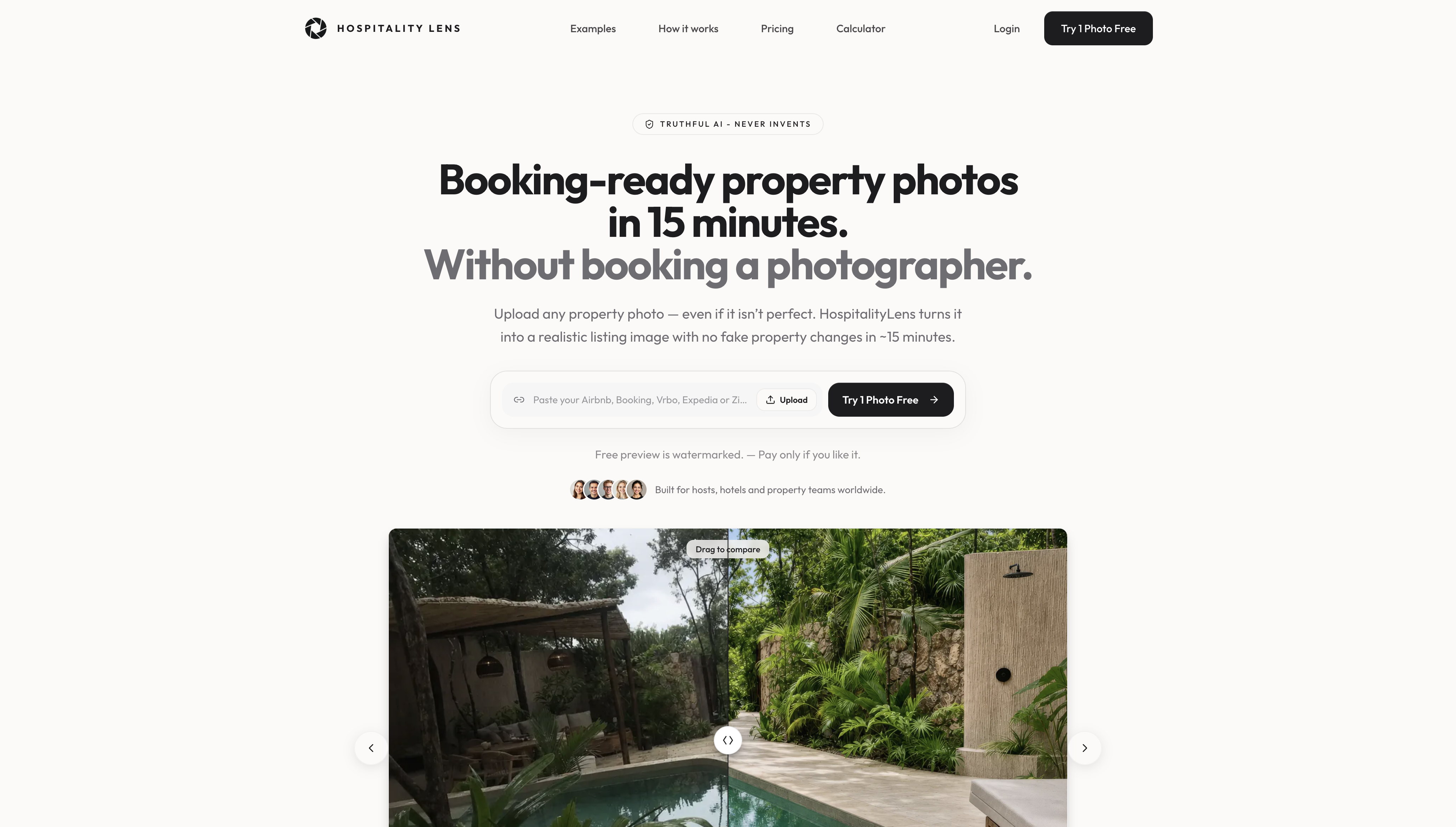
Try one photo free with your own yard shot. If the lawn looks like your property on a good day, you’ll know. If it doesn’t, you’ve lost nothing. For hotel groups, our multi-property hotel photo refresh page covers team workflows.
A short workflow you can reuse
First, shoot in softer light when you can, and keep the original file. Second, fix exposure and white balance before touching color, because many yellow lawns are really exposure problems. Third, adjust yellows and greens in small steps, masking anything that is not grass. Fourth, remove clutter, not conditions. Fifth, check the photo at phone size and again at full size. Finally, save the edited version separately and record what you changed, so you can answer if a guest, platform or MLS asks.
For related reading, see our guides to Airbnb photo editing that keeps listings truthful and hospitality image standards for listings.
FAQ
Can I make brown grass look green in a listing photo?
You can correct the color of grass that is really there, especially when sun or season made it look paler than it is. You shouldn’t paint green over bare or dead areas, because that changes the property. Real estate professionals quoted by HARConnect warn that adding grass to a sparse yard invites complaints.
What is the easiest way to green up a lawn in Photoshop?
Add a Hue/Saturation adjustment layer, choose the Yellows range, and shift the hue slightly toward green. Mask out anything else that is yellow, and keep the changes small. Check the result at phone size before you export.
Do I have to disclose a lawn retouch?
It depends on your MLS or platform. Some MLSs now require AI-altered images to be labeled and paired with an unaltered photo, so read your own rules. Whatever the requirement, keeping originals and a note of your edits is a safe habit.
When should I reshoot instead of retouching?
Reshoot when the lawn is damaged, the yard is changing, the photo is unusable, or you need new angles. Retouching works best on usable photos where light, color or clutter is the problem.
Does HospitalityLens add grass or landscaping?
No. We improve lighting, color, perspective and clutter while preserving the real property, and we don’t invent features or amenities. Try one photo free to see a watermarked preview.
Sources
- Use Lightroom Hue Panel to Enhance Green Grass, LR Presets
- Absolute control of photo colors using HSL, Photoshop Cafe
- How to use the spot removal tool in Lightroom Classic, The Lens Lounge
- 2 Quick & Easy Ways to Make Grass Greener in Photoshop, PhotoshopBuzz
- 20 must-use editing tools in Lightroom and Photoshop, Click Community
- When Does Photoshopping Go Too Far?, HARConnect
- When Does Enhancing Listing Photos Go Too Far?, GAAR
- Housefishing And Other Listing Photo Mistakes To Avoid, Inman
- AI Real Estate Photography: When Listing Photos Lie, Market Share Media