Hotels
Resort Photo Examples That Actually Drive Bookings
Elevate your resort bookings by showcasing stunning visuals of key amenities and spaces, leveraging AI to enhance existing photos for maximum impact and guest appeal.
By Hospitality Lens · · 14 min read
TL;DR:
- High-quality resort photos significantly increase booking rates, and AI enhancement offers a cost-effective way to improve existing images. Focus on capturing or selecting strong exterior, pool, room, and lifestyle shots, then use AI tools for light, perspective, and clutter corrections. A curated workflow with previews ensures truthful edits that build guest trust and maximize revenue.
A hero exterior shot, two room heroes, two lifestyle images, and three detail close-ups — that eight-photo core, truthfully enhanced from owner or cleaner photos, produces the highest booking lift for most resort and short-term rental listings. You don’t need a professional photoshoot to get there.
The fastest no-shoot route: curate your best existing photos, request five targeted smartphone reshoots if gaps exist, submit your strongest eight images for AI enhancement, and review a free watermarked preview before you pay a cent. Properties with professional-quality photos can earn up to 40% more per night. OTAs recommend 8–12 photos per room type to give guests enough visual confidence to book.
- Curate existing photos first — pick the sharpest, most honest frame for each shot type.
- Fill gaps with smartphone reshoots before submitting for enhancement.
- Request a free watermarked preview from HospitalityLens before committing to a pack.
- Prioritize hero exterior, pool, primary room hero, bathroom, and one lifestyle image.
Table of Contents
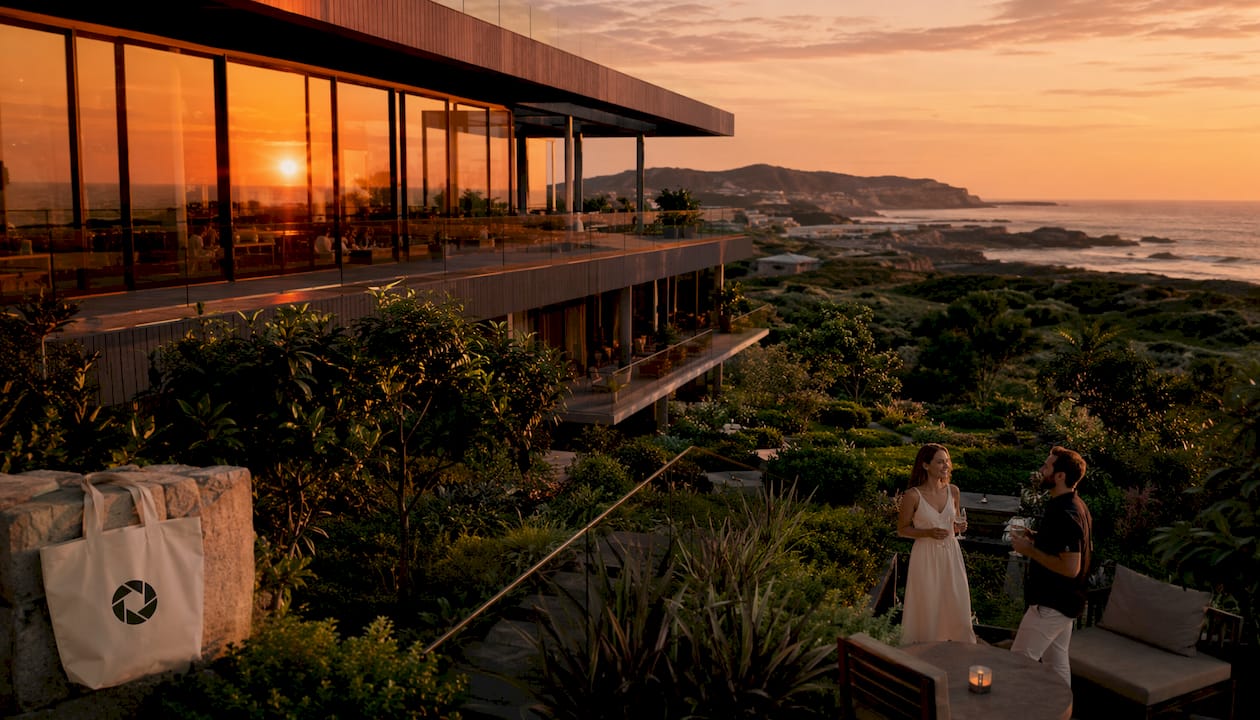
1. Hero exterior or aerial shot
This is the first image most guests see, and it sets the entire emotional tone. Shoot from a slight elevation or a wide corner angle that captures the building, landscaping, and sky together. Aerial and twilight hero images are among the highest-value assets a resort can own — they establish place and desire in a single frame. Caption example: “Arrive to this.”
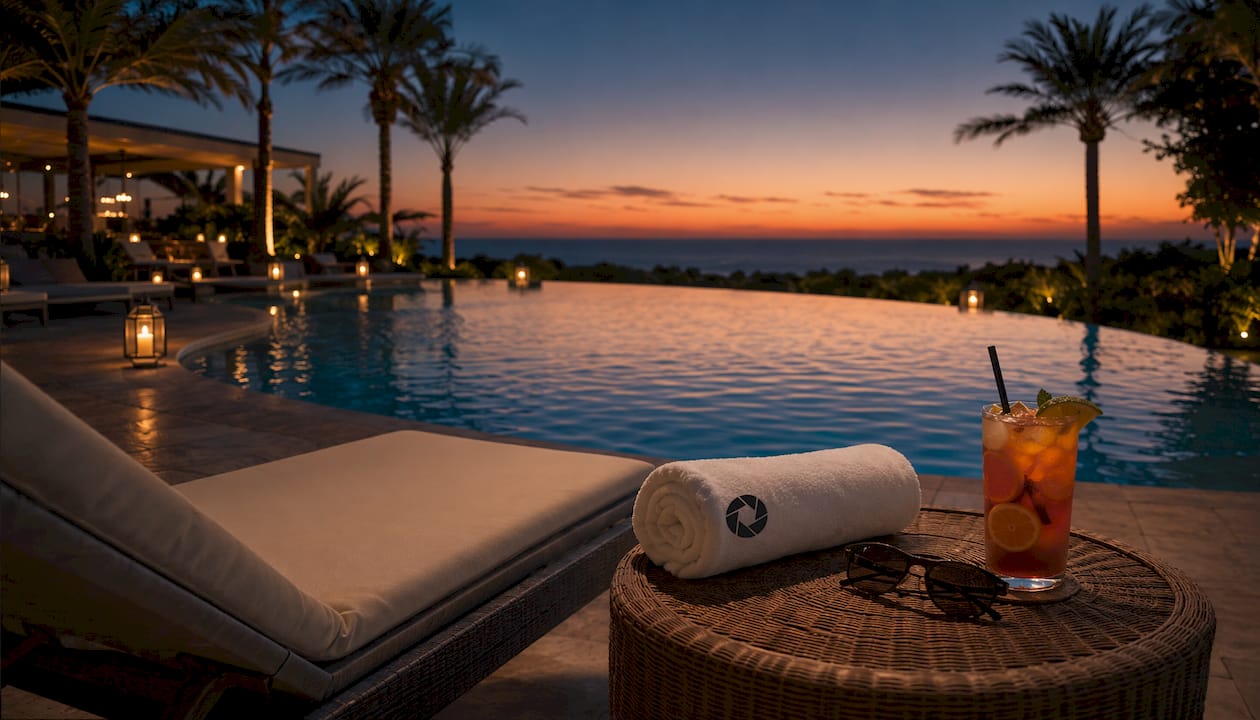
2. Pool at golden hour or twilight
An empty pool at dusk, lit from within, with soft ambient sky above it — this image sells relaxation before a guest reads a single word of your listing. Shoot 20–30 minutes after sunset when the pool lights balance naturally with the fading sky. Avoid harsh midday light, which flattens water and bleaches color.
3. Primary room hero (wide from doorway or corner)
Every room needs at least one establishing wide shot taken from the doorway or corner, positioned as low as possible to reveal more floor and ceiling. The eye reads that depth as spaciousness. This is the image that answers the guest’s first question: “What will I actually be sleeping in?” Caption example: “Space, light, and a bed worth coming back to.”
4. Secondary room hero (alternate angle or detail focus)
A second room angle — from the opposite corner, or a tighter shot of the bed with styled linens — adds dimension to your gallery and reassures guests that the primary shot wasn’t a trick of the lens. Intentional styling with natural light and clean composition makes spaces feel curated rather than cold.
5. Lifestyle by the pool (implied presence, no faces needed)
A folded towel on a lounger, a half-read book beside a drink, sunglasses resting on the edge of the pool. These props imply a guest without requiring models or releases. Images that help guests visualize themselves convert more effectively than empty architecture alone.
Pro Tip: Stage a lifestyle shot by placing two items that suggest activity — a towel and a drink, or an open book and a hat — then shoot from slightly above and to the side. The implied presence does the emotional work.
6. Dining or restaurant scene
Food and atmosphere together. A wide shot of the dining space with natural light and one or two styled table settings communicates the full experience: not just what guests eat, but where and how. Include a close-up of a signature dish as a second frame if you have one.
7. Signature amenity in use (spa, fitness, activity)
A spa treatment room with towels laid out, a fitness area with equipment visible and light coming through a window, or a kayak at the water’s edge — these images justify premium rates. Shoot the amenity as if a guest just stepped away for a moment, not as an empty utility room.
8. Detail and texture close-ups
Folded linens, a coffee machine with a branded cup, a menu card on a wooden table, a tiled bathroom floor. These close-ups add variety to your gallery and signal quality without requiring wide-angle distortion. OTAs expect room-level galleries to include overview, bed, view, bathroom, and standout amenity shots — detail frames fill the amenity and texture slots.
Why these resort photo examples work visually
Photos sell stays when they help guests picture themselves there. That’s the core principle behind every effective resort image. Photos should evoke emotion — relaxation, exclusivity, warmth — rather than function as a visual inventory of furniture.
Composition matters practically. Shoot from the corner or doorway to create depth. Use leading lines — floorboards, bed edges, pool coping — to pull the eye through the frame. Layer foreground, middle ground, and background so the image feels three-dimensional rather than flat.
Light is the single biggest variable you can control. East-facing interiors photograph best between 8:00 and 10:00 AM, when soft morning light fills the room without harsh shadows. Exteriors and pool shots benefit from golden hour or twilight. Mixed color temperatures — a warm lamp next to a cool window — read as amateur and distract from the space.
Consistency across your gallery builds trust. When color temperature, tone, and crop ratios vary wildly from one photo to the next, guests sense something is off even if they can’t name it.
Pro Tip: Avoid extreme HDR edits. Multi-shot exposure blending for window views is legitimate and useful — but the moment you see halos or painterly textures, you’ve crossed into territory that makes guests suspicious rather than excited.
What AI photo editing can fix without a photoshoot
AI enhancement covers a specific, honest range of improvements. Knowing what’s in that range helps you brief an editor and set realistic expectations.
- Exposure blending: balances dark interiors against bright window views for a natural single-exposure look.
- White balance and color grading: corrects mixed temperature lighting and brings tones into a consistent, warm-neutral range.
- Perspective and horizon correction: straightens crooked walls, corrects converging verticals, and removes lens distortion.
- Clutter and object removal: wires, cleaning supplies, personal items, and minor distractions can be cleanly removed.
- People removal: guests or staff who wandered into frame can be removed when it doesn’t alter the scene’s integrity.
- Sky enhancement: realistic sky tones can be improved within the range of what the location actually looks like.
Truthful enhancement means improving what’s already there — better light, cleaner composition, corrected perspective. It does not mean adding a pool that doesn’t exist, swapping in a beach view from another property, or brightening a room so much that guests arrive expecting something different. Those edits don’t just mislead guests; they generate disputes, negative reviews, and potential OTA penalties.
Learn more about photo enhancement best practices before you submit your first batch.
Your 12-shot resort checklist
Use this list to brief cleaners, owners, or staff on exactly what to capture. Priority flags: Must = book without it, High = strong conversion support, Nice = gallery depth.
| Shot |
Guest message |
Priority |
| Hero exterior / aerial |
“This is the place” |
Must |
| Pool at twilight |
Relaxation, aspiration |
Must |
| Primary room hero |
Space and comfort |
Must |
| Bathroom hero |
Cleanliness, quality |
Must |
| Alternate room angle |
Confirms the primary shot |
High |
| Balcony or view |
“What I’ll wake up to” |
High |
| Dining or restaurant |
Full experience |
High |
| Spa or signature amenity |
Justifies the rate |
High |
| Lobby or reception |
Arrival experience |
High |
| Lifestyle by pool or dining |
“I can see myself here” |
High |
| Detail texture #1 (linens, coffee) |
Quality signal |
Nice |
| Detail texture #2 (tile, menu, decor) |
Character and care |
Nice |
For each shot: position the camera at doorway or corner height, shoot toward the opposite end of the room, and hold the phone level using your camera’s gridlines. East-facing rooms: aim for 8:00–10:00 AM. Exteriors: 20–30 minutes after sunset.
Pro Tip: When you have five similar frames of the same room, pick the sharpest and most honest one. More photos of the same angle don’t build confidence — they dilute it.
How to turn existing photos into booking-ready images
A reliable no-shoot workflow runs 24–72 hours for a small batch and 3–7 days for a larger gallery. Here’s the practical sequence:
- Step 1 — Curate and label. Sort your existing photos by shot type. Flag the sharpest, most truthful frame for each category.
- Step 2 — Fill gaps. If you’re missing a must-have shot, request a quick smartphone reshoot from a cleaner or staff member using the checklist above.
- Step 3 — Submit your best files. Upload your selected images. Higher resolution gives the editor more to work with.
- Step 4 — Review the watermarked preview. HospitalityLens delivers a free watermarked preview before any payment. Approve or request revisions.
- Step 5 — Download rights-cleared images. Final files come with commercial usage rights for OTAs, direct-booking sites, and marketing campaigns.
For large flagship properties or full rebrands, some assets — aerial shots, complex multi-room suites — may still warrant an on-site shoot. A month-long production for a 25-acre resort required daily coordination around weather and light windows. AI enhancement handles the rest of your portfolio cost-effectively.
Current HospitalityLens pricing (USD); one-time packs — The Hero: 1 photo for $12; The Refresh: 10 photos for $59; The Property: 25 photos for $129; The Portfolio: 100 photos for $399; monthly subscriptions — THE STARTER: 10 photos/month for $49/month; THE OPERATOR: 25 photos/month for $99/month; THE PORTFOLIO: 100 photos/month for $299/month; one-time pack credits do not expire; monthly subscription credits remain valid for up to 3 months; 2 free revisions per photo on one-time packs; 3 free revisions per photo on monthly subscriptions. See current pricing.
The $7 single-photo fee is credited toward any second purchase. The PRO plan suits teams onboarding new listings or running seasonal refreshes every month. See how AI improves hotel photography for a closer look at the technical workflow.
Ethics, guest trust, and edits to avoid
Truthful enhancement protects your ratings. Misleading edits — even subtle ones — generate guest disappointment that shows up in reviews, dispute requests, and cancellations.
- Never add non-existent amenities. A pool, a view, or a fireplace that doesn’t exist in the room will be noticed on arrival.
- Avoid extreme sky swaps. Replacing a gray sky with a tropical sunset from a different location misrepresents the property’s setting.
- Don’t over-brighten to hide wear. A room that looks pristine in photos but shows scuffs and stains in person creates an immediate trust gap.
- Keep room-type galleries accurate. OTAs can penalize listings where photos don’t match the room category or price tier.
The most durable listing photos are the ones guests recognize when they walk through the door. Polish the image — fix the light, straighten the walls, remove the clutter — but keep the room.
If you use seasonal setups (holiday decor, peak-season pool furniture), caption those images or rotate them out of season. State commercial usage rights clearly in any service agreement so your team knows what they can publish and where.
Pro Tip: When uploading to OTAs, sequence your gallery: hero exterior first, then room hero, then bathroom, then lifestyle, then details. Guests scan in that order. A detail shot as the first image loses the emotional hook.
Key Takeaways
Properties with professional-quality photos can earn up to 40% more per night — and you can reach that standard from existing photos using a curate, reshoot, and enhance workflow.
Free watermarked preview. Pay only if you like it. No card is required to create the free watermarked preview. See current pricing for unlocks, one-time packs, and subscriptions.
What actually matters in resort photography
The conventional advice is to hire a professional photographer and schedule a full shoot. That’s the right call for a flagship suite launch or a complete rebrand. For the other 90% of your portfolio — the rooms that need better light, the pool shot taken on a cloudy Tuesday, the bathroom photo where someone left a shampoo bottle in frame — a hybrid approach delivers most of the conversion benefit at a fraction of the cost.
The teams that get the most from AI enhancement are the ones who treat photo curation as a skill. Picking the right frame, labeling it correctly, and briefing the editor clearly produces better results than submitting everything and hoping. Standardize your crop ratios and color temperature across your portfolio. Schedule seasonal refreshes rather than waiting until a listing underperforms.
On ROI: the clearest signal is an A/B test — run your enhanced gallery against your old one on the same OTA listing for 30 days and compare click-through rate and conversion. Most teams see the difference within the first week.
HospitalityLens turns your existing photos into booking-ready images
You already have photos. Most of them just need better light, a straighter horizon, and the clutter cleared out of frame. HospitalityLens takes owner-submitted, cleaner-taken, or existing listing photos and returns realistic, booking-ready images with lighting and color correction, perspective fixes, clutter and people removal, and commercial usage rights included.

Free watermarked preview. Pay only if you like it. No card is required to create the free watermarked preview. See current pricing for unlocks, one-time packs, and subscriptions.
Try your first photo free and see the result as a watermarked preview. No commitment until you approve it. For teams managing multiple properties, explore the full examples gallery to see before-and-after results across room types.
Further reading and resources
- The Ultimate Guide to Hotel, Resort, and Airbnb Photography — covers preparation, light windows, composition, and the revenue case for professional-quality images.
- 7 Resort Photography Tips to Drive Bookings — explains the emotional logic behind resort images and how to brief a photographer or editor.
- Resort Photography to OTA Standards: A–Z Guide — OTA photo count requirements, room-level gallery structure, and consistency standards.
- 7 Essential Shots for Resort Photography in Riviera Maya — a working photographer’s breakdown of the seven shot types every resort needs.
- Hotel Booking Website Photo Best Practices — HospitalityLens guide on gallery sequencing and truthful presentation for OTA and direct-booking sites.
- Short-Term Rental Photo Guide — practical checklists and smartphone staging tips for rental teams capturing their own reshoots.
- Commercial Use Photo Enhancement for Hospitality — explains licensing, usage rights, and what to confirm before publishing enhanced images.
Request a free watermarked preview at HospitalityLens to see what your existing photos can become.
FAQ
OTAs recommend 8–12 photos per room type, covering overview, bed, view, bathroom, and standout amenities. A full property gallery typically runs 25–40 images across all room categories and shared spaces.
The hero exterior, pool shot, and primary room hero drive the most clicks. Lifestyle images and detail close-ups support conversion by helping guests picture the experience rather than just the space.
Can AI photo editing replace a professional resort photoshoot?
AI enhancement handles most of a portfolio — light correction, perspective fixes, clutter removal, and color grading — without a shoot. Flagship suites or full rebrands may still benefit from on-site photography for complex or aerial assets.
What edits should you avoid in resort photography?
Never add amenities that don’t exist, swap in unrealistic skies, or over-brighten to hide wear. These edits mislead guests, damage ratings, and can result in OTA penalties.
How does HospitalityLens handle the free preview?
Free watermarked preview. Pay only if you like it. No card is required to create the free watermarked preview. See current pricing for unlocks, one-time packs, and subscriptions.
Recommended