Real Estate
Prevent MLS Flags: Watermark Removal Policy for Property Managers
Understand HospitalityLens's watermark removal policy to gain clear, compliant property photos and confidently navigate MLS requirements, protecting your listings from flags.
By Hospitality Lens · · 10 min read

Free watermarked preview. Pay only if you like it. No card is required to create the free watermarked preview. See current pricing for unlocks, one-time packs, and subscriptions.
Free watermarked preview. Pay only if you like it. No card is required to create the free watermarked preview. See current pricing for unlocks, one-time packs, and subscriptions.
HospitalityLens
Review Your Listing Photos First
Try a watermarked preview to assess realistic photo enhancements before deciding whether to purchase the completed, watermark-free image.
Try one photoTable of Contents
When Does the Watermark Removal Policy Apply?
The watermark removal policy is simple: nothing is removed until you buy. Every photo you upload comes back as a free preview with a visible watermark stamped across it, letting you judge the quality of the lighting and color correction before spending a dollar. This mirrors standard practice across the AI photo industry, where providers watermark free previews and reserve clean, higher-rights output for paid tiers.
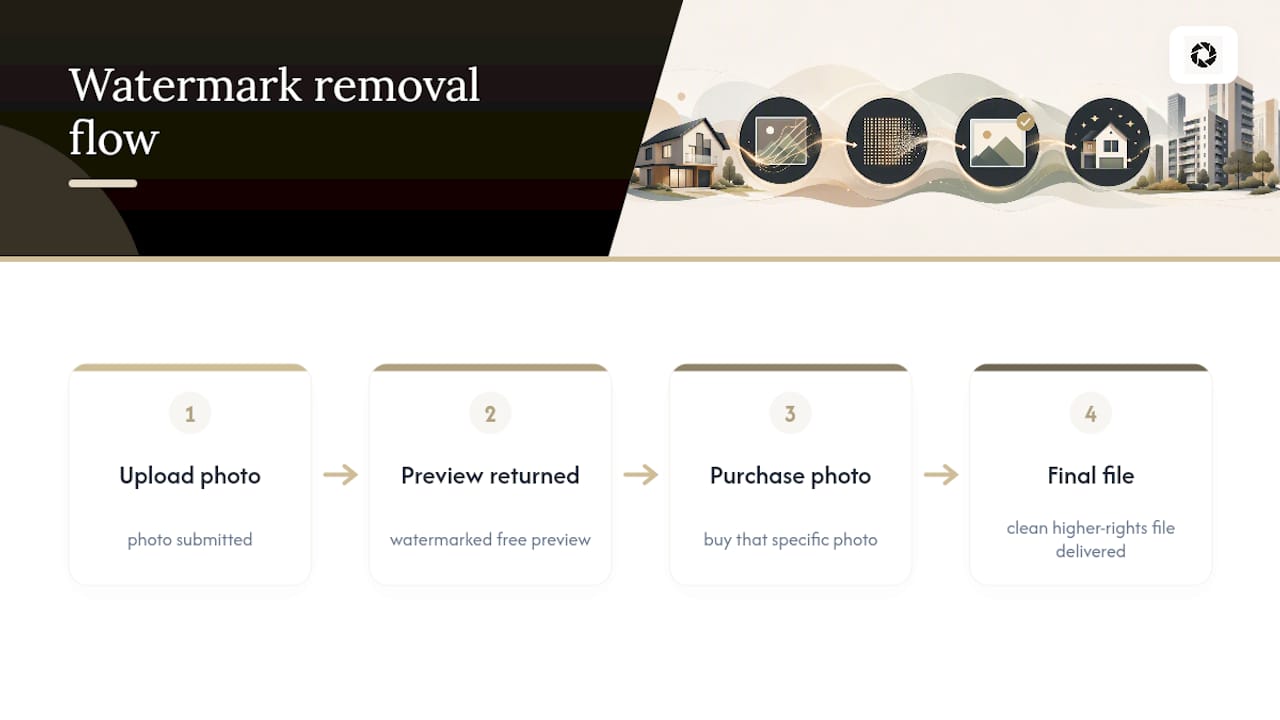
Once you purchase that specific photo, HospitalityLens strips the visible overlay and delivers the finished file. There’s no separate “unlock” step or delay beyond the purchase itself.
What “watermark-free” actually includes
- A high-resolution JPEG suitable for print collateral and full-size platform uploads
- Web-optimized derivatives sized for fast loading on Airbnb, Vrbo, or a direct booking site
- Two included revisions on that image if the first pass needs adjustment
- A usage license covering listing platforms and marketing use
Here’s the detail most buyers miss: removing the visible watermark doesn’t erase the file’s Content Credentials, the C2PA provenance metadata that ties the enhanced image back to your original upload. That metadata isn’t a visible mark. It’s a background record, and it stays intact even after the overlay is gone. For property managers, that’s a feature, not a flaw. It means you can prove an image traces back to a real photo of your property if a platform or guest ever questions it.
If you later decide to buy a pack of 10, 25, or 100 photos, or move to a monthly subscription, the $12 you already paid for that single photo is credited toward the purchase rather than charged twice.
What Happens Between Preview and Final Delivery?
The workflow from upload to watermark-free file follows a predictable order, and knowing it helps you schedule listing pushes without accidentally publishing a watermarked image.
- Upload your photo. Dark, crooked, cluttered, owner-submitted, or cleaner-taken images all qualify.
- Receive your watermarked preview. This is where you judge whether the correction looks right for your property.
- Pay for the photo. This is the trigger. Nothing downstream happens until payment clears.
- Get the watermark-free files. High-resolution and web-sized versions arrive, along with your license and two revisions.
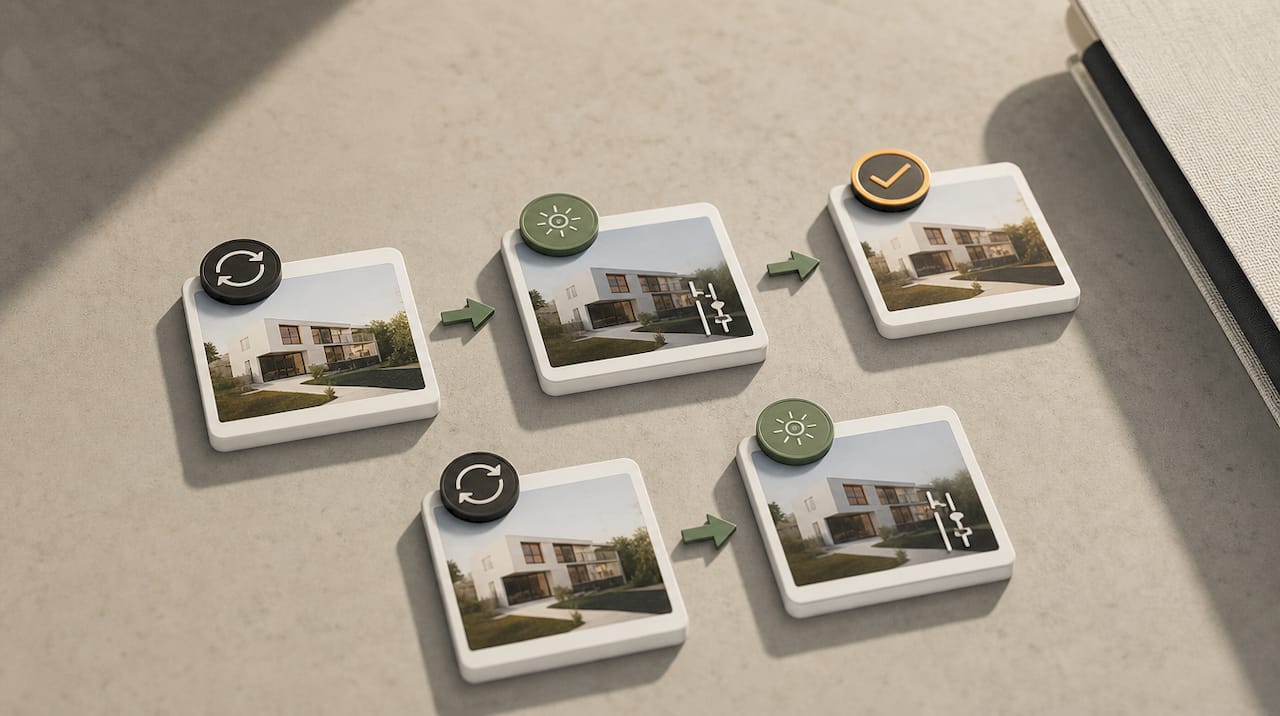
- Request a revision if needed. Each revision uses part of your two-revision allowance and is applied to the same delivered file.
- Upgrade to a pack or subscription anytime. Your $12 rolls into the new purchase automatically.
Pro Tip: Batch your uploads a few days before a listing refresh goes live, not the same afternoon. That gives you buffer time to request a revision if a horizon line or color cast needs a second pass before the photo hits Airbnb or your booking site.
Subscription customers get three revisions per photo instead of two, which matters if you’re refreshing a whole portfolio and expect more back and forth on flagship units.
What Can You Legally Do With the Final Files?
Buying a watermark-free photo grants you a usage license, not blanket ownership of every possible right. Here’s what’s typically covered and what still needs a second look.
Commonly granted uses:
- Posting on Airbnb, Vrbo, Booking.com, or your own direct-booking website
- Marketing campaigns, including social media and paid ads
- Print collateral like brochures or in-unit welcome books
Confirm these before you assume they’re included:
- Whether resale or sublicensing to a third party is permitted
- Whether you can create derivative edits beyond the two included revisions without additional cost
- Whether the license allows use in training other AI models
- Whether attribution to HospitalityLens is required on any published version
A watermark-free image and full copyright transfer are not the same thing. The absence of a visible mark tells you the file is ready to publish. It doesn’t automatically tell you who holds the underlying rights. This distinction matters more than most managers realize, especially when a listing gets handed off between owners or management companies. Read the usage terms on the pricing page before assuming you can pass edited photos to a new operator. And if you’re ever tempted to strip a watermark off imagery that wasn’t yours to begin with, know that doing so without the copyright holder’s permission can carry legal risk, regardless of what tool performs the removal.
Do MLS Rules Require More Than a Removed Watermark?
Yes, and this is where a lot of listing teams get tripped up. Removing a visible watermark satisfies HospitalityLens’s own policy, but MLS platforms have separate disclosure requirements for any digitally altered photo.
CRMLS guidance requires the original, unaltered image to be uploaded immediately before or after the enhanced version, with the listing description labeling the edit. ARMLS applies the same pairing rule and notes that some platform watermarks, like those tied to virtual staging, can’t be removed at all under their terms.
A watermark-free file is not the same thing as a compliant MLS upload. Pairing the original with the enhanced photo, and labeling the edit in the description, is what satisfies disclosure rules, not the absence of a visible mark.
A practical checklist before you upload an enhanced photo to any MLS:
- Keep the original, unedited photo on file and ready to pair with the enhanced version
- Add a description noting the image has been digitally altered
- Check whether your specific MLS restricts certain edit types outright
- Confirm your enhancement falls under permitted clarity corrections rather than a feature-altering edit, a line HospitalityLens’s own image standards guide walks through in more detail
Skipping this step is one of the more common reasons enhanced listing photos get flagged or pulled.
How Do Revisions, Refunds, and Disputes Work?
Every single-photo purchase includes two revisions at no extra cost, and subscription photos include three. Here’s how to use them and what to do if something goes wrong.
- Submit your revision request through your account, describing what needs adjusting, whether it’s a color cast, a crooked horizon, or leftover clutter.
- Expect a turnaround comparable to the original edit. Revisions aren’t a full re-edit from scratch, so they typically move faster than the first pass.
- Use your allowance wisely. Once you’ve used your two (or three) revisions, additional changes to that photo are treated as a new request.
- File a refund claim if the final delivery doesn’t match what was promised, such as missing files or an incorrect license grant, with screenshots or order details as evidence.
- Escalate through support if a licensing question or missing deliverable isn’t resolved through the standard revision process.
Refunds hinge on delivery problems, not on personal taste after you’ve already used both revisions. That’s worth knowing before you submit round three expecting it to be free.
Why We Watermark Previews Before You Pay
We built the free preview around a simple idea: you shouldn’t have to trust a result you haven’t seen. The watermark protects the work until you decide it’s worth paying for, and it keeps enhanced images from circulating unpaid before a purchase happens.
That said, enhancement isn’t always the right call. If a listing needs new angles, a difficult room, or a flagship launch that deserves a full shoot, a photographer still does that better than any edit of an existing photo. Our advice: batch your uploads and schedule revisions before a launch date, not the week of.
— The HospitalityLens Team
Try One Photo Free Before You Commit
Free watermarked preview. Pay only if you like it. No card is required to create the free watermarked preview. See current pricing for unlocks, one-time packs, and subscriptions.

Current HospitalityLens pricing (USD); one-time packs — The Hero: 1 photo for $12; The Refresh: 10 photos for $59; The Property: 25 photos for $129; The Portfolio: 100 photos for $399; monthly subscriptions — THE STARTER: 10 photos/month for $49/month; THE OPERATOR: 25 photos/month for $99/month; THE PORTFOLIO: 100 photos/month for $299/month; one-time pack credits do not expire; monthly subscription credits remain valid for up to 3 months; 2 free revisions per photo on one-time packs; 3 free revisions per photo on monthly subscriptions. See current pricing.
Sources
For deeper detail on the rules referenced above, review CRMLS’s digitally altered image guidance, ARMLS’s disclosure requirements, and PFRE Tour’s delivery format recommendations. HospitalityLens’s own vacation rental photo standards guide and step-by-step usage walkthrough cover the upload and revision workflow in more detail. For hosted gallery presentation examples, see Mesquite Oasis’s property photo gallery.
FAQ
When exactly does HospitalityLens remove the watermark?
The watermark comes off only after you purchase that specific photo. Previews stay watermarked indefinitely until payment, so you can compare quality across multiple photos before committing to any of them.
What file types do I get after purchase?
You receive a high-resolution JPEG suitable for print and full-size platform uploads, plus web-optimized derivatives sized for faster loading on booking sites. Both come with your usage license and revision allowance included.
Does removing the watermark also remove copyright protection?
No. Removing the visible watermark doesn’t erase Content Credentials provenance metadata tied to the file, and it doesn’t automatically transfer full copyright. Confirm the exact license scope on HospitalityLens’s pricing page before assuming broader rights.
Do I still need to disclose enhanced photos to my MLS?
Yes. CRMLS and ARMLS both require pairing the original unaltered photo with the enhanced version and labeling the listing description as digitally altered, regardless of whether a watermark was ever present.
How much does a single watermark-free photo cost?
A single enhanced photo costs $12 and includes two revisions. That amount is credited toward any pack or subscription purchase you make afterward.
What if my revision doesn’t fix the problem?
Submit a new revision request describing the specific issue, using your remaining allowance from the two or three included with your purchase. If the delivered file still doesn’t match what was promised after revisions are exhausted, contact support to review refund eligibility.
Recommended