Hotels
Hotel Website Image Size: Dimensions, File Weight, Formats
Optimize your property photography with exact sizing guidelines and compression targets that speed up page loads and convert more guests across every channel.
By Hospitality Lens · · 14 min read

For most hotel websites, the right image size is 1920 x 1080 px for a full-width hero, about 1600 x 1067 px for room galleries, and a compressed file of roughly 200 to 500 KB per photo. Those numbers come from the platforms hotels publish on. The same photo also has to meet different minimums on Google, Vrbo, Booking.com and Airbnb. This guide gives you the figures, where each one comes from, and how to get your existing photos to meet them without a new shoot.
TL;DR
- Hero banners: 1920 x 1080 px (16:9). Gallery and room photos: 1600 x 1067 px (3:2). Keep one master at 2048 px on the long side.
- File weight matters as much as pixels. Aim for 200 to 500 KB per web photo, and lighter for mobile heroes.
- Use JPG for photos, WebP or AVIF where your site supports them, and PNG only for logos and graphics.
- Booking channels set their own minimums. Export a 2048 px landscape master and you clear all of them.
- Size does not fix a dark, crooked or cluttered photo. Correct the image first, then resize it.
Table of Contents
- Image sizes by placement
- How big should the file be?
- Formats: JPG, WebP, AVIF and PNG
- Minimums on Google, Vrbo, Booking.com and Airbnb
- One master, many exports
- Fix the photo before you size it
- How many photos, and which ones
- A quick pre-upload routine
- Perspective: what we see in size questions
- Try one photo free
- FAQ
- Sources
Image sizes by placement
There is no single universal size. A hero banner, a gallery tile and a thumbnail do different jobs, so each has its own dimensions. The figures below come from the help centers of hotel website platforms. Your theme may differ slightly, so treat them as a reliable starting point.
Amenitiz’s image guide recommends 1920 x 1080 px (16:9) for the website hero banner. For gallery and accommodation photos it recommends 1600 x 1067 px (3:2). Amenity icons and cards are 800 x 600 px (4:3), and primary photos for online travel agencies are 2048 x 1365 px (3:2). It also sets a 5 MB maximum upload per image.
Lodgify’s picture guide takes a wider approach for hero backgrounds. It recommends a 21:9 ratio, such as 2560 x 1080 px. Its rental gallery images are 1920 x 1280 px, and image sections use a 1040 px width.
| Placement | Typical size | Ratio |
|---|---|---|
| Full-width hero banner | 1920 x 1080 px | 16:9 |
| Ultra-wide hero (some themes) | 2560 x 1080 px | 21:9 |
| Room and gallery photos | 1600 x 1067 px to 1920 x 1280 px | 3:2 |
| Amenity cards | 800 x 600 px | 4:3 |
| Channel and OTA master | 2048 x 1365 px | 3:2 |
The practical lesson is that 3:2 is the working ratio for most hotel photography, because it matches what cameras and phones capture. The 16:9 and 21:9 shapes are crops of that frame. If you plan the crop at capture or editing time, the hero keeps the bed, the window or the view in frame instead of cutting through it.
How big should the file be?
Pixel dimensions decide sharpness. File weight decides how fast the page loads. Hotels often get the first right and ignore the second.
Amenitiz advises compressing each photo to 200 to 500 KB. It also advises using JPG at 80% to 85% quality for photos, keeping PNG for logos and graphics that need transparency, and stripping EXIF metadata where you can (same Amenitiz guide).
Hero images deserve a tighter budget because they are usually the largest visible element on first load. Logic Leap’s Core Web Vitals guide for hospitality sites suggests no more than 150 to 200 KB on mobile and 400 to 500 KB on desktop for a full-width hero. It also notes that hotels routinely upload 4 MB JPEGs straight from a photographer’s drive. Digital Fox suggests 200 to 400 KB at most for hero images. It reports that most hotel sites load their main content in 3.5 to 6 seconds, against Google’s target of under 2.5 seconds.

What that means in practice: a 1920 px photo at 80% to 85% JPEG quality usually lands in the range these sources describe. If yours is far above it, the cause is usually an unresized original, not the resolution you need.
Hero images load first, so treat them differently
Logic Leap names lazy-loading the hero image as the most common loading mistake on hospitality sites. Lazy loading is meant for images below the fold. The hero should load as early as possible, and Logic Leap suggests marking it with fetchpriority set to high. Digital Fox adds that autoplay hero video is the biggest drag on loading speed, and suggests a strong still image unless everything else is already optimized. A well-sized photo is the safer hero.
Formats: JPG, WebP, AVIF and PNG
MDN’s image format guide says WebP and AVIF offer better compression than PNG or JPEG. It describes JPEG as the right choice for lossy compression of photographs and PNG for cases needing precise reproduction or transparency. It recommends SVG for icons that must render accurately at any size. AVIF files must download fully before they display, but they are often so much smaller than JPEG that this rarely matters.
For a hotel site, that points to a simple rule set:
- JPG for every room, lobby and exterior photo, as the safe default.
- WebP or AVIF when your website platform generates them automatically, with JPEG as a fallback. Digital Fox recommends this pairing and responsive image tags so phones do not download desktop-sized files.
- PNG for the logo and any graphic with transparency, never for photos.
- SVG for icons.
Most channels also accept JPG everywhere, which is another reason to keep a JPG master.
Minimums on Google, Vrbo, Booking.com and Airbnb
Your website is one of several places the same photos appear. Each channel sets its own floor, so check the official pages before a bulk upload, because the specs get revised.
| Channel | Size guidance | Other rules |
|---|---|---|
| Google Hotel Center | 2048 x 1366 px recommended, 1024 x 683 px minimum | Max 10 MB, landscape, JPG, JPEG, WEBP or PNG. Vacation rentals need at least 8 photos, with 1 per room |
| Vrbo | At least 1024 x 683 px, ideally 3840 x 2160 px or higher | At least 6 photos, horizontal displays best, no black-and-white or sepia, no text or graphic overlays |
| Booking.com | 2048 x 1536 px landscape recommended | Displays a maximum of 10 photos per room category |
| Airbnb | At least 800 x 1,200 px, horizontal | Larger files are better, up to about 10 MB |
Two details are worth noticing. Vrbo says a listing with fewer than 6 published photos for more than 30 days can face an indefinite suspension. And Vrbo, Google and Booking.com all favor landscape orientation, so portrait phone shots are a problem before any resizing begins. We cover the Booking.com side in more depth in our Booking.com photo requirements guide.
One master, many exports
The simplest workflow is to keep a single high-resolution master for each photo and create smaller exports from it. Never resize an already-compressed web file back up.
A sensible master is 2048 px on the long side, in 3:2, saved as a high-quality JPG. That clears Google’s recommended resolution and Booking.com’s. It also clears the OTA figure in the Amenitiz guide. From there you make:
- A 1920 px export for the hero, cropped to 16:9 or your theme’s ratio.
- A 1600 px export for galleries and room pages.
- An 800 px export for cards and thumbnails.
Compress each export to the weights above. Name files descriptively so rooms stay in order across channels. For alt text and page-level optimization, our hotel marketing photography optimization tips go further.
Where resizing goes wrong
Three mistakes cause most of the visible damage:
Upscaling. Stretching a small image to fill a 1920 px hero produces soft edges and blocky gradients. If a photo is under about 1600 px wide, use it in a smaller slot rather than forcing it into the hero.
Cropping the subject. A 16:9 crop of a 3:2 photo removes roughly a sixth of the height. Check that the headboard, the window or the pool edge survives the crop on both desktop and phone.
Inconsistent presentation. Mixing 4:3, 3:2 and 1:1 photos in one gallery makes the grid look uneven. Pick one ratio per placement and keep to it across all rooms.
Fix the photo before you size it
A perfectly sized file of a dark, crooked room is still a dark, crooked room. Guests make a quick judgment from the photo, and file dimensions cannot rescue weak lighting, tilted verticals or a cluttered nightstand.

This is where many hotel and rental teams get stuck. The existing photos are usable but not good: a cleaner took them on a phone, an owner sent them in, or the last shoot is several seasons old. Booking a new photographer for all of them is slow and costly, and the sizing rules above do nothing for their quality.
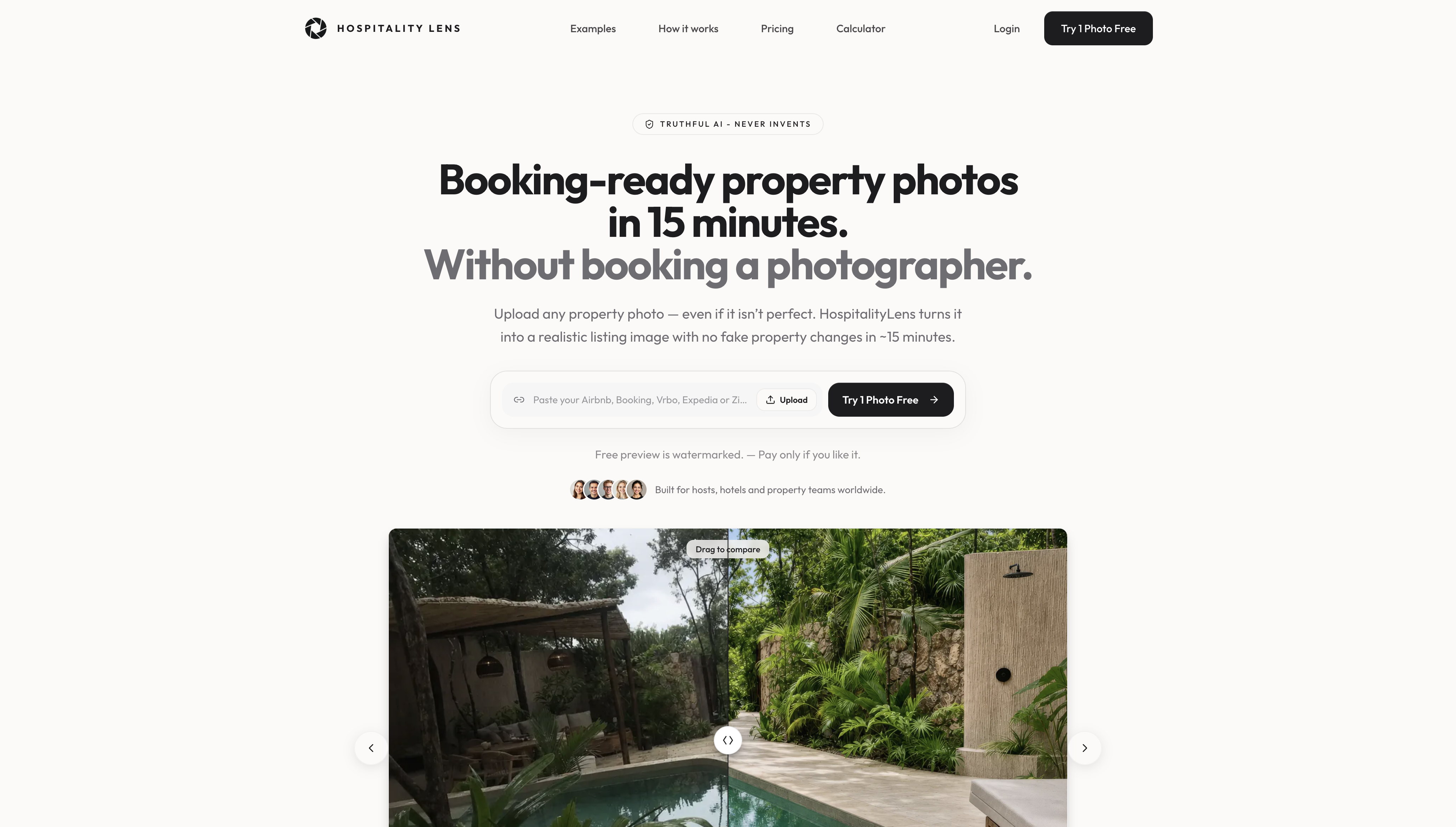
That is the gap we built HospitalityLens for. It corrects lighting and color, straightens perspective and horizons, cleans up clutter, and removes people or objects, all while keeping the real property. It does not invent rooms, views or amenities. The photos you upload are the property guests will find.
A professional photographer is still the better choice for a flagship launch, architectural work, new angles, hard capture conditions, or when the originals are unusable. If you are weighing the two, our comparison of hotel photography versus enhanced photos sets out when each fits. For the editing side, see hotel photo editing for better listing images.
How many photos, and which ones
Size is half the question. Coverage is the other half. Google asks vacation rentals for at least 8 photos with one per room, and Vrbo asks for at least 6. Booking.com shows up to 10 per room category. A hotel should cover every room type, the exterior, the lobby, dining and amenities, and give each room type enough angles to show the bed, the bathroom and the view that is really there.
Planning hotel photo coverage and selection before you resize anything saves time, because you only prepare the exports you will use. Our guide to hospitality image standards for listings and the piece on hotel booking website photo best practices cover ordering and consistency.
A quick pre-upload routine
Before you publish a batch, run through the same short sequence each time.
First, correct the image: exposure, white balance, vertical lines, clutter. Second, crop to your placement ratio while the subject is still in frame. Third, export at the target dimensions from the master. Fourth, compress to the weights above and confirm the result still looks clean at full width on a laptop and on a phone. Finally, check the filenames and alt text.
If you manage many properties, the routine is worth standardizing so that every listing is exported the same way. Consistency across a portfolio does more for how professional your brand looks than any single great image.
Perspective: what we see in size questions
Most size problems are really photo problems. A team asks us for the right pixels, and the real issue is that the original is dim, tilted or crowded with things that were never meant to be in the shot.
We built HospitalityLens around that. Our approach is truthful image improvement: lighting and color correction, perspective and horizon correction, clutter cleanup and object or people removal, with the real property left intact. We do not add rooms, views or amenities, because a booking-ready photo should match what the guest finds on arrival.
We designed the service for teams with many listings, where the cost of a new shoot per property adds up and consistency across the portfolio matters. You see a free watermarked preview in about 15 minutes, so you know what the result looks like before you commit.
Where a flagship launch or new angles are needed, a photographer is the right call, and we say so. For listing refreshes, new-property onboarding and owner- or cleaner-taken photos, enhancing what you already have is practical, quick and honest.
The HospitalityLens Team
Try one photo free
If you already have usable phone or listing photos, you can upload one and see it corrected before you pay. The preview is free and watermarked, so there is no obligation.
Current HospitalityLens pricing (USD); one-time packs — The Hero: 1 photo for $12; The Refresh: 10 photos for $59; The Property: 25 photos for $129; The Portfolio: 100 photos for $399; monthly subscriptions — THE STARTER: 10 photos/month for $49/month; THE OPERATOR: 25 photos/month for $99/month; THE PORTFOLIO: 100 photos/month for $299/month; one-time pack credits do not expire; monthly subscription credits remain valid for up to 3 months; 2 free revisions per photo on one-time packs; 3 free revisions per photo on monthly subscriptions. See current pricing.
Teams that manage several properties can also look at our hotel photo refresh for multi-property teams, or see how property photo editing for managers works.
FAQ
What is the best image size for a hotel website hero?
Use 1920 x 1080 px at a 16:9 ratio as a safe default, which is what Amenitiz recommends. Some themes use a 21:9 hero, such as 2560 x 1080 px, so check your template. Keep the file well under 500 KB on desktop and lighter for mobile.
What file size should hotel photos be?
A good target is 200 to 500 KB per gallery photo, saved as JPG at 80% to 85% quality. Heroes should be on the lighter end, because they load first. Uploading unresized 4 MB originals is a common reason hotel pages feel slow.
Should I use JPG, PNG or WebP?
Use JPG for photographs and PNG only for logos or graphics that need transparency. WebP and AVIF compress better than JPEG, according to MDN, so use them where your platform supports them and keep a JPEG fallback.
Will the same photos work on Airbnb, Vrbo and Booking.com?
Yes, if you start from a 2048 px landscape master. That clears the minimums on Google Hotel Center, Vrbo and Airbnb, and matches Booking.com’s recommended size. Always confirm against each channel’s current guidelines before a bulk upload.
Can I make dark or crooked photos usable without a reshoot?
Often, yes, when the originals are usable phone or listing photos. Lighting, color, perspective and clutter can be corrected while the property stays true to life. Unusable originals, flagship launches and new angles are better served by a photographer.
Sources
- Amenitiz Support: how to choose the right image size for your website photos
- Lodgify Help Center: picture guide for website templates
- Logic Leap: Core Web Vitals for hospitality websites
- Digital Fox: Core Web Vitals for hotel websites
- MDN: image file type and format guide
- Google Hotel Center Help: photo recommendations and best practices
- Vrbo photo guidelines
- Booking.com partner guide on photos
- Airbnb Resource Center: turning high demand into high earnings