Short-Term Rentals
Detail Shots in Premium Rental Listings: A Host's Guide
Elevate your property's appeal and secure premium bookings by showcasing the luxurious details that truly differentiate your rental and build guest trust.
By Hospitality Lens · · 18 min read
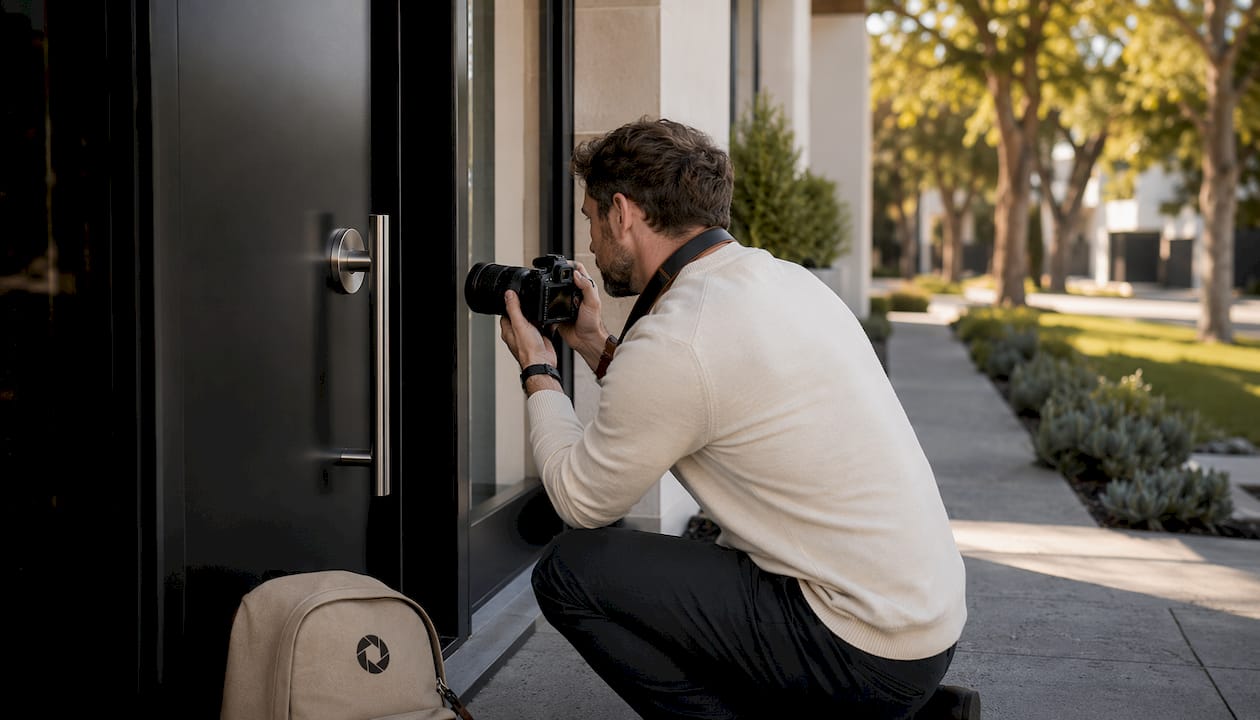
Detail Shots in Premium Rental Listings: A Host’s Guide
TL;DR:
- Detail shots serve as visual evidence that enhances perceived luxury and builds trust for rental listings. They focus on sensory and emotional details that justify higher rates and attract quality guests. Proper sequencing and high-quality close-ups significantly improve booking rates and guest satisfaction.
Detail shots are the proof behind your premium copy. Wide shots get the click; close-ups close the booking. If your listing claims “luxury linens” or “chef’s kitchen,” a detail photo is the only thing that makes a skeptical guest believe it. The role of detail shots in premium rental listings is straightforward: they reduce doubt, raise perceived value, and attract guests who are willing to pay more.
Start with these five highest-impact shots before anything else:
- Premium bedding close-up (texture, layering, pillow arrangement)
- Stocked coffee station (branded machine, cups, small tray)
- Bathroom amenities (quality toiletries, folded towels, hardware finish)
- Kitchen detail (countertop material, appliance quality, or a styled cutting board)
- Welcome or guest book (a personal touch that signals host care)
Hosts who invest in these five consistently see stronger engagement from high-intent guests, more saves on listing platforms, and better alignment between the guest who books and the stay you actually deliver. Detail shots build trust by showing craftsmanship, texture, and curated amenities that wide shots simply cannot communicate on their own.
Table of Contents
What role do detail shots play in a premium rental listing?
A detail shot is a close-up image focused on a single subject: a material, an amenity, a finish, or a small curated element of the space. It is not a room photo. Its job is sensory and emotional, not spatial.
To understand the difference, picture three images of the same kitchen. The hero shot is wide, showing the full room, the layout, and the light. It answers “What does this kitchen look like?” The mid shot moves closer, capturing the island, the appliances, and the backsplash together. It answers “How does this kitchen function?” The detail shot moves closer still: the grain of the marble countertop, the matte black faucet, or a styled bowl of fruit on the island. It answers “What does this kitchen feel like to use?”
That last question is what converts a browser into a booker. Detail photography shifts a listing from informational to emotional by showing what it feels like to be in the space, not just what the space contains. For premium rentals, that emotional layer is where the price justification lives.
Depth of field matters here. A shallow depth of field, where the subject is sharp and the background softens, isolates the detail and draws the eye exactly where you want it. That framing signals intentionality. It tells the guest that the host noticed this detail, which implies they notice everything.
How many detail shots does a premium gallery need?
Gallery size and sequencing are not arbitrary. Industry guidance for vacation rentals recommends a gallery with enough photos to include a small set of detail shots that tell the property’s sensory story. That ratio gives you enough room to orient the guest spatially while leaving space for the close-ups that build desire.
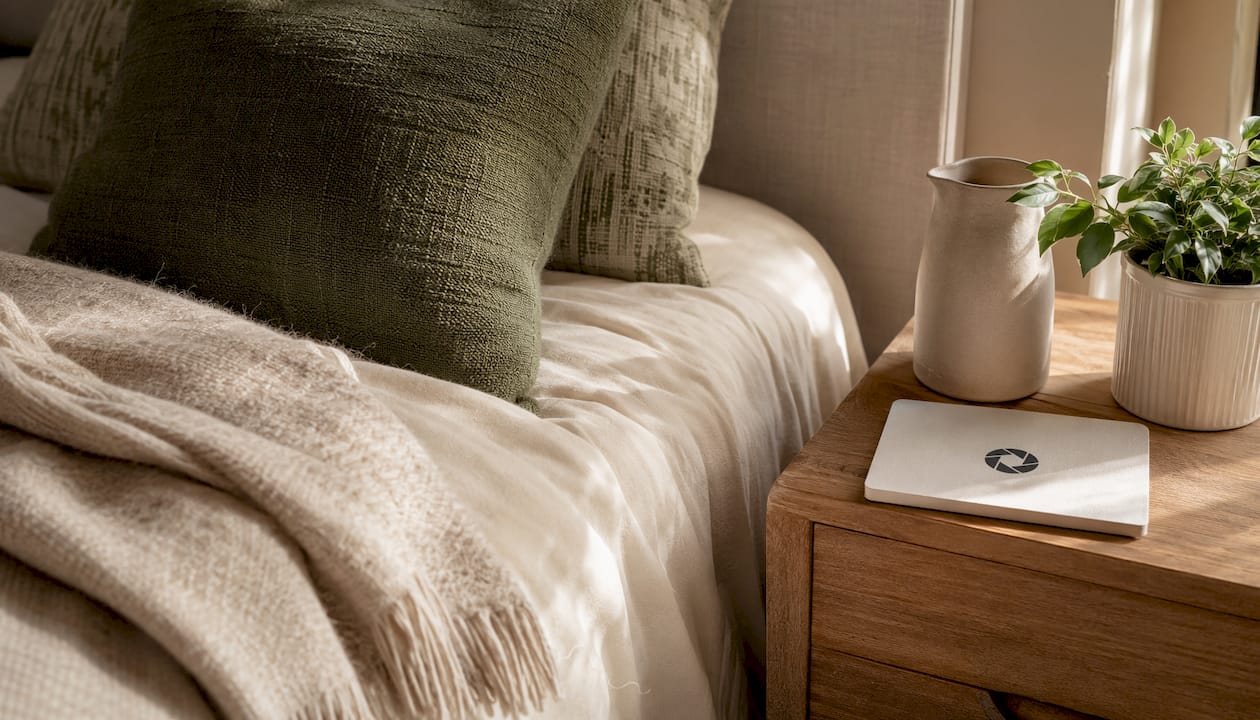
The sequencing rule is equally important. Placing too many detail shots early in the first 5–10 images breaks the “walk-through” narrative and can confuse viewers before they understand the space. The guest needs orientation first.
| Gallery position |
Shot type |
Purpose |
| Images 1–3 |
Hero (wide exterior, main living area) |
Establish the property and set the scene |
| Images 4–12 |
Mid-range (room by room) |
Spatial orientation, layout, and flow |
| Images 13–24 |
Detail shots (5–8 for premium) |
Sensory proof, trust signals, emotional pull |
| Secondary thumbnails |
1–2 strong detail shots |
Reinforce premium positioning in search results |
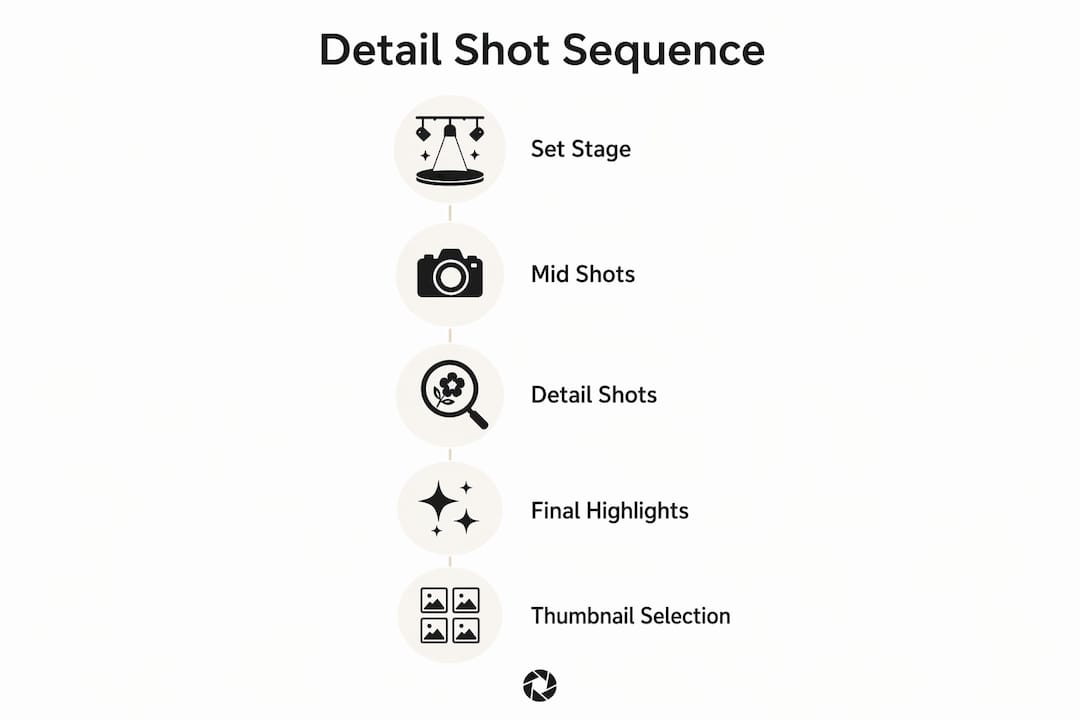
For thumbnail selection, choose a detail shot that reads clearly at small sizes: a close-up of crisp white bedding or a styled coffee tray works; a tight crop of a door handle does not. The thumbnail’s job is to support the hero image, not replace it.
Pro Tip: Think of your gallery as a short film. Wide shots are the establishing scene, mid shots are the character development, and detail shots are the close-ups that make the audience feel something. You need all three to tell a complete story.
Which detail shots actually move the booking needle?
Not every close-up earns its place in a premium gallery. The shots below are ranked by their consistent impact on guest decisions, based on what appears in five-star reviews and what hospitality photographers prioritize.
Priority 1: The shots guests look for first
- Bedding close-up. Show the texture of the duvet, the layering of pillows, and the quality of the fabric. Style it with a slight turn of the top sheet. This is the single most-scrutinized detail for premium guests.
- Stocked coffee station. A Nespresso machine, a small tray, branded pods, and matching cups. Guests booking premium stays often cite this in reviews. Shoot it from a slight angle to show depth.
- Bathroom amenities. Folded towels, a quality soap dispenser, and a small toiletry arrangement on a clean surface. The hardware finish (brushed gold, matte black) matters here.
Priority 2: High-value supporting shots
- Countertop or surface material. Marble, quartz, or hardwood grain photographed with side lighting reveals quality that a wide shot flattens.
- Guest book or welcome card. A personal, handwritten element. This is one of the details most frequently cited in positive reviews as a signal of host care.
- Amenity hardware. A rainfall showerhead, a smart thermostat, or a fireplace control panel. These answer functional questions before the guest has to ask.
Priority 3: Contextual and lifestyle details
- A styled bookshelf, a balcony table set for two, or a reading nook with a throw blanket. These work best for properties with a strong lifestyle angle.
What to skip: Random crops of decorative props, generic candles with no context, or close-ups of items that do not reflect the actual stay experience. Filler details feel staged and erode trust rather than building it. Guests respond to authentic signs of care, not a styled set.
How do you shoot great detail photos without a full crew?
Composition, lighting, and a small amount of gear are all you need. The techniques below apply whether you are shooting with a mirrorless camera or a recent iPhone.
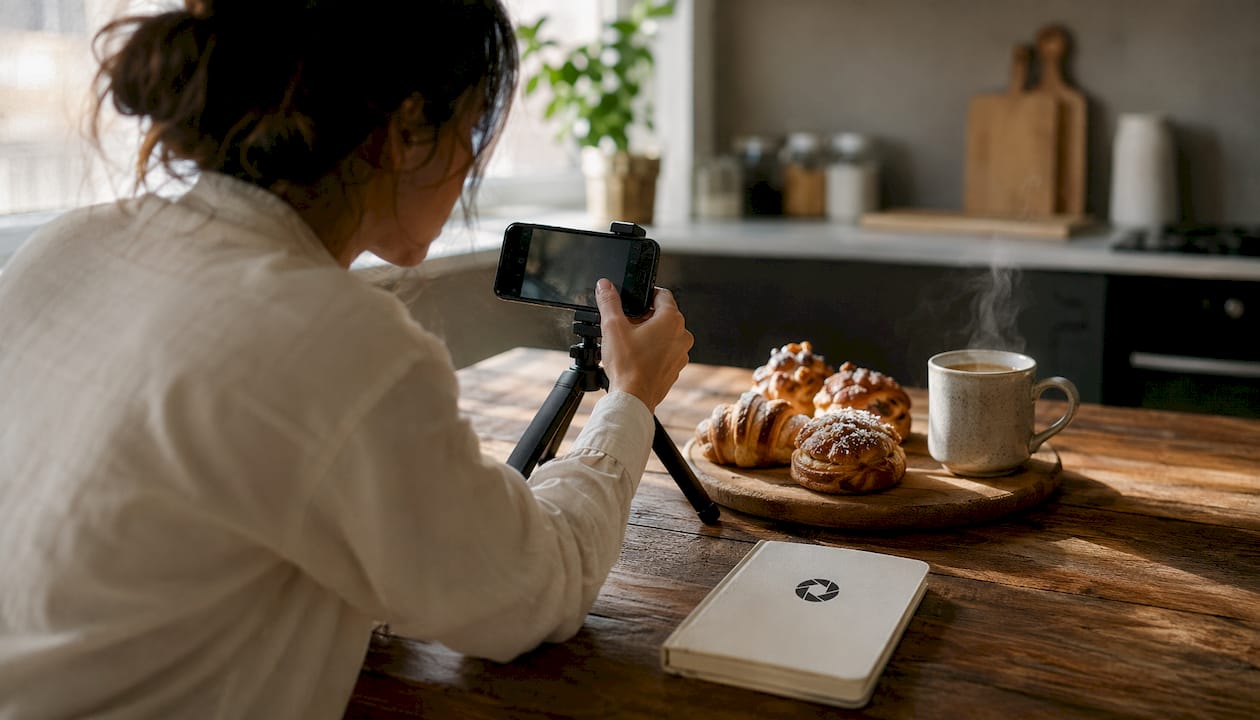
Composition
Fill the frame with intention. The subject should occupy most of the image, with negative space used deliberately to let it breathe. A coffee cup centered on a tray with clean counter space around it reads as calm and considered. The same cup surrounded by clutter reads as careless. Side directional light and shallow depth of field accentuate texture and subject separation, which is exactly what premium detail shots need.
Lighting
Natural side light is your best tool. Position the subject near a window so light rakes across the surface at an angle, revealing texture in fabric, grain in wood, and sheen in hardware. Avoid direct overhead light, which flattens surfaces and removes the tactile quality that makes detail shots compelling. If natural light is inconsistent, a small LED panel (a Lume Cube or similar) placed to the side gives you control without a full lighting setup.
Keep color consistent across your gallery. If your hero shots are warm and natural, your detail shots should match. Mismatched color temperature between wide and close-up images makes a gallery feel disjointed.
Gear
A mirrorless camera with a 50mm or 85mm lens gives you the most control over depth of field. For phone shooting, the Portrait mode on recent iPhone or Pixel models handles shallow depth of field reasonably well for smaller details. A small tripod or a bean bag stabilizer removes camera shake, which matters more at close distances.
Editing rules
Correct exposure, color balance, and perspective. Remove distracting objects that were not part of the intended scene. Do not add amenities that are not there, and do not alter the color of materials to misrepresent finishes. The goal is a truthful, booking-ready image that matches what the guest will find on arrival. Trust is built before check-in and broken at the door.
How long does a detail shoot take, and how should you plan the day?
A focused set of detail shots takes roughly 30 minutes to 1 hour on top of the standard property shoot, depending on the number of shots and how much styling is needed before each frame. Planning the sequence in advance cuts that time significantly.
Here is a practical shoot-day workflow:
- Walk the property before the camera comes out. Identify your detail bank: 5–8 specific subjects you plan to shoot. Write them down by room.
- Shoot hero and mid images room by room first. Complete each room’s wide and mid coverage before moving to close-ups. This preserves the lighting setup and avoids constant repositioning.
- Return to each room for the detail bank. Capture close-ups in the same order as your room-by-room walk. Cluster details by location to minimize moving lights or props.
- Style each detail just before shooting. Remove anything that does not belong in the frame. Add one or two intentional props (a folded hand towel, a small plant) only if they reflect the actual guest experience.
- Review on a larger screen before leaving. A detail shot that looks sharp on a phone screen can reveal blur or poor focus on a laptop. Check before you pack up.
When to DIY versus hire a pro: If you manage one or two properties and have good natural light, a recent smartphone and the composition principles above can get you 80% of the way there. For a portfolio of five or more listings, or for a property where premium photography is a direct revenue driver, a hospitality photographer who understands visual strategy for short-term rentals is worth the investment. When the photos exist but need correction, lighting adjustment, or clutter removal, an enhancement service is often faster and more cost-effective than a reshoot.
What does detail photography cost, and how do you measure the return?
Photographer pricing for short-term rental shoots varies by market and scope. A standard property shoot with detail coverage included typically runs as a package, with detail shots added as part of a broader session rather than priced individually. Hourly rates for hospitality photographers in the US generally reflect local market rates, and per-image editing services offer a lower-cost alternative when the photos already exist but need improvement.
For teams managing multiple listings, cost-saving approaches often combine a one-time professional shoot with ongoing enhancement services for seasonal refreshes, new listings, or photos taken by cleaners or owners.
Measuring impact after a photo update:
- Click-through rate (CTR). Most OTA dashboards show how often your listing appears in search versus how often it gets clicked. A gallery refresh typically shows CTR movement within 2–4 weeks.
- Booking rate. Track the ratio of listing views to confirmed bookings before and after the update. A meaningful improvement in detail coverage often shows up here before it shows up in revenue.
- Average daily rate (ADR). If you raise your rate alongside a photo refresh, monitor whether occupancy holds. A stronger gallery can support a higher rate without a drop in bookings.
- Saves and wishlists. On Airbnb, saves are a leading indicator of future bookings. Detail shots that evoke desire tend to drive this metric.
A simple A/B approach: update the gallery on one platform first, hold the other constant for 30 days, and compare performance. Attribution is imperfect, but directional signals appear quickly when the photo change is significant. Expect a realistic window of 4–8 weeks before drawing conclusions.
How do you use detail shots on Airbnb, Vrbo, and Booking.com?
Each platform surfaces images differently, and your sequencing strategy should reflect that.
Airbnb allows you to reorder photos and add captions to every image. Use captions on detail shots to add factual context: “Nespresso machine with pods included” or “Rainfall shower with Aesop toiletries.” Short, factual captions act as proof statements and reduce pre-booking questions. Airbnb’s search thumbnail is typically the first image, so keep your strongest hero there. One or two detail shots work well as secondary thumbnails in the image strip that appears on hover.
Vrbo and Booking.com weight the cover photo heavily in search results. Both platforms surface the first image as the primary thumbnail, so the sequencing rule (hero first, details later) is especially important here. On Vrbo, guests can scroll a full gallery before booking, which makes the mid-gallery detail sequence more impactful. On Booking.com, how OTAs present amenity images affects guest perception significantly, so ensure your detail shots of key amenities (hot tub, kitchen, workspace) are clearly labeled and placed where guests will find them.
Direct-booking sites and social channels give you the most flexibility. On Instagram, detail shots consistently outperform wide shots for saves and shares because they are visually specific and emotionally resonant. A styled coffee station or a close-up of premium bedding performs well as a standalone post. For website hero carousels, alternate between a wide establishing shot and one strong detail to create visual rhythm without losing spatial context.
Caption formula that works: State the amenity, then the guest benefit in one short phrase. “Heated bathroom floor — warm from the moment you wake up.” Factual, specific, and sensory.
Why do detail shots convert? What the research says
Hospitality photographers frame detail shots as visual strategy: they act as evidence that a listing’s luxury claims are real and reduce guest hesitation before booking. That framing is useful because it shifts the question from “should I include close-ups?” to “what claim does each close-up need to prove?”
The practical implication is that every detail shot should answer a specific guest doubt. A guest considering a $400-per-night booking is asking: Are the linens actually high quality? Is the kitchen functional or just pretty? Does the host care about the small things? Each close-up is your answer. When those answers are visual and specific, they do more work than any amount of listing copy.
Good detail photography also slows visual attention. A guest who pauses on a close-up of a beautifully made bed is spending more time with your listing, which correlates with higher booking intent. The effect is not accidental. It is the result of a deliberate visual sequence that earns attention at each stage.
For a practical look at how enhancement can prepare detail shots for this kind of impact, the booking-ready examples from HospitalityLens show what corrected lighting, perspective, and clutter removal do to a close-up that was shot under imperfect conditions.
Key Takeaways
Detail shots are the single most under-invested element in premium rental photography, and closing that gap is one of the fastest ways to improve booking quality and justify higher nightly rates.
| Point |
Details |
| Detail shots validate premium copy |
Close-ups prove claims about quality that wide shots cannot; they reduce guest doubt before booking. |
| Optimal gallery size |
Aim for 20–30 total photos with 5–8 detail shots placed after wide and mid images. |
| Sequence matters |
Keep detail shots out of the first 5–10 images; lead with hero and mid shots to orient the guest first. |
| Measure impact with clear KPIs |
Track CTR, booking rate, ADR, and saves over a 4–8 week window after any gallery refresh. |
| HospitalityLens for fast enhancement |
Upload existing photos for lighting correction, clutter removal, and perspective fixes without a reshoot. |
What hosts usually get wrong about detail photography
The most common mistake is treating detail shots as decoration rather than evidence. A host will spend hours arranging a styled flat lay of candles and decorative books, then upload it as a “detail shot,” when what the guest actually needed to see was the coffee machine, the shower pressure, or the thread count of the sheets. Staged filler details feel dishonest. Guests have seen enough listing photos to recognize when something was arranged for the camera and will never appear during their stay.
The second mistake is sequencing. Hosts who lead with close-ups before the guest understands the space are skipping the orientation step. A detail shot of a marble countertop means nothing if the guest has not yet seen the kitchen it belongs to. The gallery needs to walk the guest through the property before it zooms in.
Our honest recommendation: if you have a smartphone, good natural light, and 30 extra minutes, you can shoot a solid detail bank yourself using the composition and lighting guidance above. The limiting factor is usually not the shoot; it is what happens to the photos afterward. Dark, crooked, or cluttered close-ups are harder to recover than wide shots because there is less room to hide imperfections. That is where enhancement makes the most practical difference. Correcting the exposure on a bedding close-up, straightening a slightly tilted frame, or removing a stray object from the corner of a coffee station shot takes minutes with the right service and produces a result that a reshoot would have taken hours to achieve.
The goal is always a truthful image that matches what the guest will find. Not a perfect image. Not a fake one. A clear, honest, well-lit close-up that answers the question the guest was already asking.
Your detail shots, booking-ready without a reshoot
If your current listing photos include close-ups that are dark, slightly crooked, or cluttered with objects that do not belong in the frame, a reshoot is not always the answer. HospitalityLens enhances existing detail shots with lighting and color correction, perspective straightening, clutter cleanup, and people or object removal, all while preserving what is actually in the property.

Current HospitalityLens pricing (USD); one-time packs — The Hero: 1 photo for $12; The Refresh: 10 photos for $59; The Property: 25 photos for $129; The Portfolio: 100 photos for $399; monthly subscriptions — THE STARTER: 10 photos/month for $49/month; THE OPERATOR: 25 photos/month for $99/month; THE PORTFOLIO: 100 photos/month for $299/month; one-time pack credits do not expire; monthly subscription credits remain valid for up to 3 months; 2 free revisions per photo on one-time packs; 3 free revisions per photo on monthly subscriptions. See current pricing.
If you want to see what corrected detail shots look like before committing, the before-and-after examples show exactly what the service does to real property photos. No photoshoot required, no long-term contract, and turnaround is fast enough to update a live listing the same week.
Useful sources and further reading
The following sources informed the guidance in this article. Each one is worth reading directly if you want to go deeper on a specific topic.
- Why Detail Shots Matter — Chris Major: The core argument for detail shots as conversion tools, with practical photographer perspective on what close-ups communicate that wide shots cannot.
- The Importance of Detail Photos — Kelly Tareski Photography: Explains the emotional and sensory function of detail photography and why slowing visual attention increases perceived value.
- Vacation Rental Photo Checklist: 12 Must-Have Shots — Houfy: Practical shot-list guidance with recommended gallery sizes and the detail types that appear most often in positive guest reviews.
- Rental Listing Photography Standards — Botway.ai: Sequencing rules and the argument for leading with wide shots before detail coverage.
- Photographic Composition: Details — Light Stalking: Composition and lighting techniques for close-up photography, including side lighting and depth of field guidance.
- STR Photography and Visual Direction — The J Projects: The “visual strategy” framing for hospitality photography and how detail shots function as proof points for luxury claims.
- Photo Storytelling for Rental Listings — HospitalityLens: Sequencing and narrative structure for listing galleries, with guidance on how detail shots fit into the broader visual story.
- Vacation Rental Photo Editing That Sells — HospitalityLens: Editing strategies for close-up and wide shots, with a focus on truthful enhancement for premium listings.
FAQ
What is a detail shot in a rental listing?
A detail shot is a close-up image focused on a single subject, such as a material, amenity, or finish, that communicates quality and sensory experience rather than spatial layout.
What is the 20–60–20 rule in listing photography?
The 20–60–20 concept refers to a rough gallery balance: roughly 20% hero (wide) shots, mid-range room shots as the majority, and 20% detail shots. For a 25-photo gallery, that translates to 5 detail images.
How long does a photographer need for detail shots?
A focused set of detail shots typically adds 30 minutes to 1 hour to a standard property shoot, depending on the number of subjects and how much styling each frame requires.
How much do photographers charge for rental listing photos?
Pricing varies by market and scope. Most hospitality photographers bundle detail shots into a full-property package rather than pricing them separately. Per-image enhancement services like HospitalityLens offer a lower-cost alternative when photos already exist but need correction.
Which detail shots matter most for premium rentals?
The highest-impact detail shots for premium listings are the bedding close-up, stocked coffee station, bathroom amenities, countertop or surface material, and a guest book or welcome element. These five address the questions premium guests ask most before booking.
Recommended