Hotels
Why Hospitality Marketing Depends on Imagery
Compelling imagery significantly boosts bookings by capturing attention, building trust, and allowing guests to envision their stay.
By Hospitality Lens · · 18 min read

High-quality imagery is an important part of hospitality marketing because guests use photos to evaluate a property before booking. Before a guest reads a description, checks a price, or reviews an amenity list, they have already formed an impression from your photos. That impression determines whether they click through, stay on the page, or move on. The listing photo is emotional before it is rational.
Why hospitality marketing depends on imagery comes down to three measurable effects: images capture attention faster than text, they reduce the perceived risk of booking an unfamiliar property, and they raise booking intent by helping guests picture themselves in the space. These effects compound across every channel you use, from OTA thumbnails to Instagram reels to your direct-booking site.
Before you read further, run these three quick checks on your top room pages:
- Open your primary OTA listing on a mobile screen and look at the thumbnail. Does it show the room at its best angle, with natural light, and no clutter in the frame?
- Count the photos in your gallery. If you have fewer than 20 images for a full property, guests are filling the gaps with doubt.
- Check whether your first three gallery images follow the guest decision path: hero room shot, bathroom, and a lifestyle or amenity image. If they are out of order, resequence them today.
Table of Contents
What does the research actually say about imagery’s impact?
Hospitality research supports the importance of imagery, but the strongest evidence is more nuanced than a universal conversion percentage. A controlled study of hotel website presentation found that the number of photographs can affect viewer enjoyment and behavioral intention, with different responses depending on how people process visual and textual information.
A separate peer-reviewed study of 1,350 Booking.com hotel images identified shooting time, color scheme, human presence, and shooting angle as image properties associated with booking events. See the published hotel-image study. The finding supports careful image selection and composition; it does not mean changing one of those attributes will automatically produce a fixed CTR, conversion, or revenue uplift.
Other marketing and UGC studies can be useful for generating hypotheses, but results from a particular ad dataset, model, website, or campaign should not be transferred directly to a hotel listing as a guaranteed benchmark. Measure the effect in the channel and property where the images are actually used.
How can images influence a guest’s decision to book?
Images help guests inspect the property, understand layout and condition, form expectations, and imagine the experience. Their value comes from both presentation and information: a bright hero image can attract attention, while accurate room, bathroom, amenity, exterior, and view photos reduce uncertainty about what the guest will receive.
That is also why truthfulness matters. A polished image that preserves the real room can make the listing easier to evaluate; an image that invents a view, changes proportions, hides a material defect, or adds an amenity creates an expectation the stay cannot meet.
Use lifestyle or guest-context imagery when it genuinely helps explain the experience, and use clear empty-room images when layout and condition are the priority. No single image type wins in every property, placement, or audience.
Which touchpoints in the funnel need the strongest images?
The role of imagery shifts at each stage of the guest journey, and your production budget should follow that priority.
Discovery: OTA thumbnails and social feeds
The thumbnail is the first decision point. On Airbnb, Vrbo, and Booking.com, it determines whether a guest clicks at all. Hotel listing photos that attract clicks share a consistent pattern: daytime light, a wide-angle hero shot of the best room or outdoor space, no people in the frame unless the lifestyle context is deliberate, and a color palette that reads clearly at small sizes. The VS-EmoNet research confirms that optimizing these visual elements produces measurable CTR gains. A thumbnail refresh is the highest-leverage single change you can make.
On social, vertical format dominates. A horizontal room shot repurposed for Instagram Stories loses impact. Shoot or crop specifically for the 9:16 ratio when creating social content.
Consideration: gallery composition on property pages
Once a guest clicks through, the gallery sequence determines how long they stay and whether they reach the booking step. Lead with the hero room shot, follow with bathroom and kitchen detail, then amenities, then lifestyle or neighborhood context. Properties that bury the bathroom photo or omit the kitchen entirely see higher abandonment rates on booking pages, because guests assume the worst about what is hidden.
Conversion: booking page and paid ads
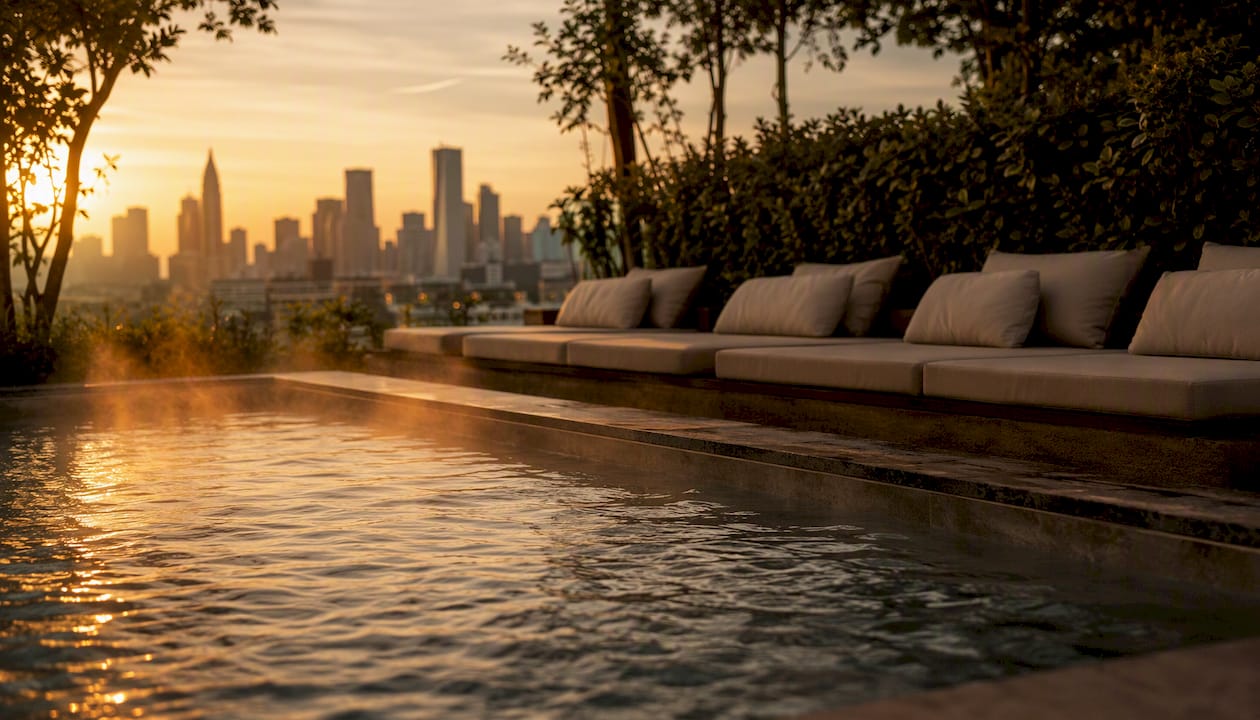
On the booking page itself, images should reduce friction, not add it. Avoid heavily edited or stylized images here; guests are in verification mode. Amenity photos on properties with distinctive features, such as a hot tub or a rooftop terrace, carry particular weight at this stage. Properties that list amenity visuals clearly on OTAs often outperform those that rely on text descriptions alone for the same feature.
Post-stay: UGC and re-engagement
After check-out, guest photos become your next marketing asset. A structured UGC collection process, including a simple request at checkout and a rights workflow, builds a library of authentic images that outperform studio shots in re-engagement emails and social retargeting.
How do you measure whether your images are actually working?
Measuring image performance requires tracking the right metrics at the right stage, then connecting them to a testing discipline.
| KPI |
Measurement method |
Reporting frequency |
| Thumbnail CTR |
OTA analytics dashboard or Google Search Console (direct site) |
Weekly |
| Gallery engagement |
On-page heatmap tools (e.g., Hotjar, Microsoft Clarity) |
Monthly |
| Booking page conversion rate |
Booking engine analytics, segmented by room type |
Weekly |
| RevPAR lift attribution |
Compare periods before and after image refresh, controlling for seasonality |
Quarterly |
| UGC engagement rate |
Social platform analytics (reach, saves, shares per post) |
Monthly |
A basic A/B test for thumbnails works as follows. Select your top-performing room type. Create two thumbnail variants: one using your current hero shot, one using an alternative angle or time of day. Run both on your direct-booking site or through a channel manager that supports split testing. Your null hypothesis is that there is no difference in CTR between the two images. Your alternative hypothesis is that the new thumbnail produces a higher CTR. Target a minimum of 500 impressions per variant before drawing conclusions; smaller samples produce unreliable results.
For image analytics at scale, the framework from the American Marketing Association organizes images into three levels: basic visual properties (brightness, color temperature, resolution), content elements (what objects and spaces appear), and high-level perceptions (emotion, quality, trust signals). Tagging your image catalog at all three levels lets you run cohort comparisons, for example, comparing CTR for daytime vs. evening shots across room types, and prioritize which images to refresh first.
The property listing image optimization process for bulk portfolios follows this same three-level logic and is worth reviewing before you build your tagging taxonomy.
Professional shoot, owner photos, UGC, or AI enhancement: which fits your situation?
The right production choice depends on what you already have, what you need, and how quickly you need it.
| Production option |
Cost range |
Turnaround |
Best fit |
| Professional photographer |
$500–$2,000+ per property |
1–2 weeks (shoot + edit) |
Flagship launches, architectural shots, new angles needed, unusable existing photos |
| In-house / owner-taken photos |
Near zero |
Same day |
Properties with good natural light and a capable phone camera; requires editing |
| UGC (guest-submitted) |
Near zero |
Ongoing |
Verification layer, social proof, seasonal variety; requires rights workflow |
| AI photo enhancement |
Current HospitalityLens pricing |
Typically about 15 minutes after upload |
Listing refreshes, owner-submitted or cleaner-taken photos, portfolio consistency, seasonal updates |
The decision flow is straightforward. If you are launching a flagship property or need entirely new angles, hire a photographer. If you have usable phone photos or existing listing images that are dark, crooked, or cluttered, AI enhancement is a practical and cost-effective alternative to a new shoot. If you have guest photos with clear rights, surface them as UGC alongside your hero shots.
AI-enhanced hotel photography works well for lighting and color correction, perspective and horizon fixes, clutter removal, and overall polish. It does not invent rooms, views, or amenities that do not exist. That distinction matters for both ethics and platform compliance.
Field research on generative AI in marketing found that AI-produced images can match or exceed human-made images on some metrics, including CTR in ad tests with 173,000 impressions. The practical implication is that AI-enhanced or AI-assisted imagery is no longer a compromise; it is a legitimate production option for many hospitality contexts.
Pro Tip: When collecting UGC, build a simple rights workflow from day one. A direct message reply from the guest granting permission, saved and tagged by property and room type, is sufficient for most platforms. Season-tag every guest photo (summer pool shot, winter fireplace) so you can surface the right image at the right time of year without hunting through your archive.
For operators managing multiple listings, the cost-saving approach to photo production transfers directly to hospitality portfolios.
What edits are acceptable, and where does the line sit?
Truthful image improvement is the standard. The distinction between acceptable and unacceptable editing is not about how much you edit; it is about whether the final image accurately represents the real property.
Acceptable edits:
- Lighting and color correction to reflect how the space looks in person
- Perspective and horizon correction to fix crooked shots
- Clutter removal (personal items, cleaning supplies, temporary objects)
- People or pet removal from background
- Minor sky brightening or window glare reduction
- Overall sharpness and noise reduction
Edits to avoid:
- Adding rooms, views, or architectural features that do not exist
- Digitally staging furniture that is not present in the property
- Removing permanent structural elements (a support column, a low ceiling)
- Altering the size or scale of spaces to appear larger than they are
- Adding a pool, garden, or amenity that belongs to a neighboring property
OTA platforms including Airbnb and Booking.com have image accuracy policies, and guest complaints about expectation mismatch are among the most common sources of negative reviews. A photo that overpromises and an arrival that underdelivers is a review problem, not just an ethics problem. When virtual staging or non-representative images are used in any context, disclosure is required under Federal Trade Commission guidelines on truthful advertising.
Commercial use of enhanced images across hotel and listing platforms carries its own licensing considerations worth reviewing before you publish.
A 30–90 day roadmap for property managers
You do not need to fix everything at once. This prioritized sequence focuses effort where it produces the fastest return.
Quick wins (1–7 days):
- Replace the thumbnail on your top three room pages with a daytime, wide-angle hero shot that follows the composition rules above.
- Add at least three guest-submitted photos per room type to your gallery, tagged by room and season.
- Resequence your gallery to match the guest decision path: hero room, bathroom, kitchen, amenities, lifestyle, exterior.
Short projects (2–4 weeks):
- Run a thumbnail A/B test on your highest-traffic room type, targeting at least 500 impressions per variant.
- Audit your UGC pipeline: confirm you have written or message-based rights for every guest photo you are currently using.
Current HospitalityLens pricing (USD); one-time packs — The Hero: 1 photo for $12; The Refresh: 10 photos for $59; The Property: 25 photos for $129; The Portfolio: 100 photos for $399; monthly subscriptions — THE STARTER: 10 photos/month for $49/month; THE OPERATOR: 25 photos/month for $99/month; THE PORTFOLIO: 100 photos/month for $299/month; one-time pack credits do not expire; monthly subscription credits remain valid for up to 3 months; 2 free revisions per photo on one-time packs; 3 free revisions per photo on monthly subscriptions. See current pricing.
Larger investments (1–3 months):
- Commission a professional shoot for your flagship property if existing photos are unusable or if you need new angles. Budget $500–$2,000+ depending on property size and photographer.
- Run a full portfolio refresh across all listings, prioritizing properties with the lowest CTR or highest abandonment rates.
- Launch an influencer or content creator program for one or two properties, targeting creators whose audience matches your guest segment.
The photo enhancement ROI case for AI-based refreshes is strongest for multi-listing operators where a full professional shoot for every property is neither practical nor cost-effective.
Image loading speed and technical SEO for hospitality sites
Fast-loading images are not a technical nicety. Google’s Core Web Vitals include Largest Contentful Paint (LCP), which measures how quickly the main image on a page loads. A slow LCP score directly affects your search ranking and your bounce rate, particularly on mobile, where most hospitality searches now happen.
The practical steps are straightforward. Serve images in WebP format rather than JPEG or PNG; WebP files are typically 25–35% smaller at equivalent visual quality. Use responsive images with the srcset attribute so mobile devices download a smaller file than desktop browsers. Compress images before upload using tools like Squoosh or ImageOptim, targeting file sizes under 200KB for gallery images and under 100KB for thumbnails. Enable lazy loading for images below the fold so the browser prioritizes the hero image first.
For your direct-booking site, a content delivery network (CDN) distributes image files from servers closer to the guest’s location, reducing load time regardless of where they are browsing from. Cloudflare and Fastly are widely used options in the US market.
Alt text serves two purposes: it tells search engines what the image contains, and it provides accessibility for screen readers. Write descriptive, specific alt text for every property image (“King bedroom with floor-to-ceiling windows and mountain view, morning light”) rather than generic labels (“room photo”). This improves your visibility in Google Images search, which is a meaningful discovery channel for hospitality properties.
The 2026 guide to image formats in property marketing covers format selection, sizing, and loading performance in more detail for operators managing large image catalogs.
Key Takeaways
| Point | Evidence-based takeaway |
|---|
| Imagery affects guest evaluation | Controlled hospitality research links photo presentation with enjoyment and booking-related intentions. |
| Composition matters | A study of 1,350 hotel images found shooting time, angle, human presence, and color scheme associated with booking events. |
| Do not import unrelated benchmarks | Ad-model, UGC, CTR, or brand-recognition results from another context are not a guaranteed hotel-listing uplift. |
| Test with your own data | Choose a sample size and measurement window based on traffic and variability rather than a universal impressions threshold. |
| Keep product claims current | HospitalityLens offers a free watermarked preview; use the current pricing page for finished images and packs. |
The image gap most operators are not thinking about
The conversation in hospitality marketing usually focuses on getting better photos. That is the right instinct, but it misses a more common and more fixable problem: operators have usable photos that are simply underperforming because of correctable issues, dark exposure, a crooked horizon, a cluttered nightstand, a window blown out by glare.
These are not photography failures. They are presentation failures, and they are solvable without a new shoot. The guest looking at your listing does not know your cleaner took the photo on a Tuesday morning with an iPhone. They only know whether the image makes them want to book or not.
The deeper issue is that most operators treat photography as a one-time event rather than a continuous asset program. Images decay. A summer pool photo published in March looks out of season. A hero shot from three years ago may no longer reflect the room after a refresh. Listing decay is real, and it compounds quietly across a portfolio until CTR drops and no one can explain why.
The fix is not always a new shoot. Often it is a disciplined refresh cycle: correct the existing photos, surface the right UGC for the current season, and run a quick A/B test to confirm the change worked. That cycle is repeatable, affordable, and measurable. A professional photographer remains the right answer for a flagship launch or when the original photos are genuinely unusable. For everything else, the gap between what you have and what you need is usually smaller than it looks.
Booking-ready photos without arranging a new shoot
HospitalityLens enhances existing property photos with AI, correcting lighting, perspective, clutter, and color without inventing rooms, views, or amenities that are not there. It is built for property managers, Airbnb co-hosts, vacation rental operators, and boutique hotel teams who need better listing images without the cost or scheduling of a full photoshoot.

The trial is straightforward: create one free watermarked preview on a real property photo. Review it before paying, then use the current pricing page for the finished watermark-free image, one-time packs, and current revision terms.
The step-by-step guide walks through the upload process, what to expect from the preview, and how revisions work. Typical HospitalityLens turnaround is about 15 minutes after upload.
Useful sources
- Effects of hotel website photographs and length of textual descriptions on viewers’ emotions and behavioral intentions — ScienceDirect
- From Pixels to Market Outcomes: A Framework for Image Analytics in Marketing
- The power of generative marketing: Can generative AI create superhuman visual marketing content?
- Visuals vogue: Revolutionizing hospitality & travel marketing — EHL Insights
- The Hospitality UGC playbook: why the booking decision is a visual one — Idukki
- How hotel photo aesthetics predict booking decisions — Nature (preview)
- Hoteliers — Use Your Marketing Dollars Wisely — HospitalityNet
FAQ
Why is imagery so important in hotel advertising?
Images help guests evaluate appearance, layout, condition, amenities, and atmosphere before booking. Hospitality research links photo presentation with viewer responses and booking-related intentions, but imagery works alongside price, location, reviews, availability, and the rest of the offer.
A peer-reviewed study of 1,350 hotel images found shooting time, angle, human presence, and color scheme associated with booking events. That supports treating composition as important, but it does not prove a guaranteed CTR or conversion gain from changing those dimensions.
Why is imagery important in advertising generally?
Visuals can communicate product attributes and atmosphere quickly, but performance depends on the audience, placement, creative, offer, and measurement context. Benchmarks from a particular advertising model should not be presented as a universal hospitality result.
What role does UGC play in hospitality image strategy?
Guest-submitted images can add an additional perspective on real conditions and experiences. Use them only with appropriate rights and moderation, and measure their performance in your own channels rather than assuming a universal engagement uplift.
When should a property manager use AI enhancement instead of hiring a photographer?
Use enhancement when existing photos accurately capture the property but need presentation fixes. Hire a photographer when you need new angles, missing spaces, specialized lighting, styling, drone work, floor plans, video, or when the source images are unusable. HospitalityLens lets you create a free watermarked preview before paying.